Is it possible to add z spheres and constrain they’re movement while drawing them out? I have a z sphere base and want to draw another z sphere going straight up or straight out at the sides (perpendicular). Can this be done and is there a short cut? I’m just starting with ZB4 so any help is appreciated. Thanks
If you want to constrain to a particular axis, begin by aligning your view first. Align the view of your zsphere model to your liking and constrain the rotation by holding shift while orbiting around.
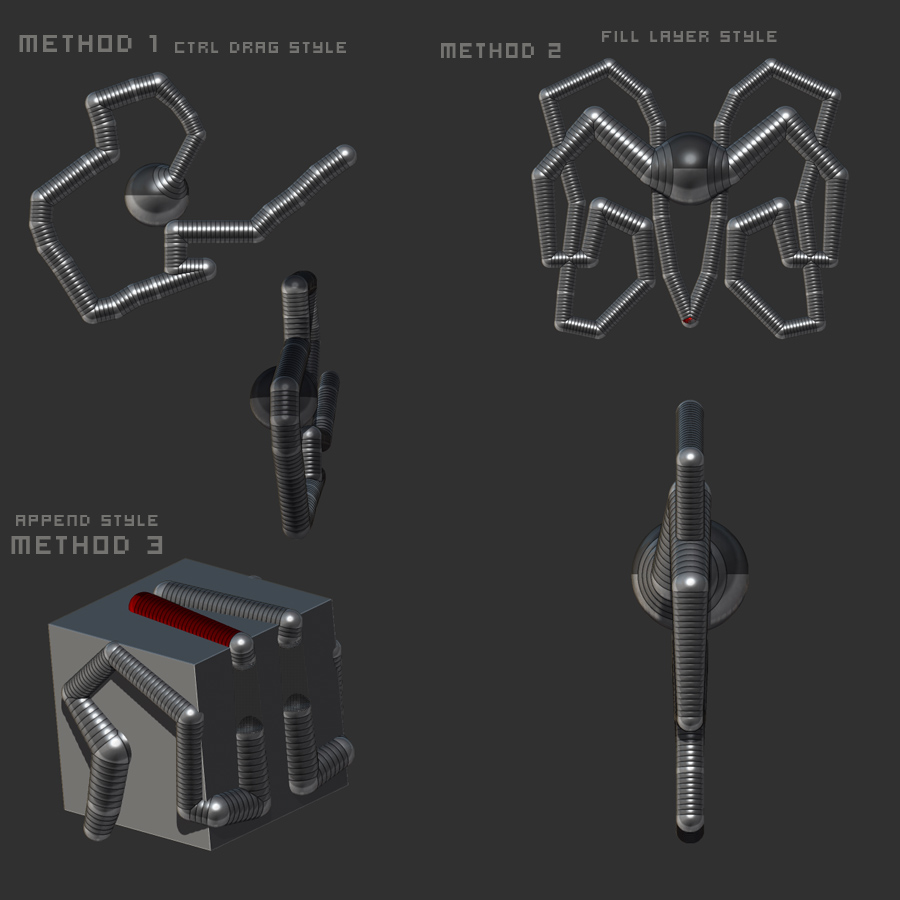
Once you’ve got a good side view or front view or whatever, then start drawing your next zsphere. Don’t let go of the mouse/tablet, while keeping it still pressed down, tap ctrl and you can spin the zsphere around to the angle you want. When you release ctrl, you have the ability to draw zsphere lines constrained to that axis. Holding shift allows you to draw straight lines. Moving the mouse/pen quickly will add many zspheres to the chain, slowly will add fewer.
There are other ways such as filling the canvas with a Fill Layer in the color palette (with MRGB selected). Then drawing your zsphere on that filled canvas. Then you can click anywhere on the canvas after that and your zspheres will be constrained to a straight line. Note that you can’t rotate around your zsphere model when doing it this way by dragging, but you can drag on the Rotate icon to rotate your model.
Another way is to create a box, then append a zsphere to it and aligning the zsphere with the center of the box. Once you start drawing your next zspheres they will snap to the planes of the box (or any other shape mesh you start with). Note that this doesn’t work with Ghost Transparency, but it will with regular transparency.
I just tried all these methods with Z4 to make sure it’s still relevant and they all work, have fun.
Here’s a visual:
[ ]
]
thanks for the tips…