ZBrushCentral

Answered: WTF is wrong with Zbrush 4 (solved)

I have got a serious problem with ZBRUSH 4.0.

My system config is decent enuf I have 2.2 ghz core 2 Duo processor 3 gb of ram and 512 MB graphic card.

I have been working on a sculpt for a few days and suddenly I can’t do nething on that Model. Even a slight brush movement crashes Zbrush. I tried Using Decimation master but again it crashed due to insufficient amount of ram. same happens when i try to go to lower division.

WHAT THE HELL IS GOING ON.

How many ploys? Are you using layers? More info p,ease.

i sometimes have this issue, i find that it happens when i just jump to the highest subdivision and try to move something, try just making a small adjustment at the mid point of your subdivs and then move up onto the highest subdiv

yep, I have this crash too when using the move brush.

As someone else asked, how many polys is the model? How many layers?

Also, what are your settings in the Preferences>Mem menu?

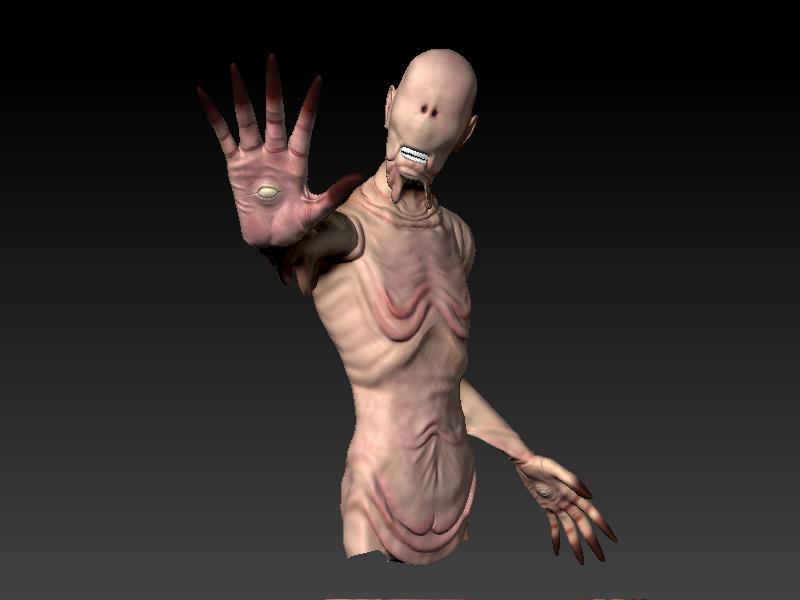
My poly Count is exact 877154 Polys and M not using ne Layer. I just wanna add a little detail to my model and give alittle wrinke rufness to skin…But i can’t save my tool :frowning: ZGrab01.JPG

Obviosly difficult to tell but the model looks like more than 870 k ploys. I would give aurik your memory settings.

What do you mean you ‘can’t save your model’ ? How have you worked on it for a few days (with ZBrush crashing) and not saved it? You should not be having these problems but we need as much information as you can give if we are to help you. For example, you didn’t answer aurick’s question about mem settings.

I have All my mem settings to maximum.
And I am currently at subdivision level 7. I was able to save till level 6 but it saved Once on 7 and after that its not saving at all. Infact as i said before I am not even able to go back to level 6.

There’s your problem. If you have the Doc Undo and Tool Undo settings maxed then you’re requiring ZBrush to keep in memory 64 instances of your model and your document. You’re seriously crippling ZBrush’s performance by doing that.

Those settings should ONLY be increased on a short-term basis when you know you’ll need more undos.

Also, you only have 3 GB of RAM, of which 1 GB is being used by your OS. Yet you have told ZBrush to use 4 GB of RAM thanks to the Compact Mem setting. That’s an impossibility, which is also going to lead to issues. With your system it should be no higher than 2048.

May I suggest to check as well what and how many Applications were working in the background ? They also use memory …

If I increase My RAM to 4 GB will that help???

The number one thing that will help is to bring your Preferences>Mem settings into line with what your system can handle.

Number 2 is ending as many background tasks as possible to free up more RAM for ZBrush.

Going to 4 GB of RAM may or may not help. It depends on your OS. If you have a 32-bit OS it will not help (unless you like to run background tasks) since the most that such an OS will give to any program is 2 GB anyway. If you have a 64-bit OS I’d definitely recommend going to 4 or even 6 GB of RAM. But this still won’t make much difference if you leave your Undo settings cranked up like you have them.

Another big RAM eater are processes. There are a few processes that you don’t need and disabling these will free up some extra RAM. Just Google “useless processes” to learn more.

Thnx For help guys.I finally got it working. This Is how It looks now :smiley:

Attachments

ZGrab01.JPG