Aloha Z Brushers,
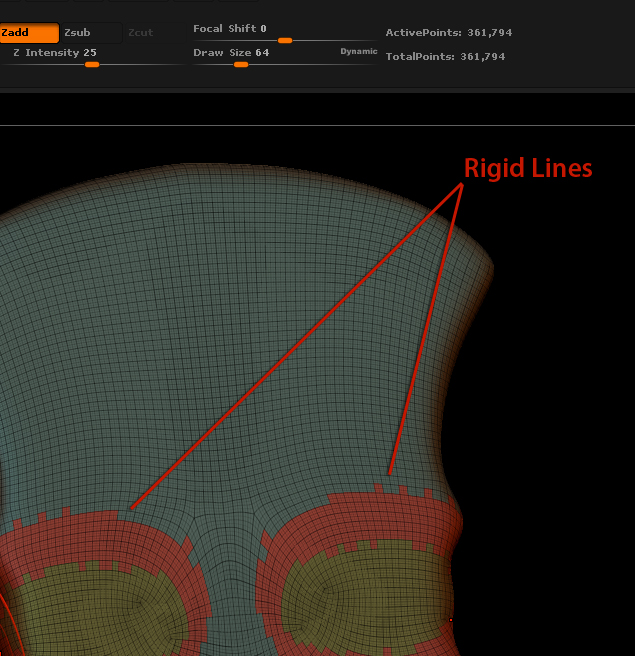
I have a mesh I am working on that I created PolyGroups for. The mesh has 361,000 polys and when the PolyGroups were created it made nice smooth and crisp lines bordering each group. But when I reopen the file, the poly count is the same but now my lines are all ridged. Does anyone know why they are not staying crisp and clean when I reopen the file?
I noticed on files that I have applied group-loops to, this does not occur. But I would like a version of this mesh to go back to that has its clean PolyGroup lines intact without using group-loops.
Any input is appreciated.
f~
Attachments