Just working through the tuts, so I’m not even sure what to call this thing- but I was trying various methods to make fingernails, and one of the brushes left this artifact. I can’t figure out how to get rid of it.
Attachments
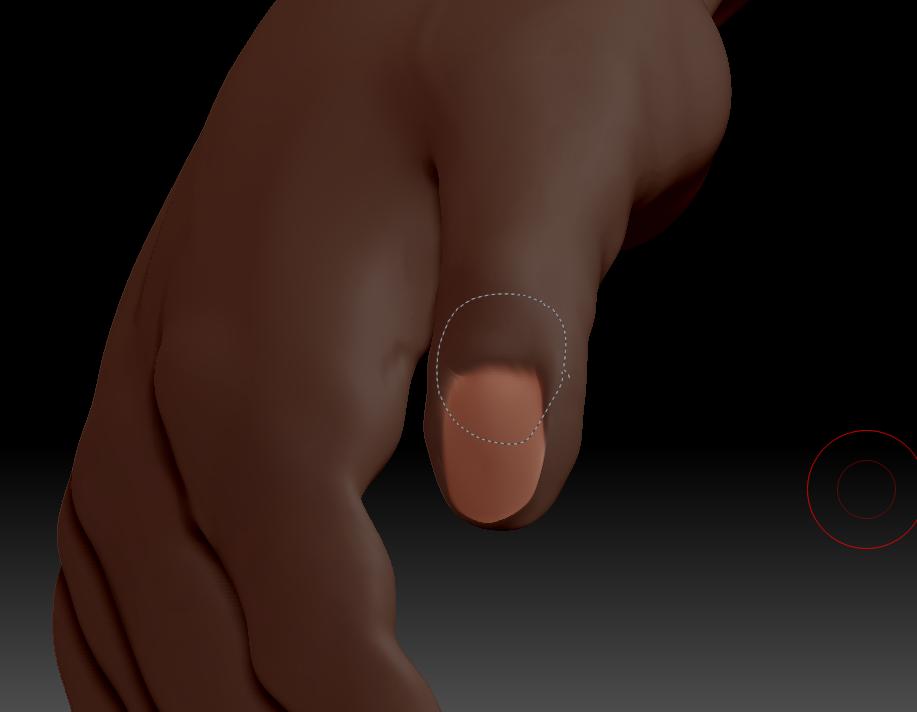
Just working through the tuts, so I’m not even sure what to call this thing- but I was trying various methods to make fingernails, and one of the brushes left this artifact. I can’t figure out how to get rid of it.
It’s a Curve. You can learn more about them in the PDF’s found in your Documentation folder.
To get rid of the curve rather than accepting it, just click on any other part of the model. Clicking on the curve itself would sweep that brush’s effect along the length of the curve.
Thanks- unfortunately, it’s still there, and I can’t figure out how to grab it. Is this common?