ZBrushCentral

Answered: Right Tray Options are missing

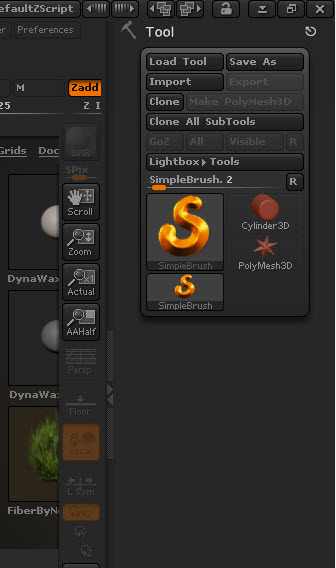
I am new to zbrush and was working thru the tutorial in Zbrush Starting Guide. When I opened the DefaultSphere in the Project Light Box, the options in the Right shelf are missing. Can’t find the geometry and symmetry options. I have restarted zbrush a couple of times and I don’t get the right shelf options shown on page 8 of the Guide. Attached is a partial view of my screen area.

Attachments
Right Tray is missing options.jpg

Well, at the moment that screenshot was taken, the Simple Brush was still selected. It doesn’t use those things you were talking about, so they aren’t there.

From the look of the palette, you haven’t actually loaded the DefaultSphere.ZPR. Perhaps you only selected it (single click) but didn’t load it (double-click)? When the DefaultSphere project is loaded, the selected Tool should change from SimpleBrush to PolySphere – and result in a Tool palette with considerably more options in it.

Thanks for the help. Double clicking did it.