ZBrushCentral

Answered: Normal map issue

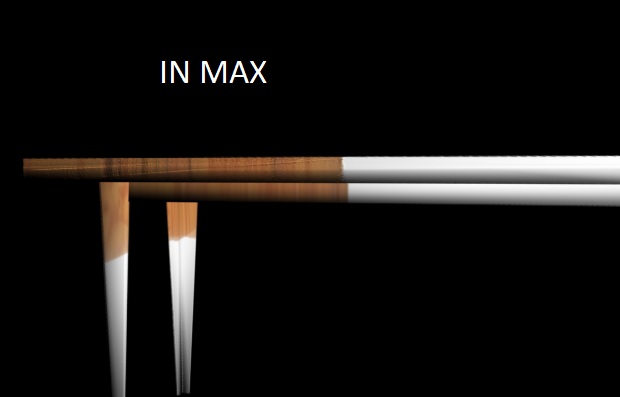
I made my normal map for a table and its creating a harsh black line down one of the sides. (pictures attached) I can’t tell what it is from. I’ve tried inverting all the colors that only shifts the line around the side of the table. Is it that there is a special way to deal with 90 degree angles or such?
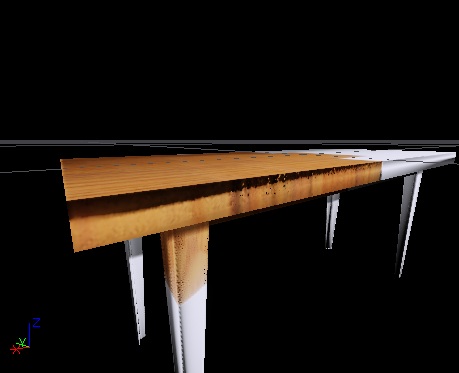
(You can see in more pronounced in the game engine render, the one not labeled max.) P.S. Yes I have flipped it vertically, its what both programs require. I have also tried inverting all the colors. The flipping in the dark line in the two different screenshots (one a game engine) is likely because it was taken while I was working with flipping the colors.

hhgfhgbgvfh.jpg

Attachments

sfdsfdsdffds.jpg

Have you checked your UV map?

When I remove the normal map it looks perfectly wood textured. No seams, no dark spots. Its only when I add the normal map that the dark spots show up. I had heard there was an issue with normal mapping 90 degree angles but I haven’t seen it before. I need some help.