ZBrushCentral

Answered: Newbie questions

Hello! I’m a brand new Zbrusher and, surprise, I got some questions :slight_smile:

  1. I’m not sure how it is called, so I added a screen cap to illustrate. The viewport is not filling the available space, how can I change this? The scroll, zoom, actual buttons keep the proportions of the viewport, so I either have a viewport that is too small or not the complete viewport. This also means I don’t see the white borders on the edge of the viewport to change the view, wich is a bit annoying. I’m using win7 and 1920*1080 screen.

  2. Is there a way to save a mask, preferably on a model that has no UV mapping yet?

  3. I modelled a basic bikini bottom in another modeller and imported it in Zbrush as obj. It has tube-like borders around the cloth, with the cloth tucked inside the tube. (The cloth and the tube are just intersecting, they are not welded together at vertices.) If I divide the obj, the cloth gets pulled outside the tube, but if I go back to the low res division (without making any changes) the cloth remains outside the tube. Is this normal?

Thanks,
Elele.

Attachments
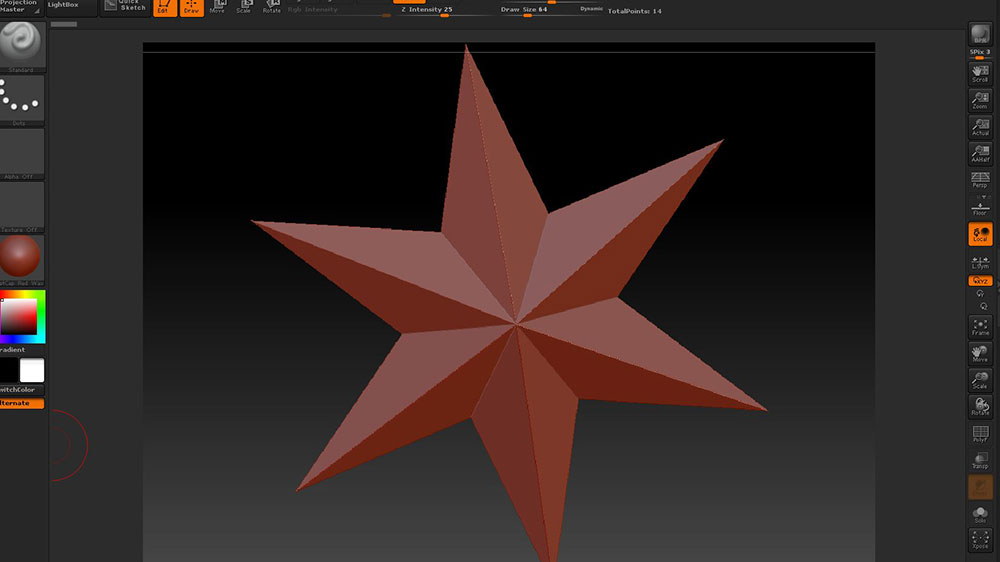
Capture.JPG

1) It’s called the canvas. If you use the Document palette to resize the canvas larger it will fill the available space.

  1. I believe you can accomplish that via TimeLine. Set a keyframe of the masked model. Returning to that keyframe will apply the mask back on again. There are a lot of things that can be stored in keyframes this way. It’s as much a workflow tool as an animation feature.

  2. When you subdivide a model, the surface is smoothed. This causes contraction around the edges. To prevent that contraction, use Tool >> Geometry >> Crease to crease the edges. That freezes them in place while allowing the rest of the surface to smooth.

  1. Succes! Is there a way to save this as the default size? If I restart Zbrush or use the GoZ plugin, it reverts to the previous size. Also, I’d like lightbox not to open on startup. I unchecked “open at launch” in the preference tab, but everytime i open Zbrush lightbox opens and “open at launch” is checked again.
  2. That’s pretty sweet, still got lots lo learn :slight_smile:
  3. Succes! I’ll have to be carefull to remember that. I assumed that going back to lower SD would restore the edges too.

AHA! I learned something! So that’s what was causing that. Thanks, aurick!

In the ‘Document’ menu, click ‘Save As Startup Doc’.

What version of ZBrush are you using? Usually, when you make any changes to the ZBrush UI that you want to keep, you have to store the configuration. To do that you can go to ‘Preferences>>Config’ and click ‘Store Config’ or you can just press Ctrl+Shift+I.

Succes & succes :smiley:
Thanks for the help people, this will make things easier to work with. I’m sure I’ll be back soon with more questions, but for now I’m off to model and bid you fine people farewell :slight_smile: