ZBrushCentral

Answered: Need advice on joining meshes!

I need some advice on how to join meshes to one another from the picture. The picture shows an upper mesh and a lower mesh that has a straight mesh/border to it. Is there a way to seam/join them together in a simple way in ZB? Or a better program that is specific to addressing this problem? I would like to solve this in ZB. Please help!!

Thanks!

ST

:eek:
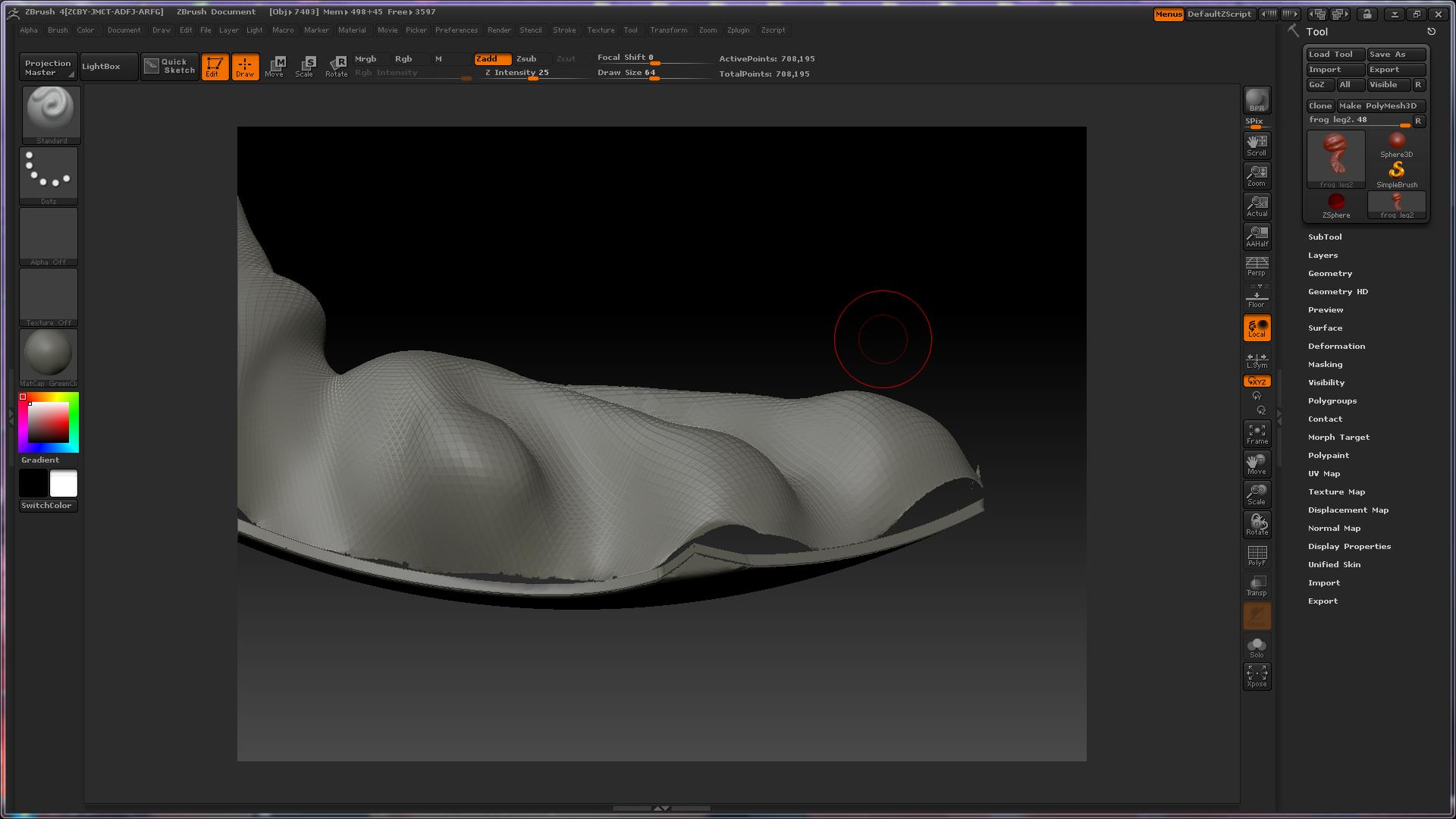
Have you tried remeshing it?

I’m very new to ZB. What is remeshing? Is it a command? The mesh surfaces do not touch or intersect one another will this matter?

Remesh and its associated settings is found in the Tool>SubTool menu. If I remember correctly, it is covered in the New Features PDF found in the ZBrush 4\Documentation folder.

For it to work for what you’re doing, you will need the two surfaces to intersect.

You are the famous Aurick. Thank you for responding. I found a work around. I will have to remake my parts from a single surface imported in from another program. I will take a surface, extract a small surface from that. Save only that subtool. Then sculpted from there…

Another question: When I import a surface in I see that I can only view one side of the surface. Is there a way to see the opposite side of that instead of the side that ZB picks? I tried saving my surface from myother program in different orientations to see if ZB would recognize them but no such luck.

It’s the surface normals. Polygons are drawn single-sided. The direction that they are visible from is the surface normal.

In your other program you can flip normals. This will reverse the direction that the polys face so that when you import into ZBrush they are how you want them.

Alternatively, in ZBrush you can turn on Tool>Display Properties>Double. This displays both sides of the polygons so that it doesn’t matter which direction the normals face.

Or you can click Tool>Display Properties>Flip to flip the surface normals in ZBrush.

AAAHHH I seeeee… UNderstand more now. Worked great! Thanks again aurick!

ST