ZBrushCentral

Answered: Looking for pointers!!

Hi,
New to zbrush although used 3D max for many yrs! Imported my first face mesh. Got a good look going on and just at the point of adding the last bit of details. My issue is my wrinkles look weak! I’ve googled but found no real times par video but there a fee and I don’t have the free money Lying around at the min.
So I’m hoping someone can give me tips… I.e what brush, alpha, technique. How do u get the skin to look fleshy in between wrinkles.

The second one was pores, are they any free alpha websites out there. I’ve been on gnomon and download there organics alpha. The skin pores don’t seem to give me the result I want. Do you just use the standard brush and drag with a pore alpha set to zsub??

sorry for the noob questions have been using google just not getting any great results!
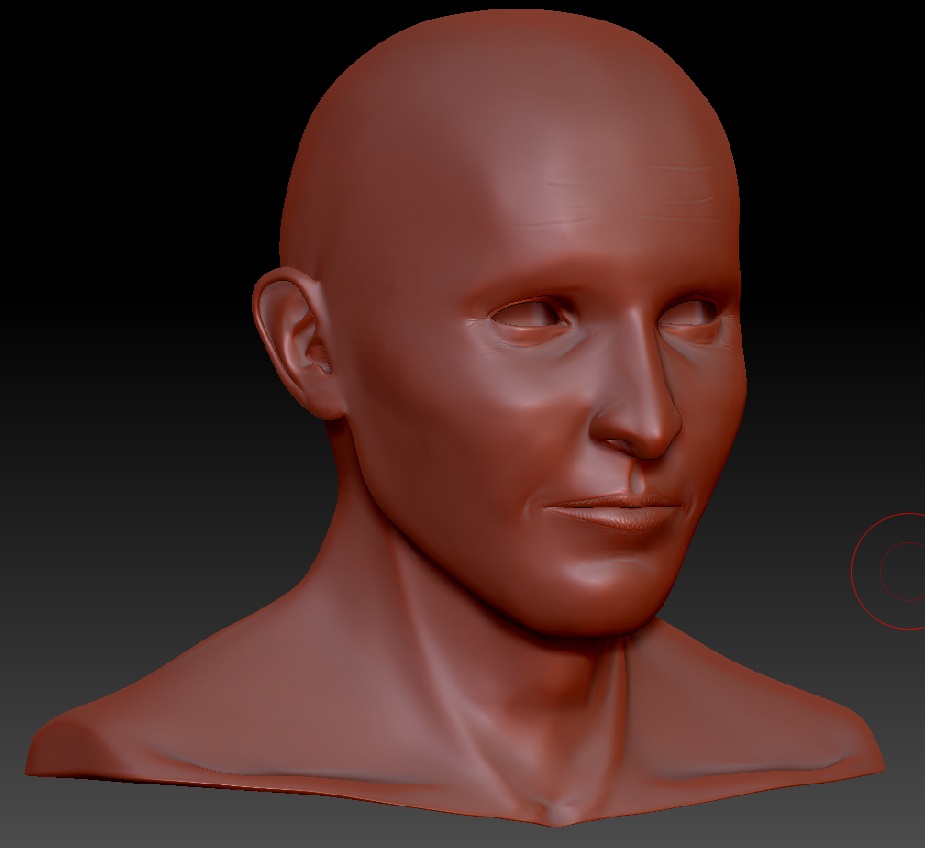
Zbrush_update.jpg

For wrinkles, voodoomonkey (Cesar Dacol Jr.) has long been one of the experts – and as luck would have it he has a video tutorial.

An example of his work is http://www.zbrushcentral.com/showthread.php?40300-Bunch-of-Zoodles-you-know-the-animal-noodles

His tutorial is at http://www.zbrushcentral.com/showthread.php?34688-Pixologic-Release-Artist-in-Action-Cesar-Dacol-Jr

For alphas, have you seen these? http://www.pixologic.com/zbrush/downloadcenter/alpha/ They’re all free. While there, check out the other tabs for textures, materials, etc.

That looks great was looking at his DVD on gnomon and wanting to purchase it! Will have a look now!

had a look at them alphas but could find any pores, will have a second look.

thank you for your time.