I have gotten this error a few times when using dynamesh. These holes in the mesh appear. If you use pinch brush and redynamesh they do not disappear. What causes them and how do you get rid of them?
Attachments
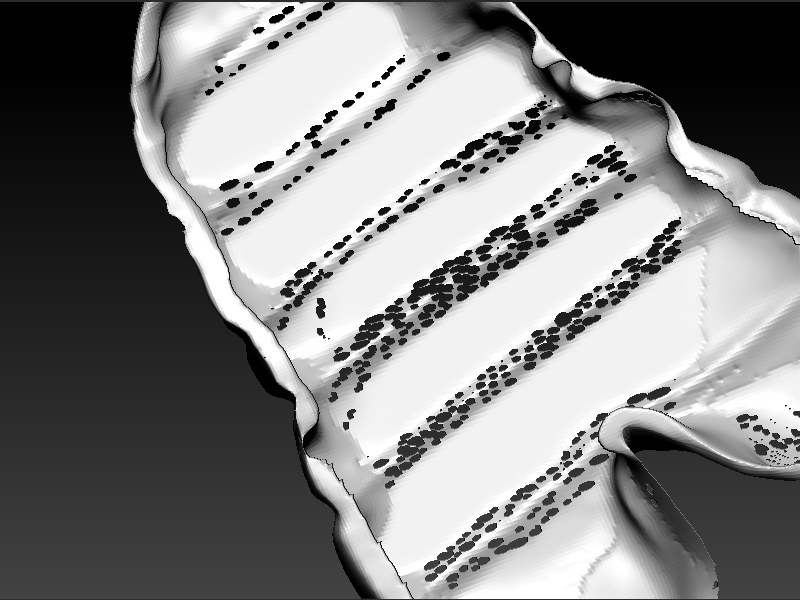
I have gotten this error a few times when using dynamesh. These holes in the mesh appear. If you use pinch brush and redynamesh they do not disappear. What causes them and how do you get rid of them?
Your geometry looks very flat you need volume to work with dynamesh. The DynaMesh remeshing process can only work on volumes and not on surfaces.
I was using and extracted mesh. Is there a way of turning it into a volume?
There’s a thickness slider when extracting which will give it more volume.
This “cheese” effect happen when your model thickness become lower than the minimum polygon size defined by the DynaMesh resolution.
Then to solve this issue, the best is to increase your DynaMesh resolution or to create models with a bigger thickness.
If for whatever reason you need to manually fix these problems, the best is to use the inflate brush on these cheese areas to locally inflate these polygons which will fill locally these small holes. Then update your DynaMehs.