ZBrushCentral

Another UV problem related to creating a texture map from poly paint.

I am having issues with my current project. It’s just about done in zBrush before I take it over to maya and start to animate it.

I had completed this project a few months ago for a plinth. It had a few issues such as a strange 10 sided poly that appeared out of no where as well as a couple of poly edges running though the middle of the model. So that mean’t I had to rebuild my UV and texture map if I wanted to use it in animation.

It’s all painted up nice and pretty but I have run into an issue when generating the texture map from the poly paint. I never had this issue last time.

I did this with the UV master with paint protections.

Is it my UV map doing this? Do I need to put a seam down the middle of my head to spread out the map? I was trying to keep any seam to the underside.

Here’s my last semesters modeling assignment if you wanna giz.

https://www.youtube.com/watch?v=sTkTJieDsQM

Attachments
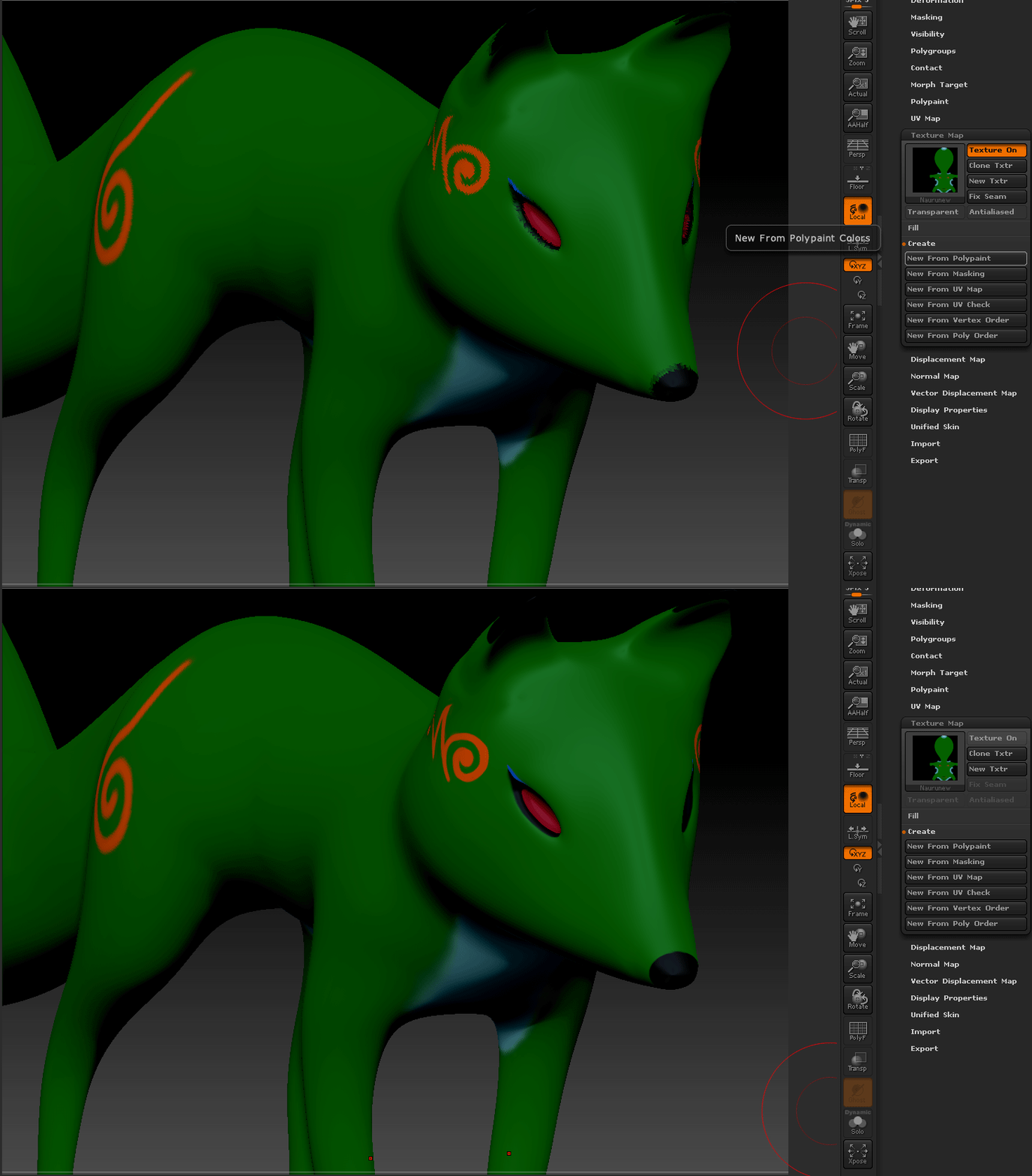
Naurutexture.gif

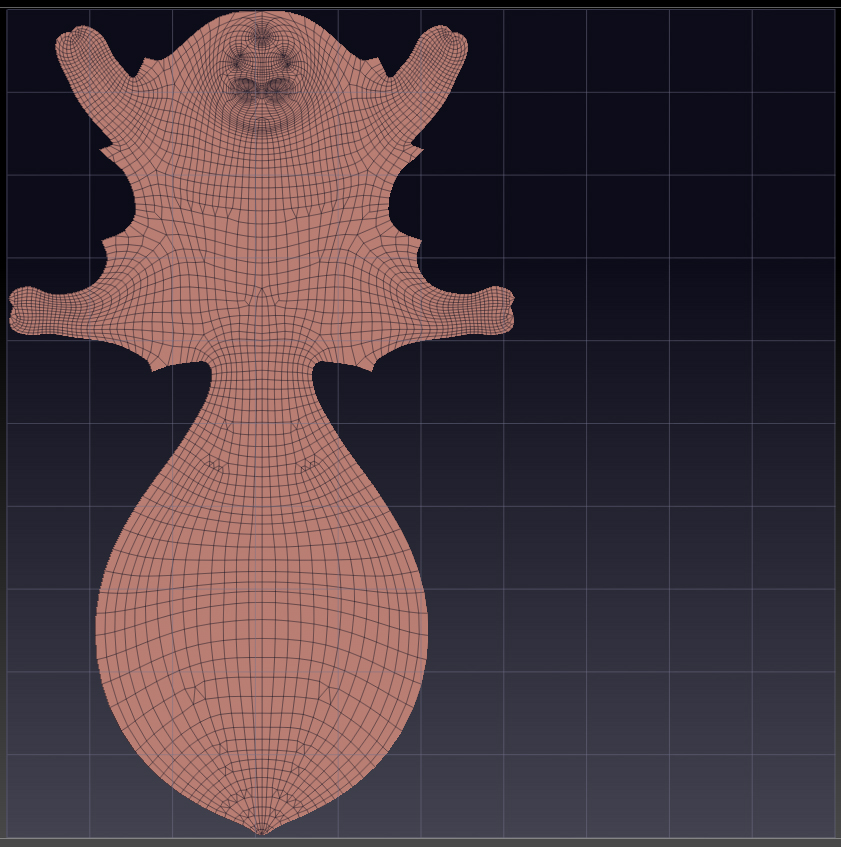
NauruUVmap.jpg

Apologies for the bigness of the gif =P

U/V’s touching border could be a problem, did you try the antialiasing button? You didn’t say what your point count is. Maybe you’ll need to subdivide some more.

Yeah, saw that and gave it a shot. It just smooths out the the botched texture map.

I just did a test on the side of the model where the polys are even. There is still heavy degradation in the resolution… Is there a place you go to increase the resolution of your maps?

Found it (UVS)>>>

As I increase it it appears to improve the resolution greatly, but I’m pushing 8k and theres still tattering along the edges of the black. (200MB texture file)

Point count of model…you didn’t say. You have to have enough resolution to paint on or that might happen.?

I painted on a 6 mil mesh. Also tried generating the map from a clone with no sub divs. That gif is me just pressing “Create from poly paint”

The problem is with the UVs. If you consider your UVs only cover hardly a third of your available map then even with a large map you aren’t getting many pixels, especially in the face area where there’s most detail.

If you don’t need to have a human-readable map then UV Master is not the best option. (The point of UV Master is to produce the type of map that makes sense when you look t it, so you can add details in Photoshop if you wish.) As an alternative, try one of ZBrush’s automatic solutions such as PUV Tiles (in the UV Map sub-palette). Set the map size first to 4K which should be ample for the polypaint you have.

If you need to use UV Master then divide your model into polygroups and use them to drive the UVs. That way more of the available space will be used.

In addition to splitting the mesh into more UV islands to take advantage of your UV real estate, I’d also suggest that you consider deleting half of the model if the design is symmetrical. Then you’re getting even more bang for your buck.

Is this model going to be used for any real-time rendering purposes? If so then you might want to still stick with UV Master, as the other options could lead to significantly more UV splits (which means more vertices on the model as far as the game engine goes).

Alrighty, I’ll chop it up.

Though once I create this new map, how can I get the poly paint onto it from the current tool? I have to delete higher subs in order to use UV master.

At current I have my base low res tool, that has been painted at 6 subdivisions.

You do not need to delete the higher subdivision levels. UVs are assigned at the lowest level but that doesn’t mean you can’t have subdivision levels. UV Master has a 'Work on Clone" option that allows you to work on a copy of your model. When you’re happy with the UVs you can use the Copy UVs & Paste UVs to copy the UVs back to your model. Just make sure that when you paste the UVs your model is at the lowest level. You can then move to the highest level to create a new texture map from the polypaint. You need to create the map at the highest level to get the best polypaint/texture map transfer.

Thnx guys, I chopped it up and distributed it to islands. Here’s the new map.

… strange I can’t seem to upload on this proxy I am on. Anyways it worked. Thnx guys!

I’ll show it animated when it’s done.