ZBrushCentral

Another take on "Siren Song" by Boris Vallejo W.I.P.

Hello zBrushers!!
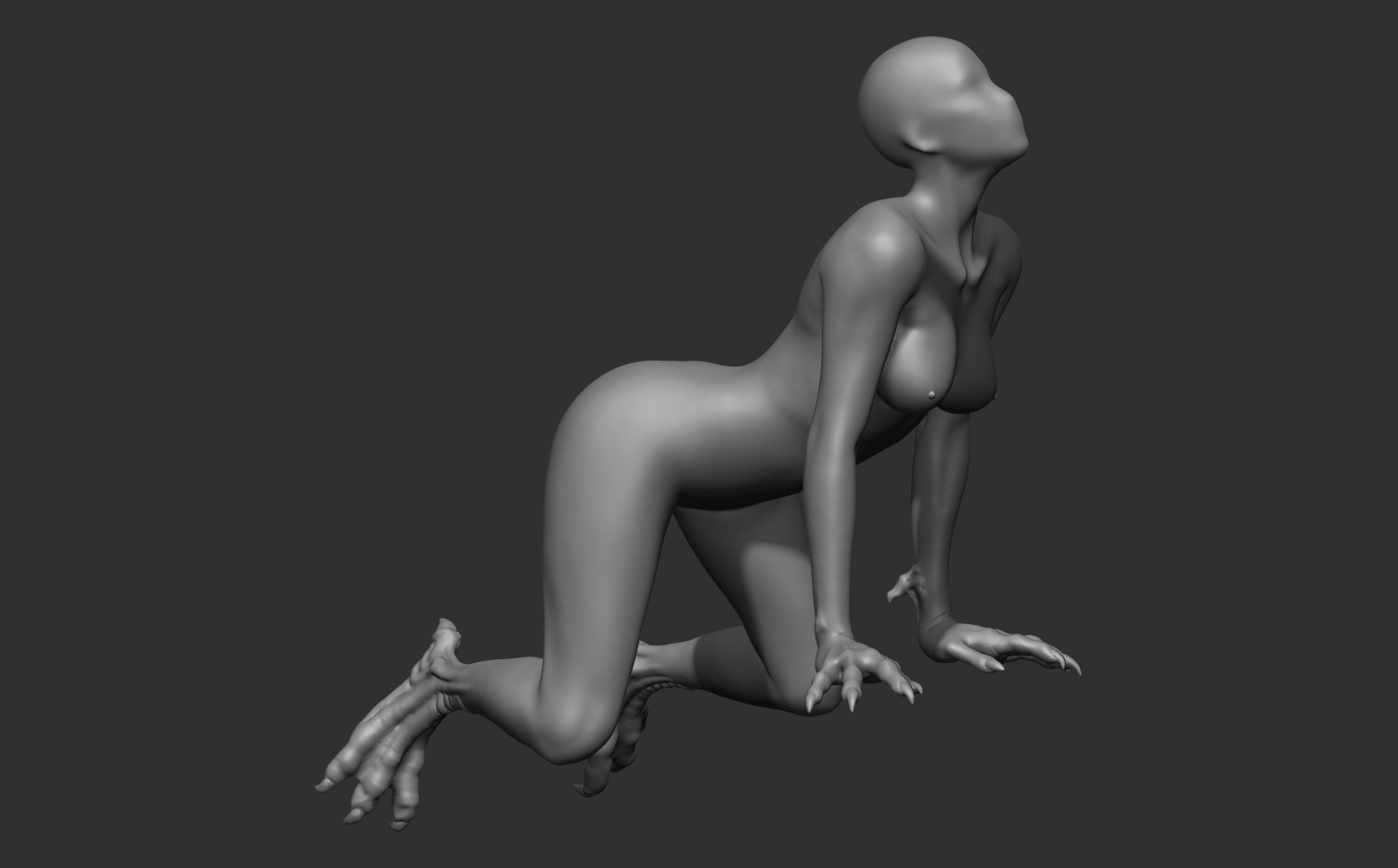
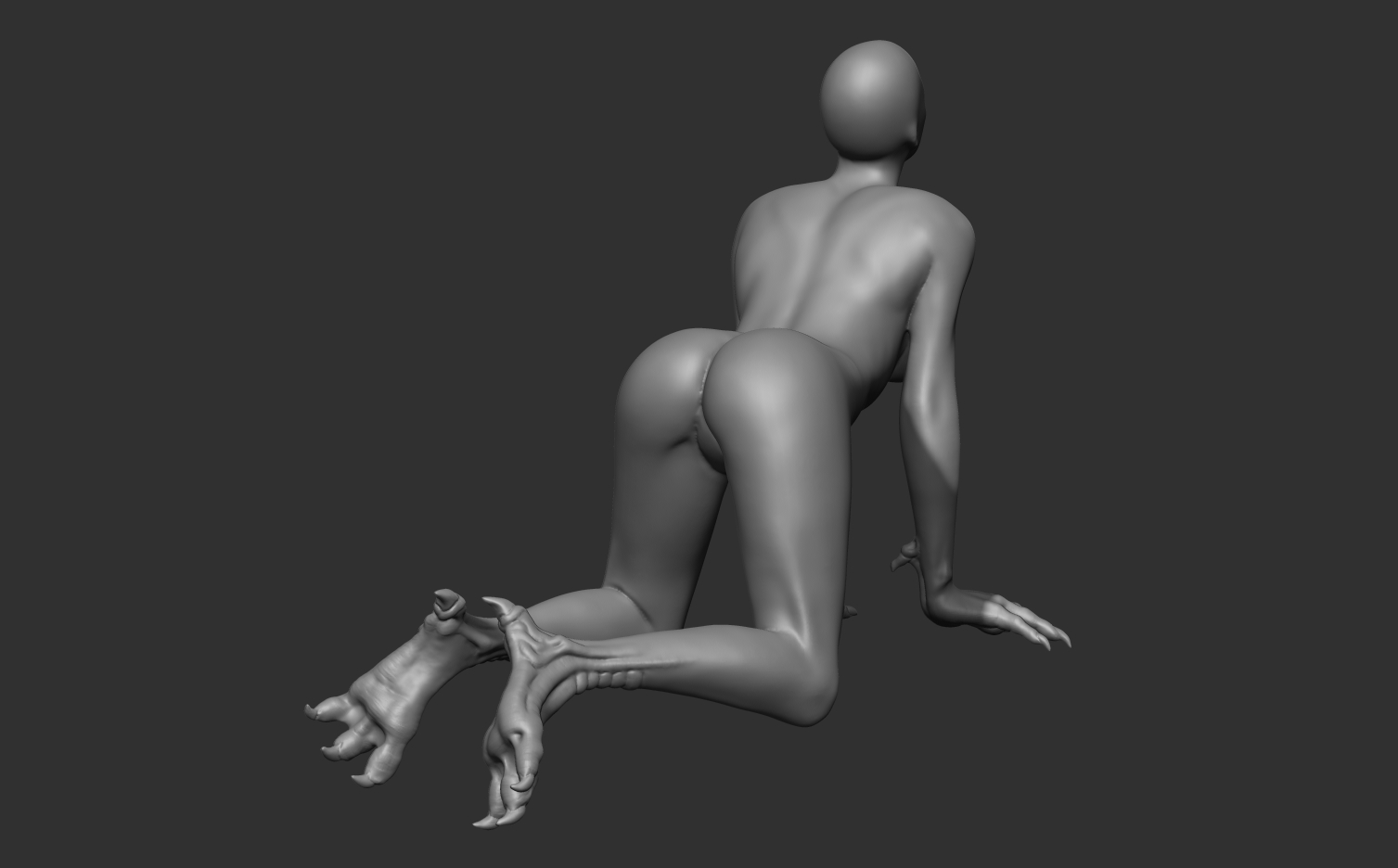
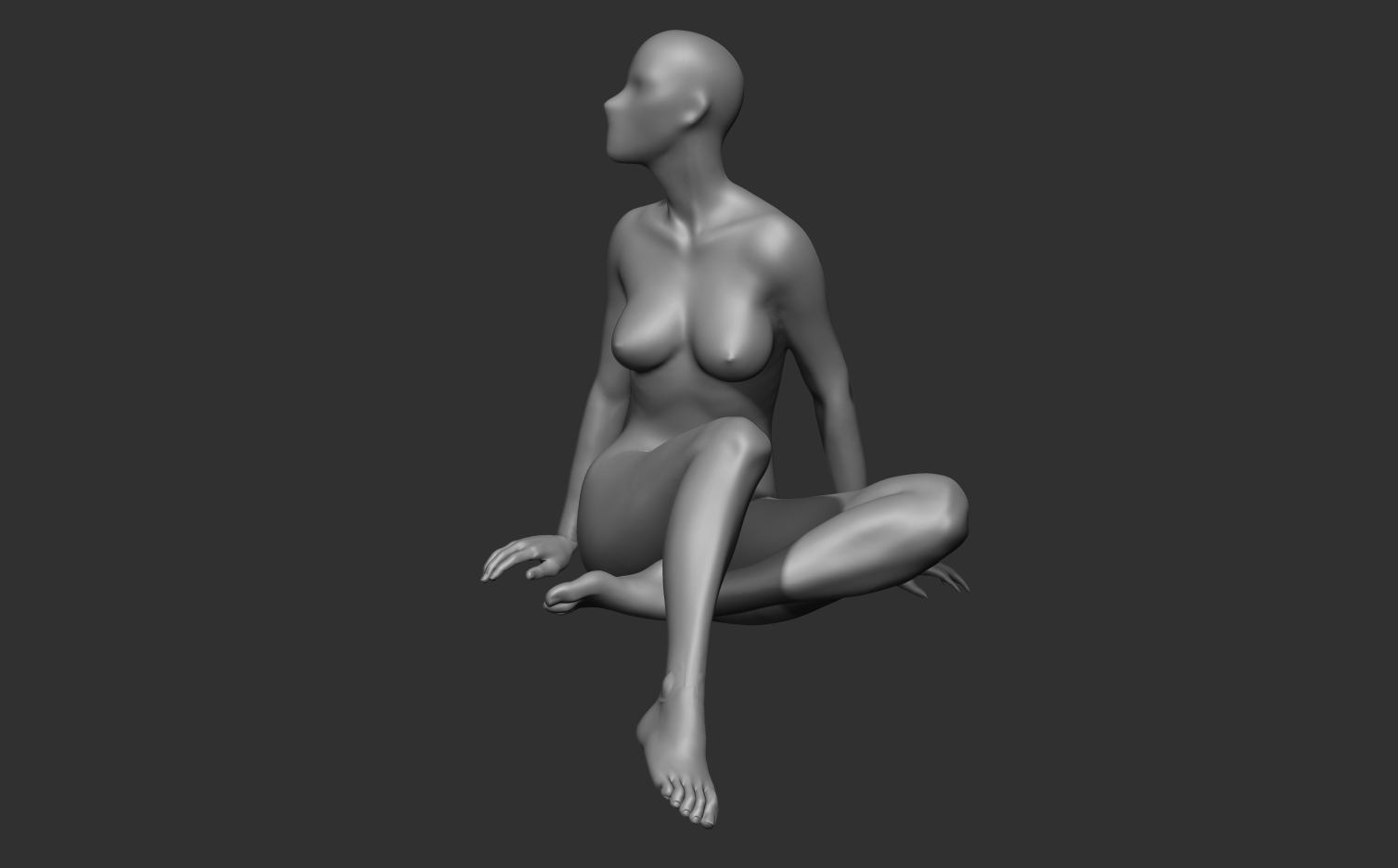
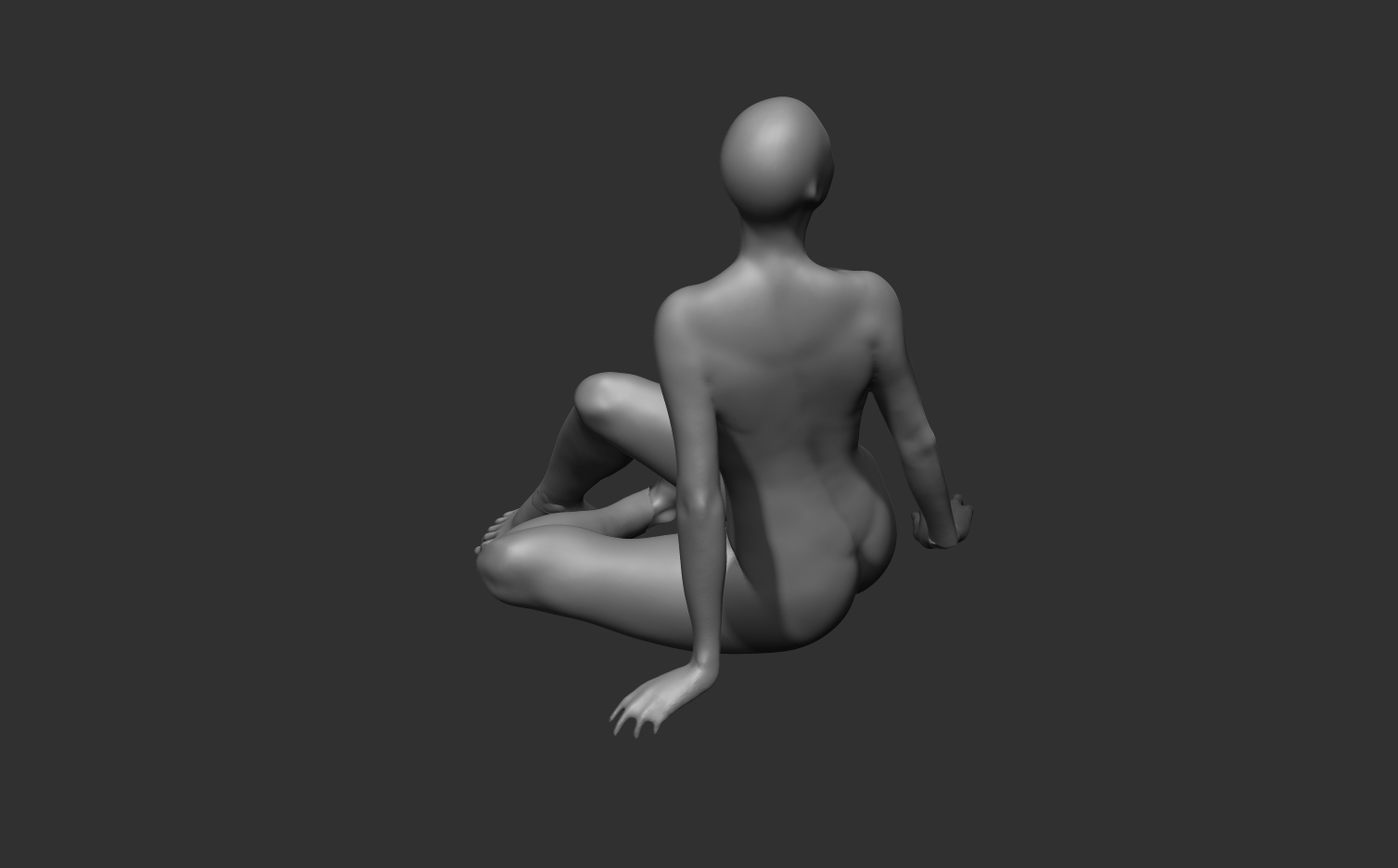
Boris Vallejo is one of my favorite artists so i decided to try and take a 3d aproach on one Vallejos drawings.

I decided to take a base mesh body in t-pose i had already sculpted and pose it to start sculpting asymmetrically.
So far things are going good i think, but as always i seem to lack some technical knowledge.

One of the bodys, the harpy, is modeled entirely by using dynamesh. The other one, i thought i could get some more detail by sculpting her head, hand and feet separetly. The problem is of course when i try to merge them and dynamesh to get fine welded mesh i loose all the detail in hands and feet.

Was it a bad choice to follow this aproach? Dont know but its giving me headache.

Anyway, this is it:

Attachments

Final_01.jpg

04.jpg

05.jpg

02.jpg

01.jpg

03.jpg

Hi! This is very nice and touching sculpt. Really like the kiss.
Remember that you can reproject your details. First place your subtools in proper position before merging. Then combine everything into one subtool and before remeshing it just duplicate it. Then dynamesh with resolution enough to maintain large forms. The next step is creating good topology whether by Zremeshing or doing it manually. So you will get detailed mesh composed from several parts and relatively low-poly one with organized topology. Then just add subdivision level and press Project all button (could be found in Subtool sub-palette), then subdivide it again and repeat the process until you get all details from original sculpt.
You can also use Project function in Dynamesh section to get the details straight after remeshing but this requires cranking up resolution very high and can slow-down your system a lot.
I hope that helps.

Ah, yes, when things like toes are so close or penetrate each other Dynamesh will fuse them regardless the resolution. That’s a big trade-off of Dynamesh and the main reason why I don]t rely on it so much. Usually people sculpt such a problematic parts in rest position, then retopologize and only then pose (bend fingers or press an arm against the body) to avoid situations like this. And some just don’t care about fusing parts (especially if it is a simple practice) as you can notice if you check more works here.
Do you have an external poly-modeling software? I personally prefer this workflow: making sure that all my parts have the same amount of subdivision levels and similar polygon density, combine parts into one subtool, step to the lowest level and export it as an OBJ, then in external application I just bridge polygons between parts, then while 1 subdivision is active in Zbrush I import my new low-poly mesh. Zbrush will say that topology have changed and will propose to reproject the details. Or you can import new topology as a separate subtool and do as I said in previous post - step-by-step projection after adding subdivision levels. If you don’t have an external software you can also make it inside Zbrush but it will take more time. I’m sure there should be a way to bridge open borders with ZModeller (I just don’t use it hence I’m guessing), or do it in oldschool way via Zspheres (just Google Zsphere retopology).
PS And thanks a lot for the kind words about my stuff.

Hi!
It is a bit hard to judge about your whole working process just by several images and description. Usually the Dynamesh stage ends up at the moment when you are no more experimenting with model and happy with shapes. At this stage you create organized topology via Zremeshing or creating it manually and continue working with subdivision levels. This will ensure that all your details will stay alive and Zbrush will not screw your mesh by fusing fingers etc.
Subdividing just a portion of dynameshed model might be an option, but keep in mind that after re-dynameshing it will destroy mouth corner again unless you crank up the resolusion for the whole subtool.
So in your case I would make the next. Create all unfinished parts which are making a character first (tail, wing fingers etc). You can experiment with Curve brushes (like curve tubes) or indeed make a tail with Zspheres. Both ways have cons and pros. Then fuse (dynamesh) all parts that can merge without big issues like body + tail + wings to minimize the amount of subtools. For better fusing use high enough resolution. Duplicate all body parts for later reprojection. Then Zremesh all the pieces with relatively the same polygon-density. For example, if after Zremeshing a head your border edge at the neck has ~40 points, then body after Zremeshing should have close enough points at he neck. OK, the next step is quite simple if you use external program but also can be done in Zbrush. You basically combine all Zremeshed parts into one subtool. Remember you also did a duplication of all parts? Now merge them into one subtool but without dynameshing. So you end up with two subtools: high and low resolution. Then you use Zsphere retopo tools (just google Zsphere retopology videos), pick your detailed mesh as a source but instead of creating new topology from scratch you press “Select mesh” button and chose your low poly. The problem is that instead of one solid mesh you have several parts for torso, legs and head. Using Zsphere topology tools you just fill the gaps with polygons and merge body parts into one. Now you have two options: a) play with adaptive skin and get reprojection straight in Zsphere mode or b) generate low-poly mesh and reproject details with step-by-step method described earlier. Now this is quite old-school but still effective method. There should be tools in recent versions of Zbrush that are able to bridge parts quicker, but I honestly don’t know since never use them since for me it is easier to export it to Blender and do it here.

PS Do you mean my character Nastya? A girl in dress? For now she is ~3 million of polygons. At the final stages I usually go higher to 12-14 millions for fine details.

PPS Forgot to mention. When you Dynamesh it makes a water-tight mesh and closes all holes. But before Zremeshing it is better to chop off “stamps”. For example when you split a head and redynameshed it the neck hole was filled with polygons. Trim this polygons before Zremeshing to get the open border edge. This will simplify your life later when bridging body parts so you will not be forced deleting unwanted internal polygons.