ZBrushCentral

Another T-rex

Hey Zbrushers,

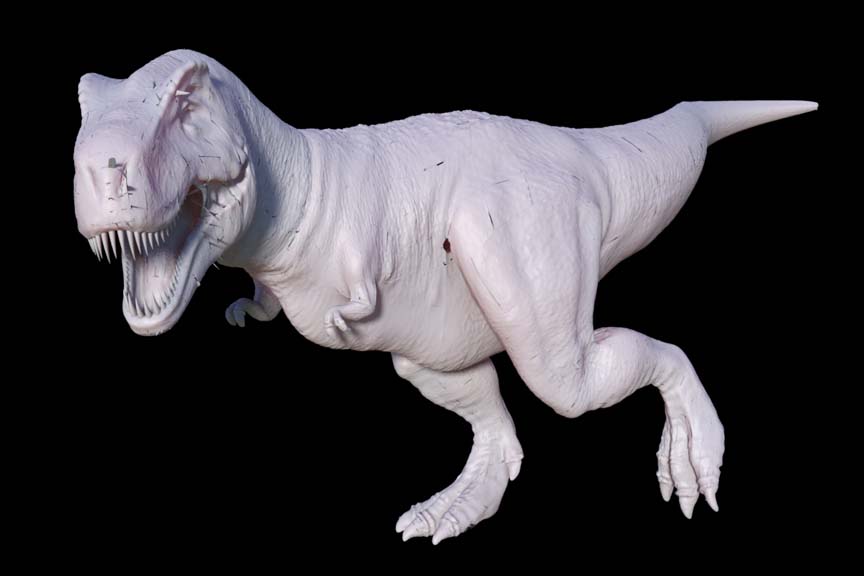
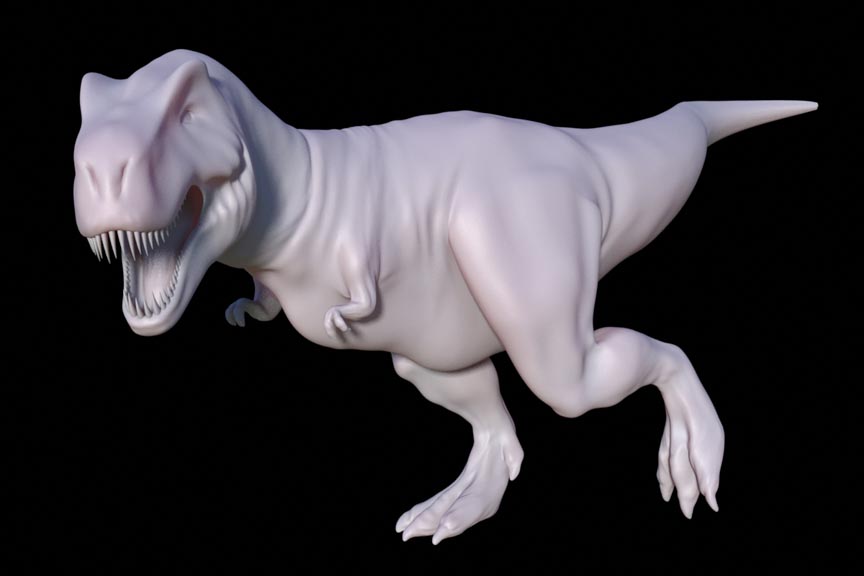
This is my first full Zbrush project, must say I’m loving the program! Am having trouble with the displacement map though (see below). Am hoping somebody can tell me how to fix it. Am I just missing certain points when I smooth down the mesh at it’s highest division? I’m in Z2 and I think that the projection master is causing a lot of the problems and stray points. Hoping somebody can tell me how to fix. Thanks! Oh, rendering done in modo 203. Thanks again!

josh

[attach=62957]rex.jpg[/attach]
[attach=62958]rexdisplaced.jpg[/attach]

Attachments
rex.jpg

rexdisplaced.jpg

Its looking really good especially for a first zbrush project, cant wait to see it textured :). Maybe there’s some errors in the original base mesh?
Try checking through the model.

I’ve been using modo for quite some time now to render ZBrush displacements. I havent come across the error you’re having, but if I had to take a guess, i’d say check out your UV map, as it appears the errors are occuring in the seams of the maps. Might be prefferable to have a good modo generated UV, to Z’s AUV or GUV tiling if that is indeed what you have.

like virtous said check ur base mesh for holes or gaps or points not connected… if thats not the issue make sure u smooth ur displacement when u export it… make sure its adaptive and smoothed UV’s

other then that looks solid… i also know theres a displacement tutorial around the forums somewhere… “tutorial forums” i believe

otherwise solid model =)

Thanks for the tips guys. Much appreciated. Zanrock, no holes in the base mesh, but still getting distortion after applying smoothing to the diplacement map. BUT, it’s not as bad as before. A couple of questions though. When building a base mesh in an external program, should it be built WITHOUT subdivision on? Cuz I see holes when it’s NOT subD, but no holes when it IS subD

Typeboy, does the obj format support the UV maps? I can I just UV it in modo, then import it into zbrush and zbrush will know that there’s a UV already applied? Don’t have to change any settings? Does this affect my sculpts at all, or just their position on the map? Sorry for the noob questions, but I am one, only been doing 3D stuff at all for 7 months. Thanks for the help guys, much appreciated.

Yup, OBJ does support UV maps, but only the first one will be exported from modo, so make sure to have the map you want selected when exporting (might even need to be the first one in the list, I can’t recall). When you import the OBJ into Z, it will read the UV properly when generating the displacment map, no user intervention required. I think theres even a fairly straightforward method to getting a UV mapped geometry placed into Z, in place of your existing model, it will read the new UV map and you wont lose any of your displacments you’ve already created. I know it works because I’ve done it before, but I cant seem to locate the thread by doing a search, anyone else recall what the steps are?

regretfully i use 3ds max and Zbrush… not modo… however when i import a mesh into zbrush i make there are no modifiers or subdivisions on the model aka its only one cohesive model… I think theres probably a way to tell the program to export the subdivisions but i find it easier just to convert the thing to an editable poly after dividing it and then import it into zbrush.

sorry i cant be a much help… i hope someone finds ur problem :confused: