ZBrushCentral

Another newbie! Work in Progress

Hi everyone!

Well I recently finished watching my Lord of The Rings extended Trilogy and all it’s special features and it started this itching urge to become a 3D model design hero! (yeah… everyone starts some time, no?)

Well this is what i came up with. It’s probably some kind of Uruk hai and frog mix and it’s not very proportional. Which is hard (as I’m sure you know). But also a reason for me to do a non-human model because… you know… you don’t know the proportions… haha

well I haven’t worked without doing symetry work yet, but it’s still not very far along. I want to go down another adaptive skin layer now and then start working without symetry. Add differences and some alpha brush textures to the clay.

One question I do have, is how can I chop off his hands and do them again? I made the zspheres too small so when I want to add clay, it tries to even out the plane and then it kind of flattens it until it’s only a mere sheet of clay…

Any other clues to make it better? How would you go about making the eyeballs and teeth? They have to be another “tool”, yes?

Also I would like to make some armor for my guy… again I’d appreciate some tips or tutorial links :slight_smile:

Let me know what you think!

I hope to use this model to learn and even get to coloring it (a tutorial here i can use?) so that next time I can work more professional and have a better work flow :slight_smile:

enough typing, have a look please and have a great holiday season!

4zbrushForum.jpg

okay well I’m hooked now so I made some details :slight_smile: I think the chest and general torso are quite cool now.
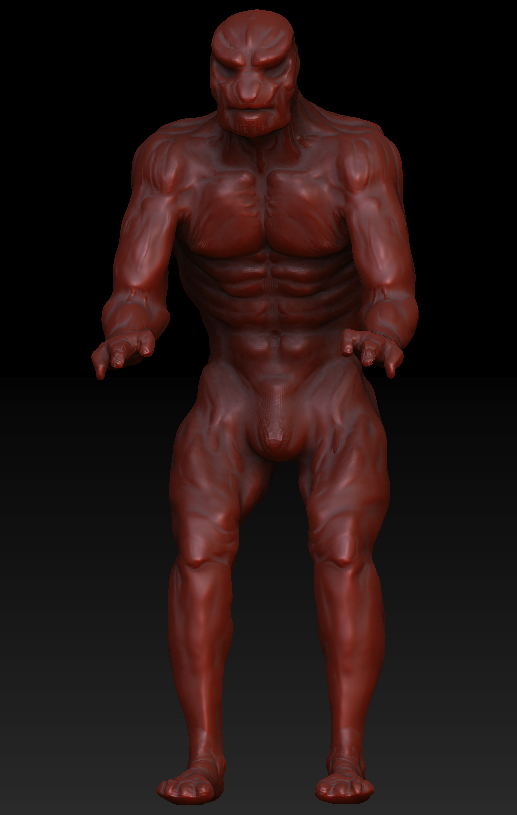
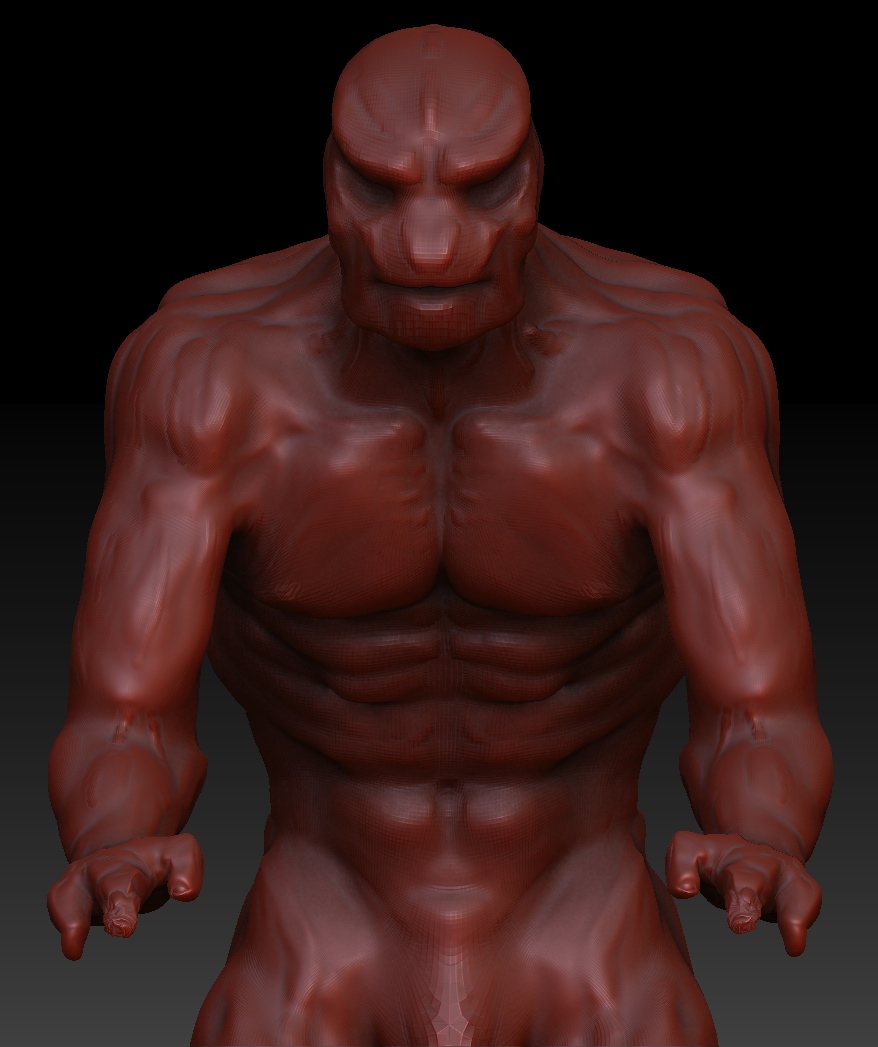
Still looking for some ideas as to do what next :slight_smile:

looking forward to reading your replies! :slight_smile:

4forum.jpg

Attachments

4forum2_2.jpg

(Am I doing something wrong? Sometimes I click the “submit reply” button and nothing appears :S am I flooding some moderator that has to allow the posts first? sorry if so: I have no bad intentions!)

I am hooked now so I carried on and added some details. still symmetrical but I’m close to starting asymmetrically :slight_smile:

I really like the torso now :smiley: the close up version makes the hands look okay too haha
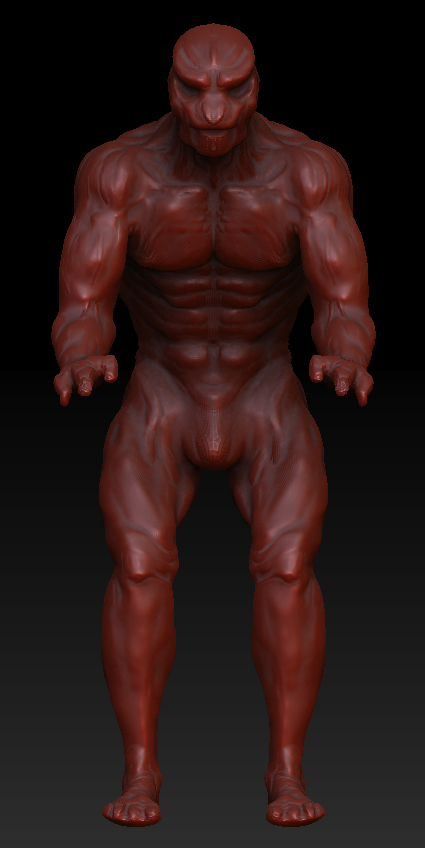
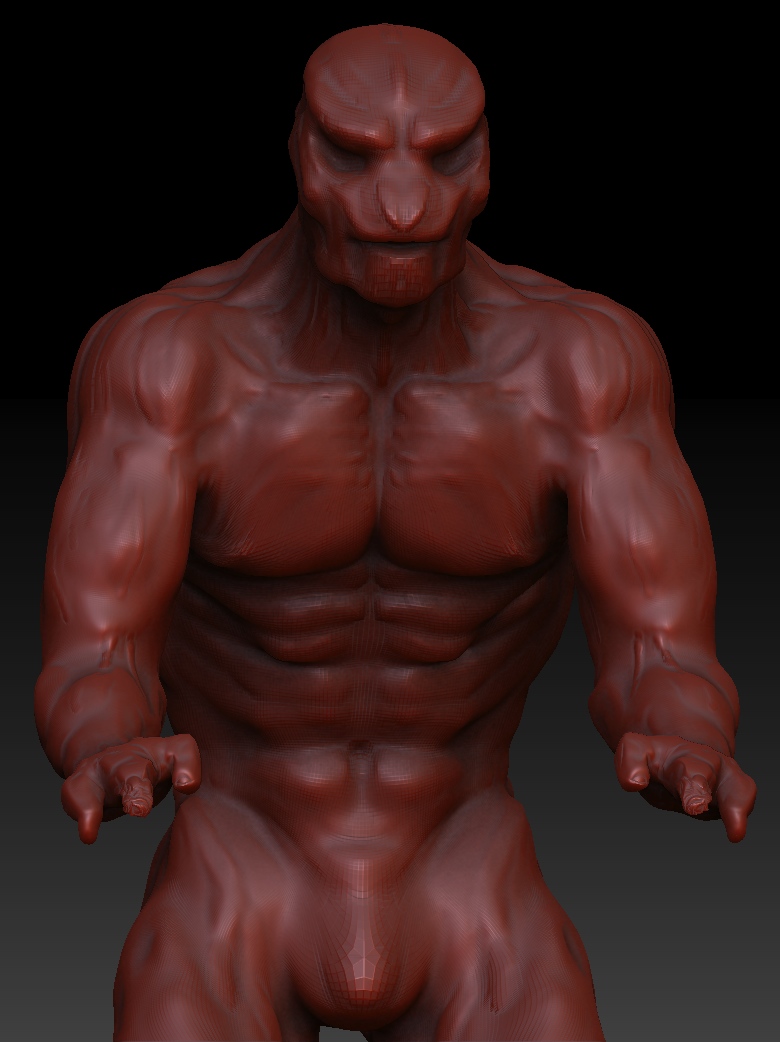
I’m still hoping to get some feedback and help on how to proceed… maybe you guys can let me know what you think I should do next! :slight_smile:

Cheers!

[attach=231096]4forum.jpg[/attach]

[attach=231097]4forum2_2.jpg[/attach]

Attachments

4forum.jpg

4forum2_2.jpg

(Am I doing something wrong? Sometimes I click the “submit reply” button and nothing appears :S am I flooding some moderator that has to allow the posts first? sorry if so: I have no bad intentions!)

I am hooked now so I carried on and added some details. still symmetrical but I’m close to starting asymmetrically :slight_smile:

I really like the torso now :smiley: the close up version makes the hands look okay too haha

I’m still hoping to get some feedback and help on how to proceed… maybe you guys can let me know what you think I should do next! :slight_smile:

Cheers!

4forum.jpg

Attachments

4forum2_2.jpg

Last for today :slight_smile:

I made some changes to make the proportions seem right. Shoulders and hip have been moved quite a lot. Further details along the neck and shoulders. I will post some shots that show his back side too, tomorrow.

Still, let me know what you think and how I can improve on it. Tutorials, ideas, suggestions or tips are all what I am looking for!

Cheers!

day1_1.jpg

Attachments

day1_2.jpg

Day two :slight_smile:

I started working with the damean tool and increased the details. Again still in symmetry mode.

I’m gonna see if I can wrap my mind about the whole transposing feature and see what kind of poses this model gives me. I am thinking about restarting it, since I haven’t been able to figure out how to redo my hands and feet… help and feedback with that are still very much appreciated :slight_smile:

Here it is so far. On to a test pose now :slight_smile:

day2.jpg

So!

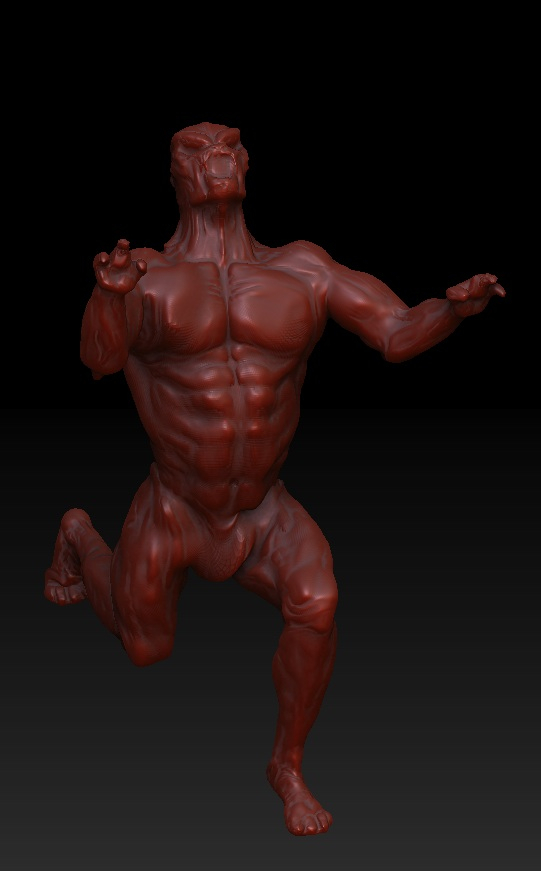
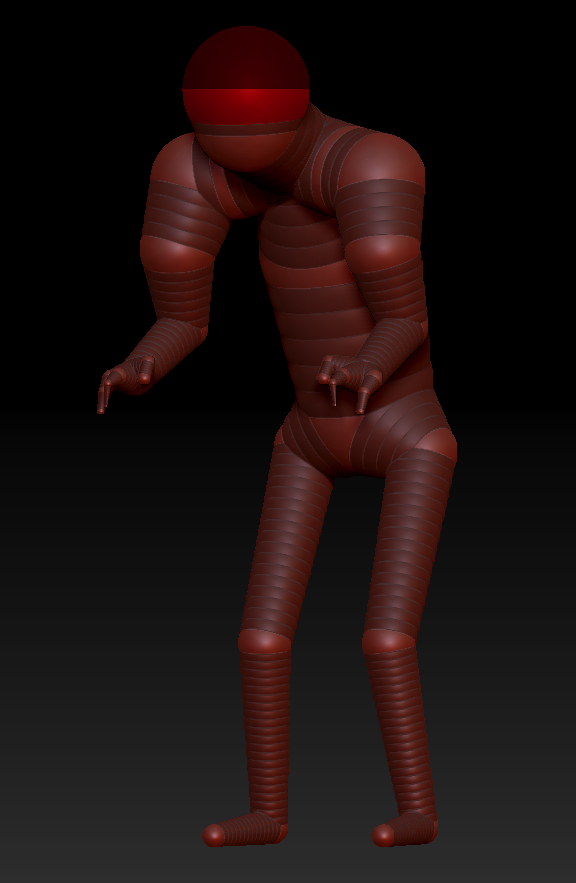
This is the posing. And I added the zsphere layout as well. Maybe that helps to analyse my mistakes?

What becomes apparent is that when I transpose (even though I used a soft mask) the parts seem to push on top of one another. Makes for some great wrinkles… just that I don’t need them … .THERE …

What am I doing wrong?

Wha posed.jpg

Attachments

SPHERES.jpg

So I have looked for help without asking for it. (Looking at how many views I am getting and 0 replies kinda suggested that, that would be a great idea)

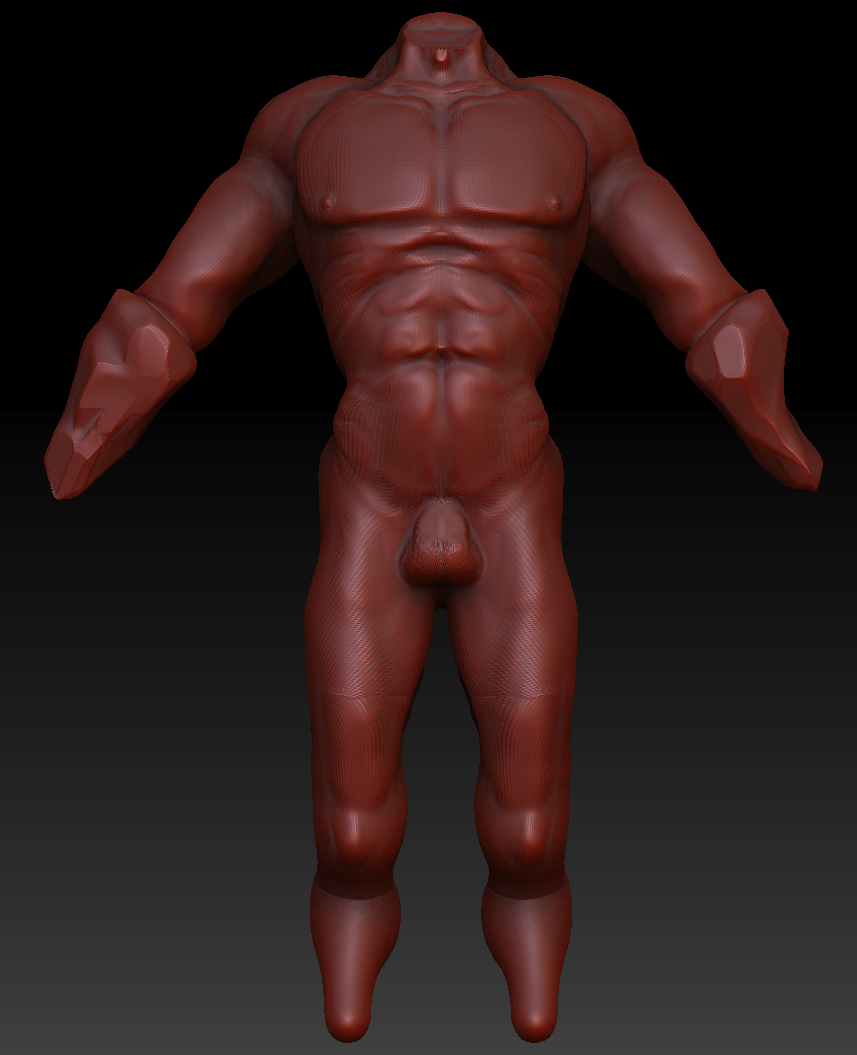
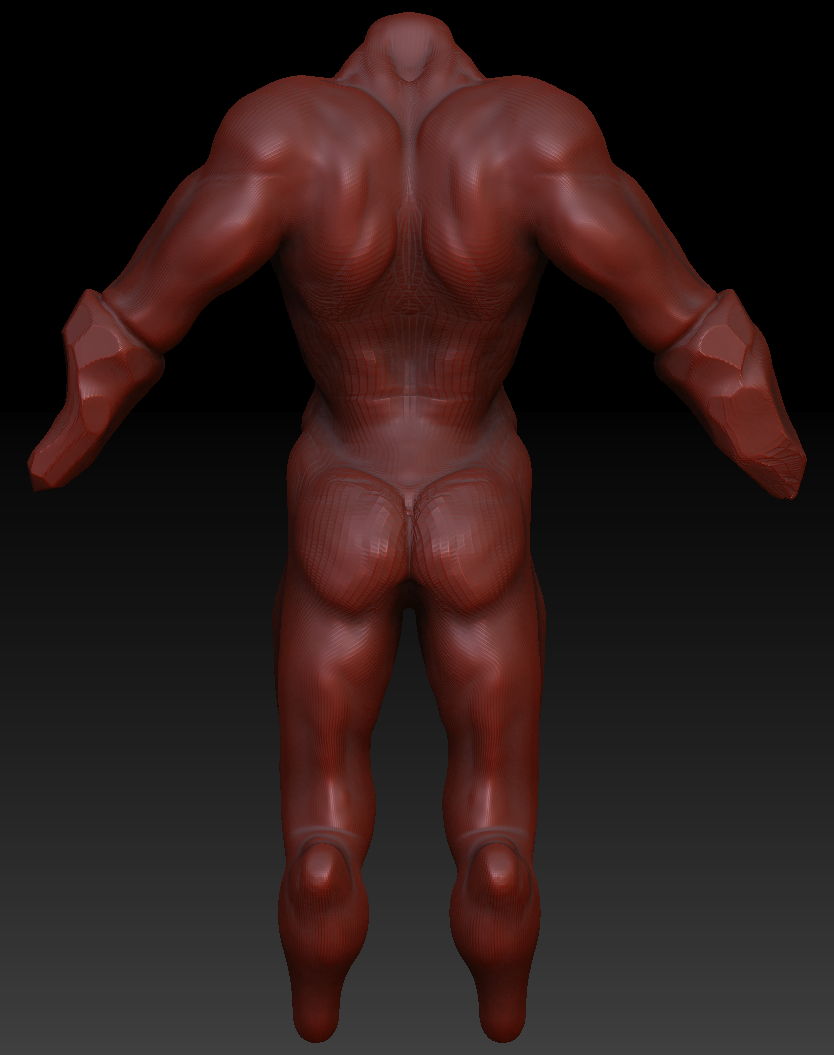
So I watched some more of the ZBRUSHClasses and understood that I went to far away from the obvious. Simple shapes for arms at first would be the key now, and then move into adding muscles or textures to the clay.

So yeah. I also remembered my still life drawing teacher who said that hands are the worst to draw. Hence. My character was given these prosthetics that essentially are some kind of stone that was shaped to be point weapons…

The feet I have avoided still, because I think he should have something similar as feet as well… maybe one normal foot and one of some type of prosthetic… similar to the hands… who knows at this stage!

Well let me have it :slight_smile:

cheers!

forum2_1.jpg

Attachments

forum2_2.jpg

Ok dude, it took me some time to read everything and try to find a question.
But i decided to reply to you because i know how it sux to be a newbee at something and not get the attention and help from “the pross” you know.

So man, really!
First of all, you dont need to think that much for what you do wrong at this stage of your progress with ZB.
The first thing you need to do really is to get comfortable with Zbrush!
You need to know how the program works, you need to watch a lot of tutorials to see the artists workflow and ideas of how to work on stuff.
Then you can start making some exercises, for example anatomy study from references!!! This is a must, especially if you dont have any art background.
Get in and google a lot of reference pictures!
All sort if photographs of male, female, animals and etc.
A library of references is a must, i believe, for an artist - 3d or 2d.
Then with time youll start to feel confortable with the program and do some projects, like what you are trying now.
Years ago in cgtalk i saw a guy, starting with Max, he was doing an exercise - the point and goal was to model a human head in 1hour - with good topology!
So the dude started doing a head for like, 10hours… and then with practice hi got around the workflow of topology and shapes; This i tell you as an example of what you can do to start improving your workflow with ZB.
You can aways do whatever you want, ofcourse this wont be a bad thing.
The important thing is not to care too much of how your stuff looks now - it wont be perfect, so just keep moving to new stuff, new ideas and learn the program from inside out.
Zbrush has a lot if things that need workarounds, like in anyother program, so learning the soft is a must do number 1!

Learning the soft and doing anatomy study, this is what i reccomend for you!
But, you know who you are and how you want to do stuff, so go on and do what you feel doing! This is my advice!

Dont go asking - how can i do this ? what is the best way to do this ? and so on…
just do it! With practice you answer questions that you have! Practice makes perfect! So, go on and when you hit the wall with a problem - search, ask, do and solve it!
:slight_smile:

Pimento!

I am so sure you must know what it feels like to get a reply such as this. Thanks you for writing, it truly means a lot to me.

What you have said is a great starting point for me. I remember teaching myself photoshop, and how that was purely dependent on doing tutorials of all sorts to understand what effect can be created by what means. It’s been a long progress, so i knew that ZBrush couldn’t be any different.

I know what you mean when you looked for questions in my thread. I really didn’t post any clear ones at all. I think that’s because I wanted to showcase what I am doing, hoping for some feedback. It’s a great way to keep motivated and have that feeling of having to carry on doing some work on the piece.

That’s partially the reason why I kept posting pictures and updates on very little changes I made. Maybe even part of a silent protest againt the view to reply quota I have received haha.

I will keep in mind what you have told me, and I will remember to keep by your suggestions.

For now I will try to complete the character I have made now, because i think it shows great improvement to what i had before. From watching one tutorial I learned that not the entire piece needs to be one “tool” or object. And I learned that transposing makes more sense on a lower subdivision level of the adaptive skin layer.

So I can conclude this post, by saying that you Pimento. You set me back on the ground and reminded me to start at the beginning. Thank you for taking your time to think about my situation and for writing down your thoughts. As I said this does mean a lot to me.

I suppose I will finish this model and see where it goes, and then post it in the appropriate section of the forum. Oh and I will have to let you know when I am there, and hope that you wont mind looking at my work one more time :slight_smile:

Thank you Pimento. Have a very merry christmas :slight_smile:

No problem man!
You can create your own thread in the main forums and post there, people will respond and give tips and help.

Another thing that i would recommend for you is to watch this tutorial
http://www.thegnomonworkshop.com/store/product/365/The-Digital-Maquette%2C-Volume-Two

The two parts are great into introduction of Zbrush and show a great workflow.
This tutorial was the first i saw for ZBrush and had a great impact on me back then. Learned a lot!

So, wish you luck and Merry Christmas to you and your family! :+1: