Hi everyone,
First of all, I apologize in advance for my newbishness. This is the first time I’ve ever posted on a forum asking for help, because I simply CANNOT find the solution out there on the internet. Secondly, I tried searching on the forums for related topics. I really did. However, nothing seems to address the problem I’m having.
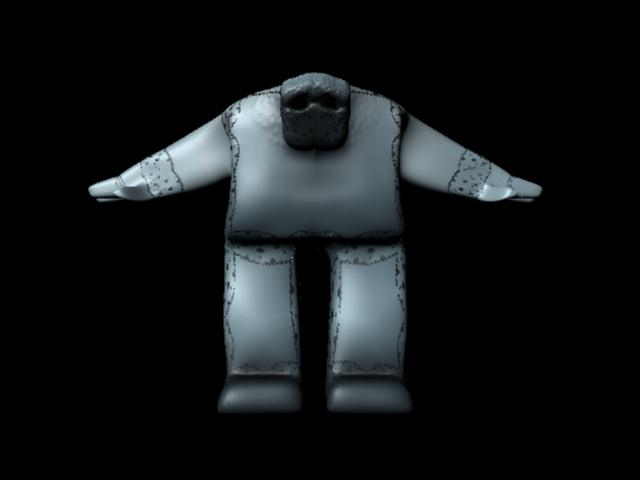
I’m using Maya 2009 and ZBrush 4. I built a low-poly model in Maya, brought it into Zbrush, and did the texturing. When I hit “GoZ” with only UVs and the texture I’ve created from polypaint, everything works fine. There are no problems with the model whatsoever and it renders in Mental Ray with as much detail as I want without any artifacts. However, when I make a normalmap or a displacement map, I get these really ugly, really obvious seams in the model.
I’ve tried everything from changing the settings of the displacement map (although I read this doesn’t do much good since goZ exports in 16 bit exclusively) to flipping the UVs (which I don’t think is the problem because the texture map would be screwed up), but I’m having zero luck with any of it. Could anyone provide me with some stuff I could try??
Thanks a lot for your time! I apologize in advance if I’m a little clueless - I never went to school for any of this so I might be a little fuzzy on certain processes and terminology.
-GC
Attachments