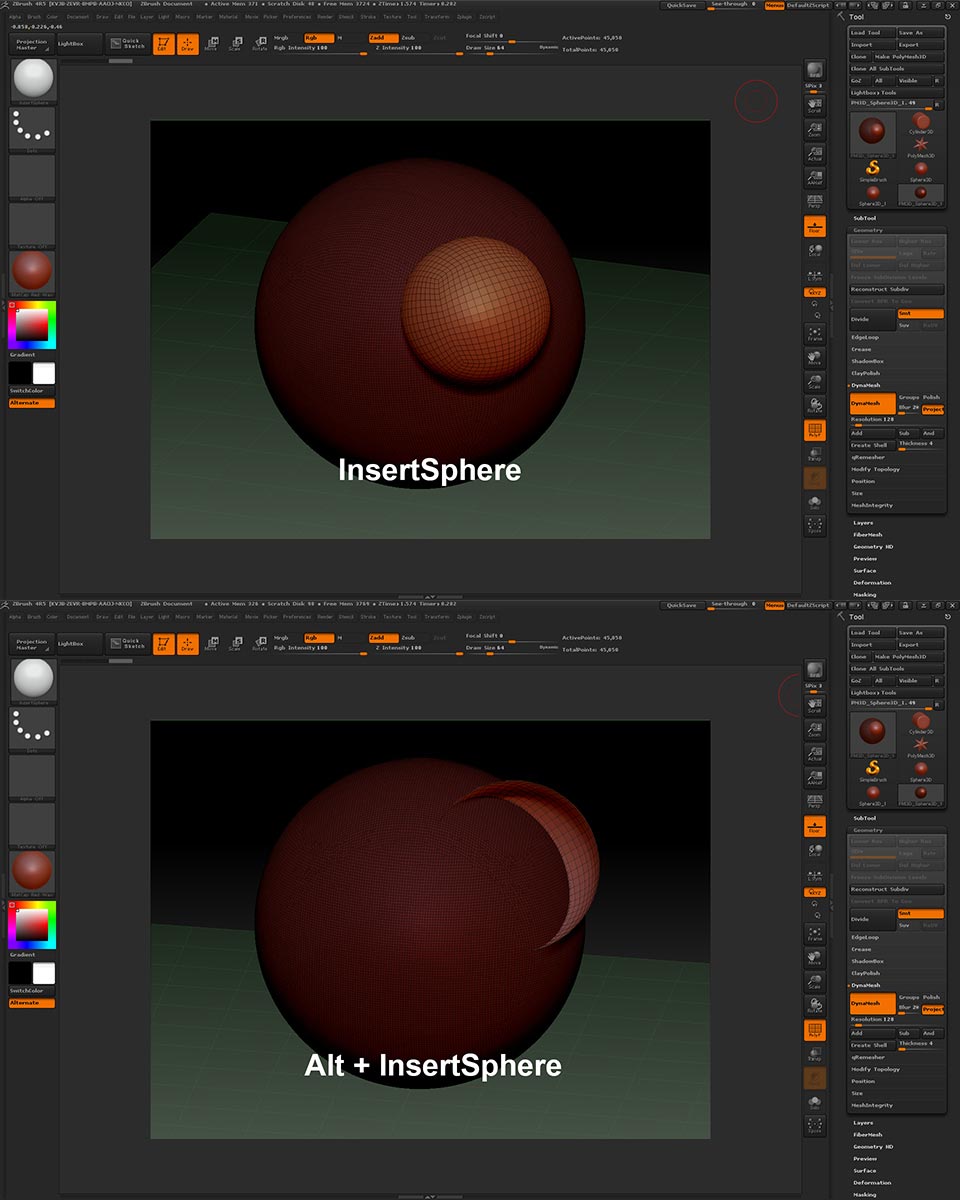
I seem to have a bit of a problem with my InsertSphere brush when trying to use it in subtractive mode working with dynameshes. When I ‘apply’ the brush to insert a sphere, upon dragging out the sphere and releasing the mouse button or pen I am left with the inserted sphere and the background geometry masked off, as is supposed to be (see top image below). Two ‘ctrl drags’ and the sphere is added in and dynameshed no problem.
When I Alt + InsertSphere to carve out a hole, upon dragging out the sphere and releasing the mouse button or pen I get the result in the bottom image below.
Now, the actual dynameshing works fine after this - two ‘ctrl drags’ and it’s meshed in fine. But I’m unhappy that the inserted sphere in this case appears ‘inverted’, as though the normals on the polys are flipped. It makes the inserted sphere very hard to work with to further sculpt into shape and move into place. This is not the way this tools appears in any of the tutorial videos I’ve watched.
Is there a setting someplace that I don’t have set correctly? Just a bug in my install (I’m running 4R5 but it acts the same in my 4R4 as well)?
Dan
Attachments
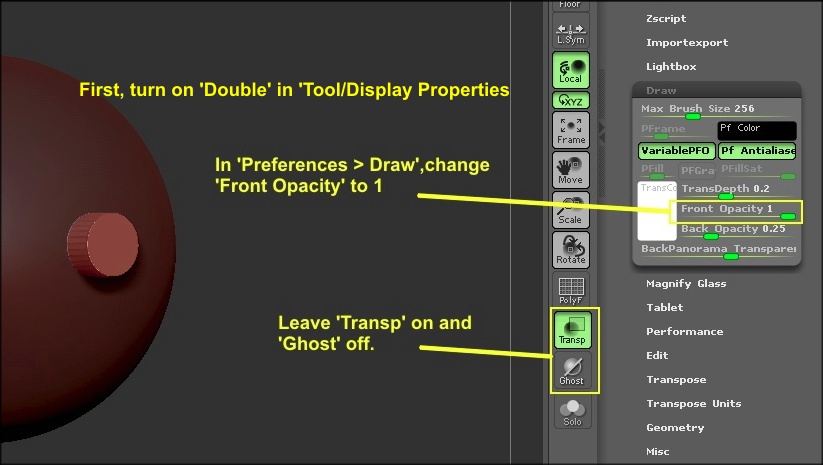
 If you have to see how deep the insert is going into the mesh, just turn ‘Tansp’ off. Also, you could record a Macro of changing the Front Opacity to 1, which will make it a button that you can place conveniently anywhere on the UI. You could also record another Macro of putting the Front Opacity back to the default of .5.