ZBrushCentral

Alphabrush problem/question

Hello
I tried to do something with created alphas in combination with the projection master. For example I want to create a shield and project a lion on front. So I went to Photoshop, made a greyscale and squared psd in 1024x1024.
Back to Zbrush, used a plane with 1milion polys and tried to stamp this alpha on it. I tried it with the simple brush and with the projection master. But in both cases, some line on the edge of the alpha appeared and the picture looks crapy too. Do you have any tip or maybe know a tutorial about using own alphas?
Thanks for any help.
Kind regards
Hilmar

Attachments
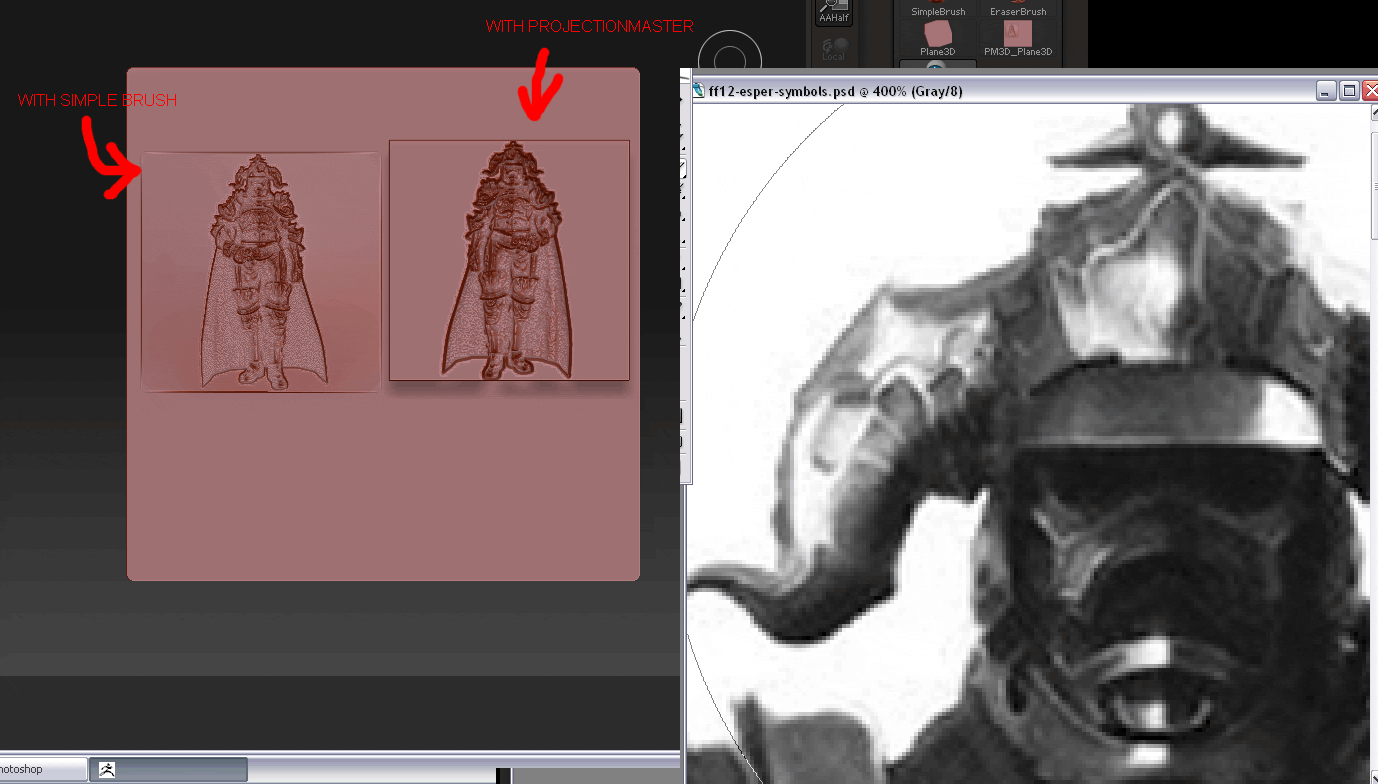
ProjectionMaster_AphaFrage.gif

[attach=117656]Plane_d.jpg[/attach]

The reason you are getting the square outline is because your alpha is black on white. (For the same reason your alpha is indented.)

Although you can get reasonable results with the methods you are using I think you may find that applying a displacement to the plane produces better results. For best results, you need to make sure your alpha is 16 bit. Here’s the method:

  1. Divide the plane sufficient times to take the detail. The plane should be planar UV mapped (it is by default).
  2. Import the alpha into the Alpha palette. Note that to avoid issues at the edge of the plane there should be a 2-3 pixels border of absolute black.
  3. Create a new white texture. The size is not important but a texture must be selected.
  4. In the Tool>Displacement subpalette set the Mid slider to 0.
  5. Set the Tool>Displacement>Intensity slider to a suitable value and press the Apply Displacement button. You may need to undo the displacement and adjust the Intensity slider before trying again.

The zip contains the ztool and the alpha I used.

Attachments

Plane_d.jpg

Hi Marcus
Thanks a lot for your help!

This worked quite well. I tried your way with an own alpha.
For The alpha I took a model and used grabDoc. But as you can see on the image, I cant get so much depth as you got in your alpha. Did you manipulate the graped alpha in PhotoShop? How can I get so much depth?

Thanks a lot.
Your help is very welcome!!!
Yours
Hilmar

Attachments

zgrab.gif