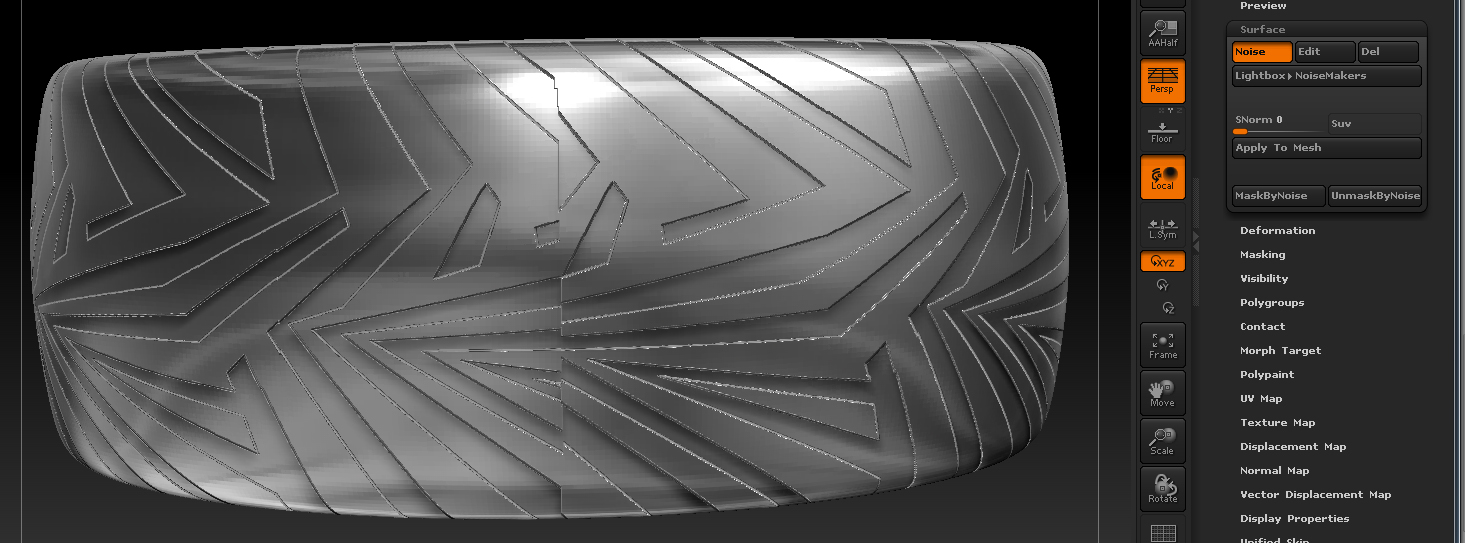
I have made an alpha tile which i would like to use to sculpt a repeating (tiled) pattern around a cylinder (a ring in this case).
I only want it to tile in the horizontal x 1 but I would like it to tile about 8 times around the ring. I imagined this would be fairly straight forward, but after a couple of days of trying and searching for an answer, I have not found an answer to what i imagined would be a common requirement.
Any help with this much appreciated.
without seeing what it is you’re trying to do, it’s going to be pretty hard to tell you how to do it.
Without being able to do it, it’s pretty hard to show you.
I will try to explain again.
I’m making jewellery, having it produced via 3d printing, making a mold, making wax rings from the mold, then casting silver. (lost wax process) once happy with the piece, I will then try via direct laser sintering.
When designing the pattern to go around the ring I have not been able to sculpt with an alpha tiled about the ring.
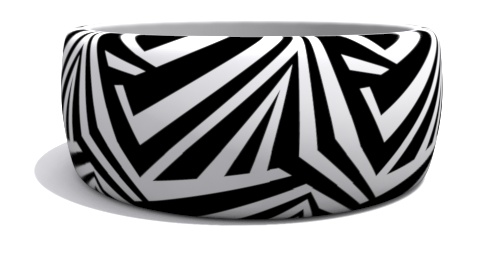
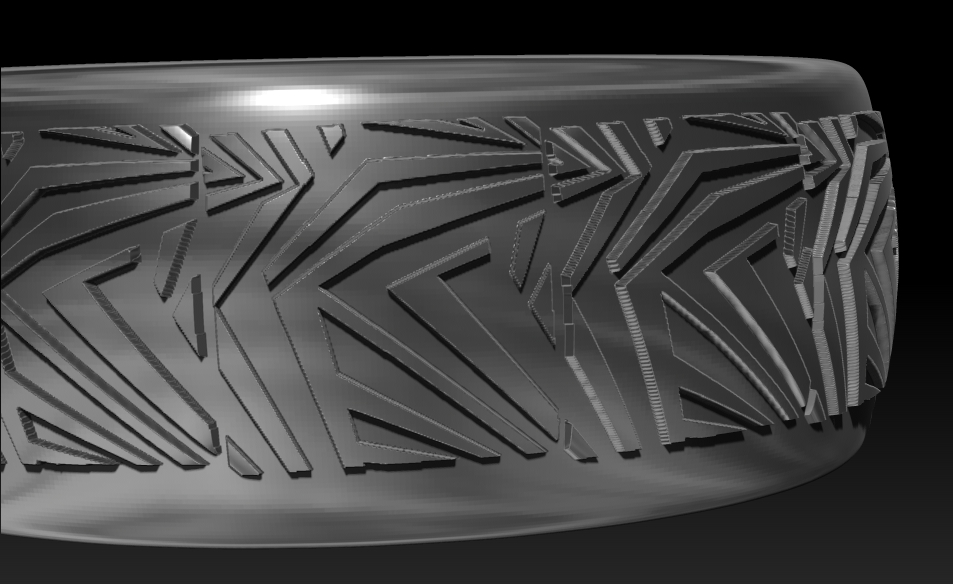
The tile is fine, takes a few seconds to map onto the ring in max See first image (tiled as a texture in max) and looks fine (tiled) but when trying to use the design in Zbrush as an alpha (so the design is actually sculpted) there seems to be no way to control the alpha as a tile at the same time as using it to sculpt. (see second image) cant seem to get the alpha to tile seamlessly. The surface of the ring does have a slight curve in it’s profile, but max has no problem tiling it around the ring as a texture. Just need to find a way to map alpha, tiled, and sculpted.
I am fairly new to Zbrush (ashamed) but have been maxing for quite a while.
I made a lot of hard models with max but now I have Zbrush it has opened up a whole new world especially with characters and any soft body models I may need. (loving Zbrush Vmuch)
Attachments
you’ll actually want to use your tiling alpha on your unwrapped model.
you can use the tool.surface.noise and then select UVs, your options for tiling etc are at the bottom. Once you get your tile set up how you’d like it you can either apply the noise (which will add an inflate - I don’t recommend doing it this way) or you can use mask by noise and then use any deformations you would like to use, it appears you’ll want to use a size deformer in x and z.
Basically, it would be dumb to sculpt it if you’re getting the results you want in max, do it the same way, but in Zbrush and then deform your surfaces.
Neat design by the way, makes me think of a zebra.
Hope this helps.
Thanks for you reply. I tried what you suggested after importing a uv mapped .obj with uv master set to use existing uv’s.
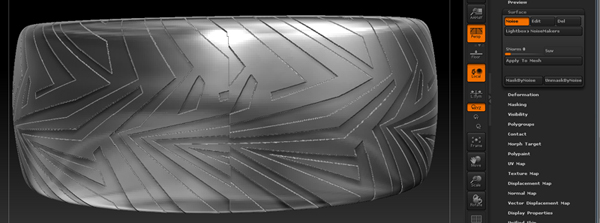
I then went into surface, noise selected uv, but it looked nothing like how my uv’s are set in max. The controls at the bottom did nothing. I managed to get closer with the scale option within the same dialog, but still there is one seam. (see pic)
I am only happy with the way the tile maps as a texture in max (to check the uv and tiling is correct) I am not trying to sculpt in max.
When I import the model into Zbrush those correct uv’s have dissappeared. By the time I get into the surface, noise etc, there seems no way to rescue the situation. It tiles good all the way round but still leaves one incorrect seam, sculpting aside.
Like I said before, I would have thought this procedure would be a common requirement but it seems just out of reach.
Attachments