ZBrushCentral

Alpha Displacing Obj. Form, not just alpha detail. Need work around.

When I drag my alpha over the same spot more than once it bulges the overall form. The work-around that I know of is to do this using zbrush layers then export the obj. and import it back in. The result leaves you with the displaced texture from the alpha without the bulging of the overall form. The problem is that I can’t remember all the steps inbetween to make this work.

I would appreciate any assistance!
Thanks!

Attachments
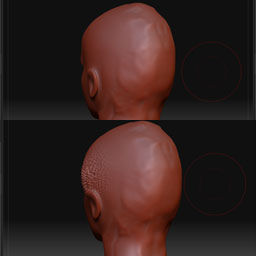
ZbrushQuestionGrab.jpg

One thing you can do is use the Layer brush (which does work with alphas) and store a morph target at the highest level before you start sculpting. With the morph target stored, the Layer brush will use the stored state to build up detail, and each new brush stroke will ignore any strokes that were made after storing the morph target.

aurick…i did not know that…very handy piece of info sir, thanks

Thanks for the info. It looks like that will solve my problem. I appreciate your time!