ZBrushCentral

Aligning Patterns

I want to make a simple base for a figure with a bit of texture and interest. Essentially it’s a cone shape but I want to run bricks in concentric rings around it.

I’ve tried IMM on curves and noise maker but both insist on slanting the texture. How to I force the texture to run straight around the base?

Attachments
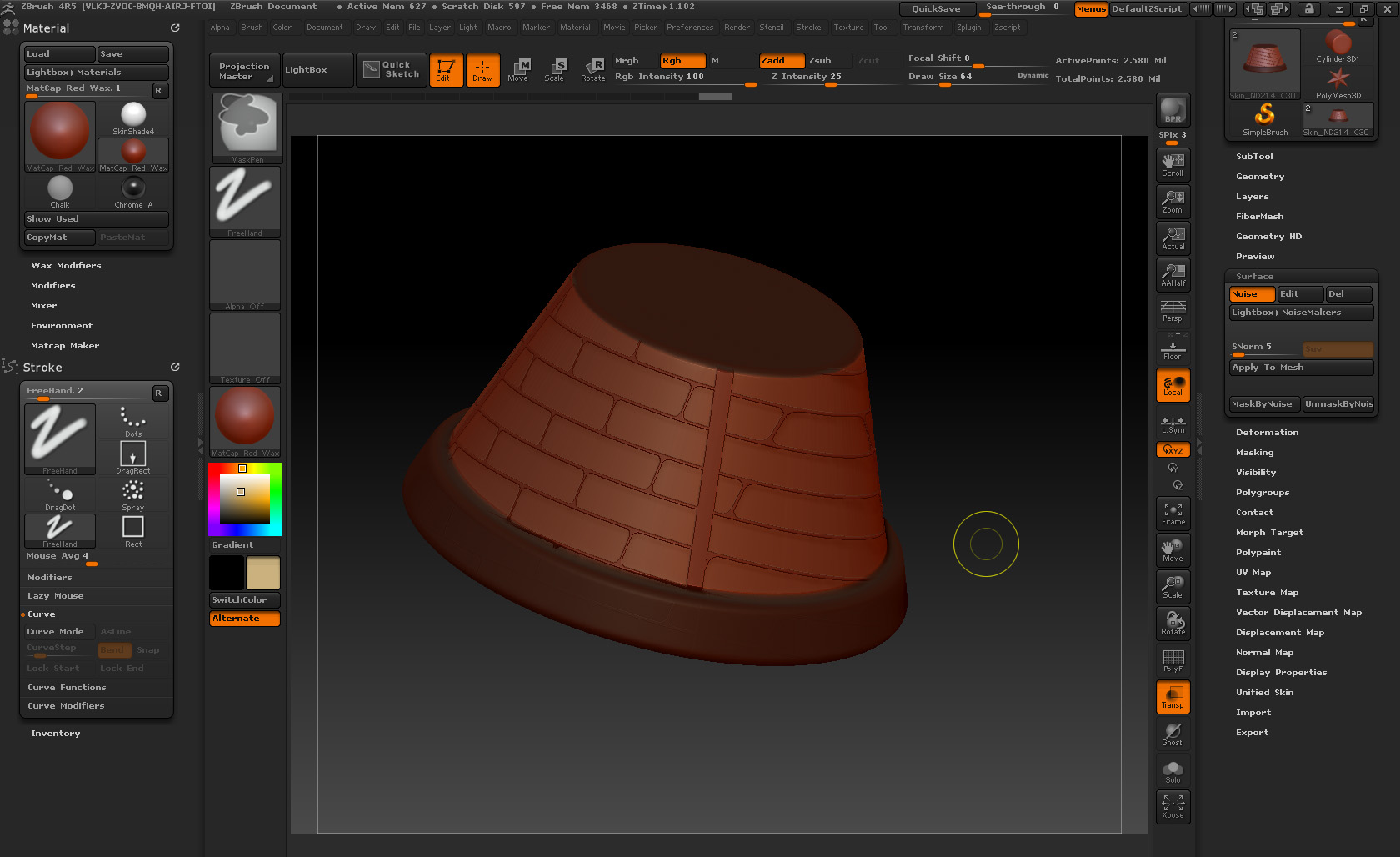
Bricks.jpg

I would use the tool.surface panel with an alpha map of the object with a cylindrical unwrap.

You need good, clean UV’s. UV maps created in ZBrush are quick but seldom result in a clean UV layout. To get results like this, I will allways do my UV’s in one of my other 3D apps and use texture and displacement maps. Don’t get me wrong, i’m not saying anything against ZBrush’s UV system. It is quick and easy and in most cases is all you need, but not for precise patterns IMO. You can try and use a Uvc unwrap and see if it does the trick for you.

UV map for above.

uv map.JPG

Thanks for the advice - I need to do some further reading it seems.

I’m a product designer, who has got involved with figure work so I’m okay with CAD for manufacture but I’m rusty as when it comes to rendering properly. Have a vague memory of it back at uni some 10years ago and when I have (on the rare occasion) been required to do any rendering it’s been done using the onboard rendering engines that come with parametric and nurb 3D modellers (i.e. made for idiots). Wish me luck! :wink: