ZBrushCentral

Additional Selection/Masking mode

Hello,

Even though I dont know ZBrush very well, I would like to know if the following suggestion is a good idea and if it could be implemented one day.

Right now, when I want to mask an area, it can be difficult to be precise and/or to create a mask with a lot of details ( shadowbox is not very precise ).

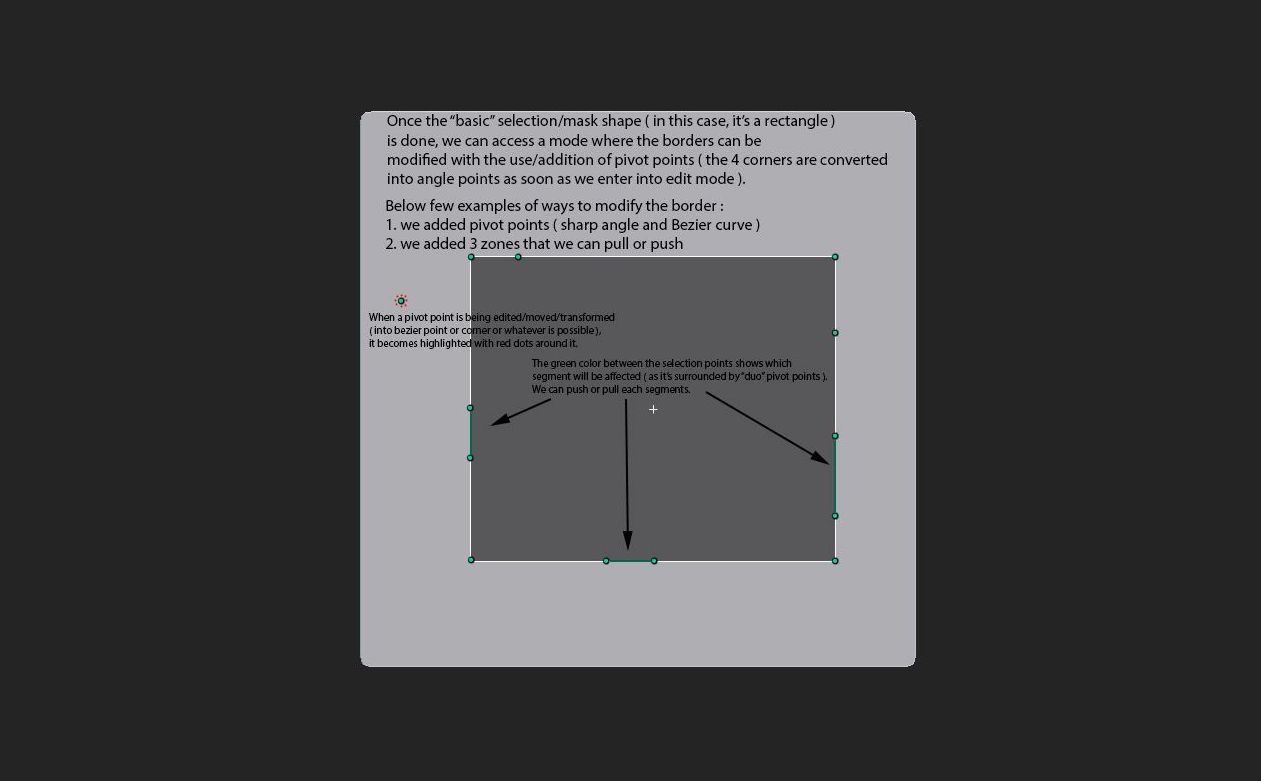
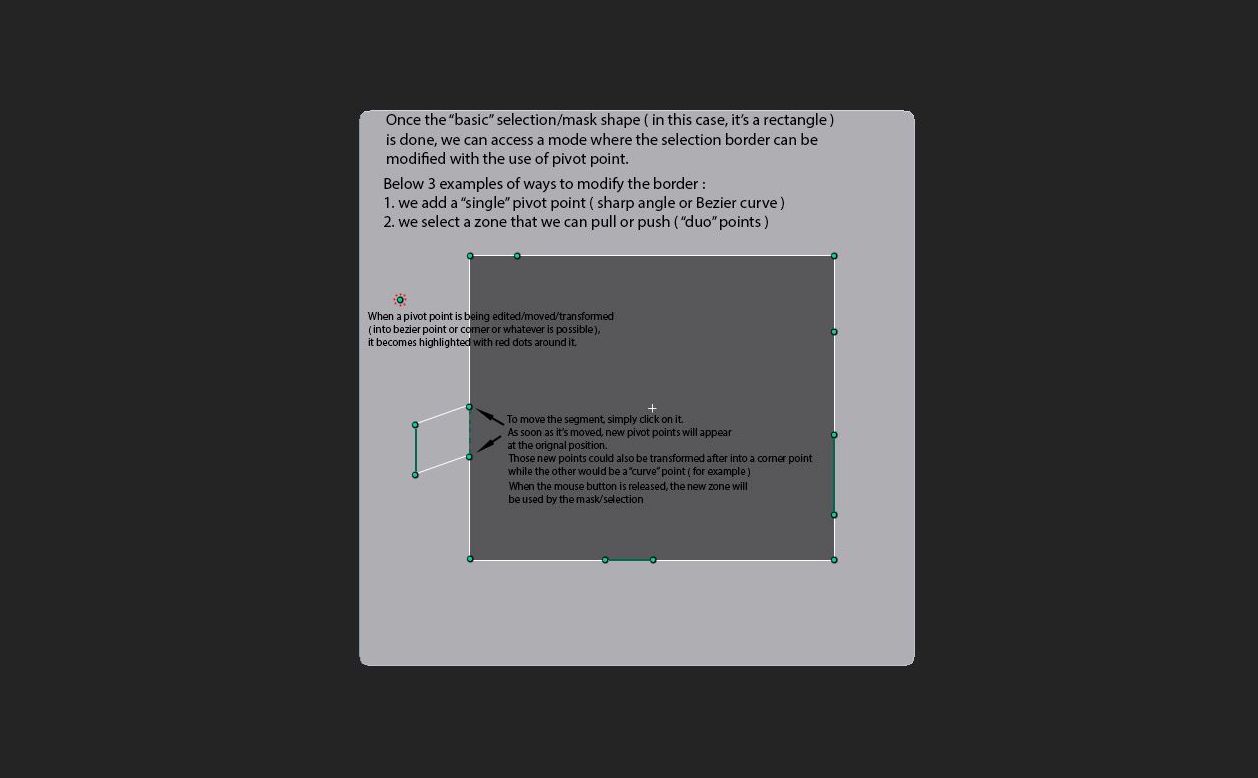
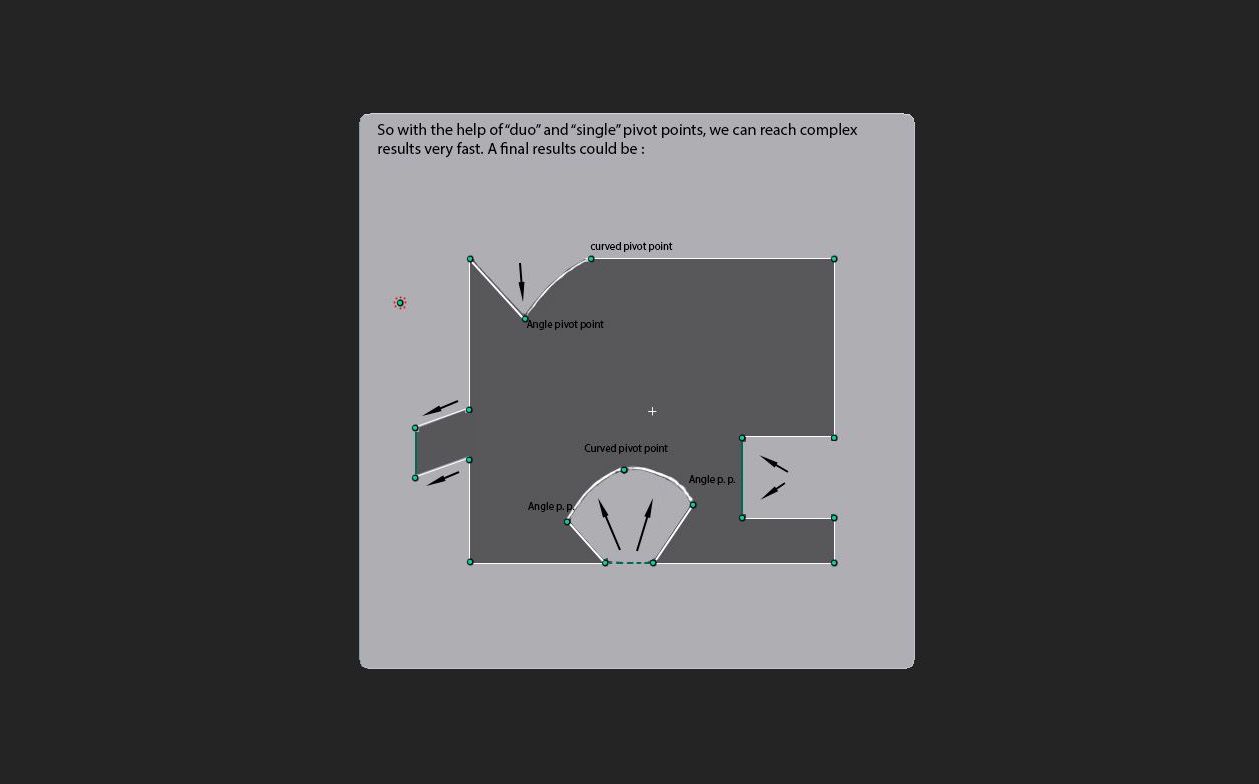
Thus I wonder if we could have an additional way to mask as described below ( sorry if I’m not very clear in my explanation ) :

When the shape created is the one we had in mind, we can then “project” the new mask on the tool.

Opinions/comments/critics are very welcomed :smiley:

Cheers
Vince

Attachments

Select 1.jpg

Select 2.jpg

Select 3.jpg

you can actually use Zapplink or projectionMaster to achieve this.

Hi,

I tried projection master but I thought it wasnt as flexible as being able to move the selection based on pivot points.

And Zapplink ? could you elaborate how to use it on 4R5 and to manipulate a selection to create complex masks ? ( any tutorials ? )

Thanks in advance

Cheers
Vincent

well…actually, I just found out that Zapplink doesn’t work with z4r5 so it’s kind of off the table right now.

but using masks with Zapplink is covered in the Zapplink documentation under the masks section. This allows you to use all of photoshops vector tools and raster tools to allow you to make masks.

Well, to be able to use Zapplink and the Photoshop vector tools you need to own Photoshop. :o

But the new slogan of Zbrush is “Do More, Do It In Zbrush 4R5” … so if such a way to edit masks could be added, that would be great. :rolleyes:

I wonder what the Pixologic staff could say about it ? :wink:

Cheers
Vincent