I’m making a new sphere model and when I click on make adaptive skin the figure just becomes greyed out. I’ve never had this happen. Any ideas?
Can you edit it? http://www.zbrushcentral.com/showthread.php?177277-Tool-went-gray-can-not-sculpt-any-more-Answered&p=1015997&viewfull=1#post1015997
I tried the steps, no luck.
I created another basic figure and attached a screen shot. Thought it might be a fluke but I’m getting the same thing. I might have messed with a setting, but not sure what it would be. Like i said, I’ve just never run into this.
Attachments
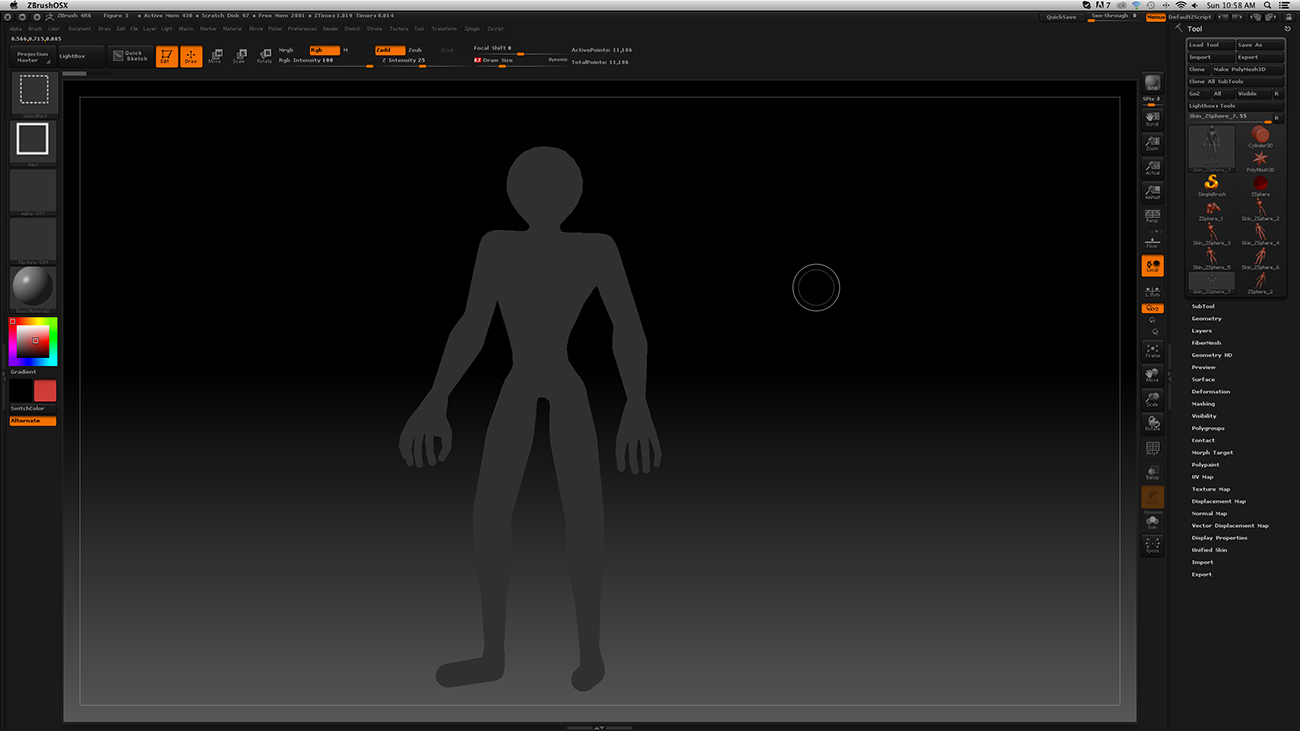
Try:
- Turn off Edit.
- Make sure that Z Intensity and RGB Intensity are both set to 100.
- Turn Edit back on.
Those are the steps I tried. I just tried again to make sure, but no change. This is happening every time I use zspheres. If I use dynamesh I’m not having any issues at all, just taking me a little longer. Weird. I’ll keep trying. Thanks for the responses.
Started creating several other zsphere tests, with no apparent problems. Reopened the other files and the problem is apparently gone. Good and bad I suppose, I’d love to know what was causing it to avoid it in the future. Again, thanks for the help all.
Looks like you should check for update. We’re using ZBrush 4R6 P2. >> ZPlugins:Auto Update.
Just ran the updater. Thanks, didn’t even know there was an update. 