When I try to access the move brush via the brush palatte it does not appear. Also in videos and online help the brush palette shows a preview of the stroke and efffect of such a brush yet my interface there is only text.
http://www.zbrush.info/docs/images/thumb/5/5b/Brushpalette.jpg/180px-Brushpalette.jpg
Can anyone please help?
Thanks

Click the large thumbnail to bring up the pop-up menu. You’ll find the Move brush there. They’re listed in alphabetical order.
If you hover your cursor over any brush, you’ll get the pop-up that shows an enlarged view of what the brush does.
Hi Aurick, Thanks for responding! I have tried the sites very interesting info that I’m sure I will need later.
Click the large thumbnail to bring up the pop-up menu. You’ll find the Move brush there. They’re listed in alphabetical order.
I don’t see a large thumbnail though I see the names of all the brushes excepting the move (see jpg).
Attachments
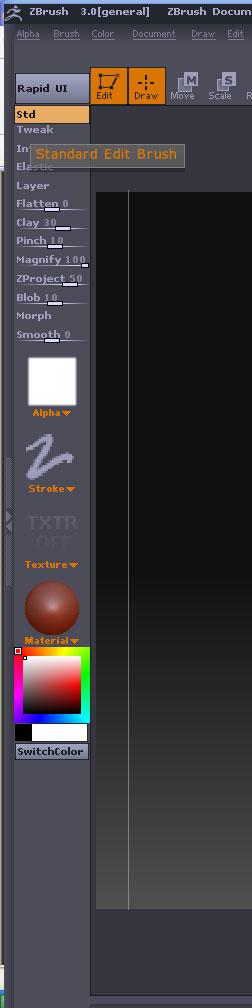
Hi Aurick, please disregard I decided to uninstall/reinstall and like always the menus appeared correctly. Thanks for the links to the knowlege base and tutorials anyhow so I guess my post paid off well.
You’re using ZBrush 3.0. That version is no longer supported. You need to update to version 3.1. Go here and click the update link above the form: http://www.pixologic.com/zbrush/upgrade/