ZBrushCentral

A little help.

hi every one.

i´m new in this tool, and having newbie problems, if you see this image http://lh4.ggpht.com/_pmsel0RoVck/S0CPOs9lsPI/AAAAAAAAAHg/C50Hph1yAIQ/s640/3.jpg you can see some imperfections in the model surface, i don’t know how to solve it, the smooth brush does´nt works for me.
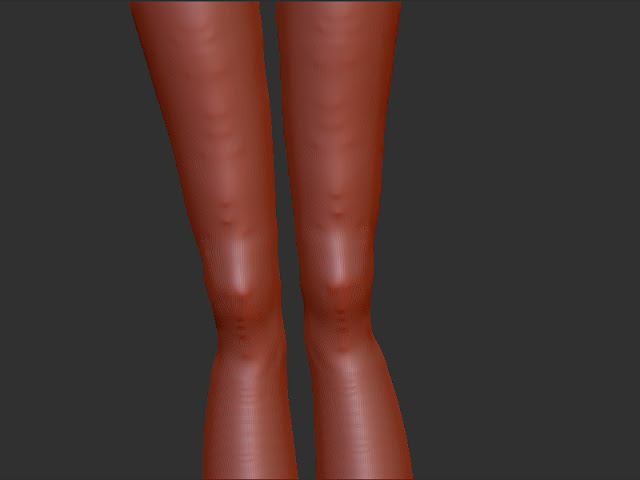
thanks for any help

Which ZBrush version are you using?

Have you tried dropping down a subdivision level where the smooth brush will have more of an effect.

Richard

Looks that there are some triangles in your mesh… can you upload a wireframe shot?

it looks like the new unified skinning from a Zsketch.

As far as I know there isn’t a “fix” It is simply a problem with the topology that is created during the unified skinning.

The only way to fix it (that I know of) is to retopo the mesh.

no no no. Take the smooth brush out back and shoot it.:mad:
Try the flatten brush.

Use the new SmoothPolish mode.
Simply press SHIFT key and click to start smoothing, then let go of the SHIFT key and continue smoothing.
This activates the SmoothPolish mode which designed to work with such topology (i.e. smoothing/polishing extraordinary points).

Note: This feature is currently available in the 3.5R3 for windows. Macintosh users will be able to do the same with the upcoming 3.5R3 OSX version.