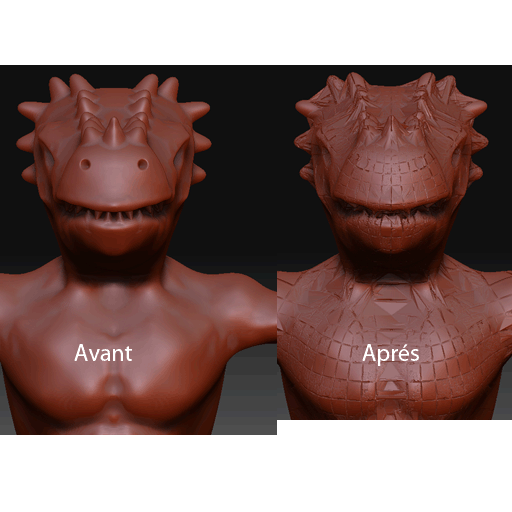
hi im really new to this. so i will try to be explicite so u can try and help me.
i will explain the the setps i did so u can help , i have zbrush 3.1 and maya 2008.
what i did :
1- create a model from zphere then model it till level 2.
2- i did topology with projection 0.
3- transfer it to adaptive skin and divide it till level 5.
4- i scuplt my model the did polypaint.
5- i did storemt and enable uv
6- now i export the ztool with the lower divison ofcourse
7- i import to maya and i keept zbrush open i dont know if its important but my model was soo huge.
8-i did only automatique mappying and i export the model obj the same name so i remplace the other one ofcourse
9- i import the model back to zbrush.
till now everything seemed ok, till i import zbrush and the big boom.one of the two results happened from many tries to import my model
or it explode completely and the levels stay but the stormt disappear and when, igo to upper le evls and i come back to lower level i see the model ok but when i go up to upper levels it rexplode.
the other result that happen most of the time is on the loading bar of zbrush write “unable to reconstruct lower sub div: operation cancelled”.
and i have a modele not in lower level neither in upper some kind a mix and i loose all the levels plus its small size and the storemt disappear also.
so pls anyone can explain what i need to do i looked in the export config i put mfg off angrp of it didnt work. what should i do