ZBrushCentral

4R7 UI problem

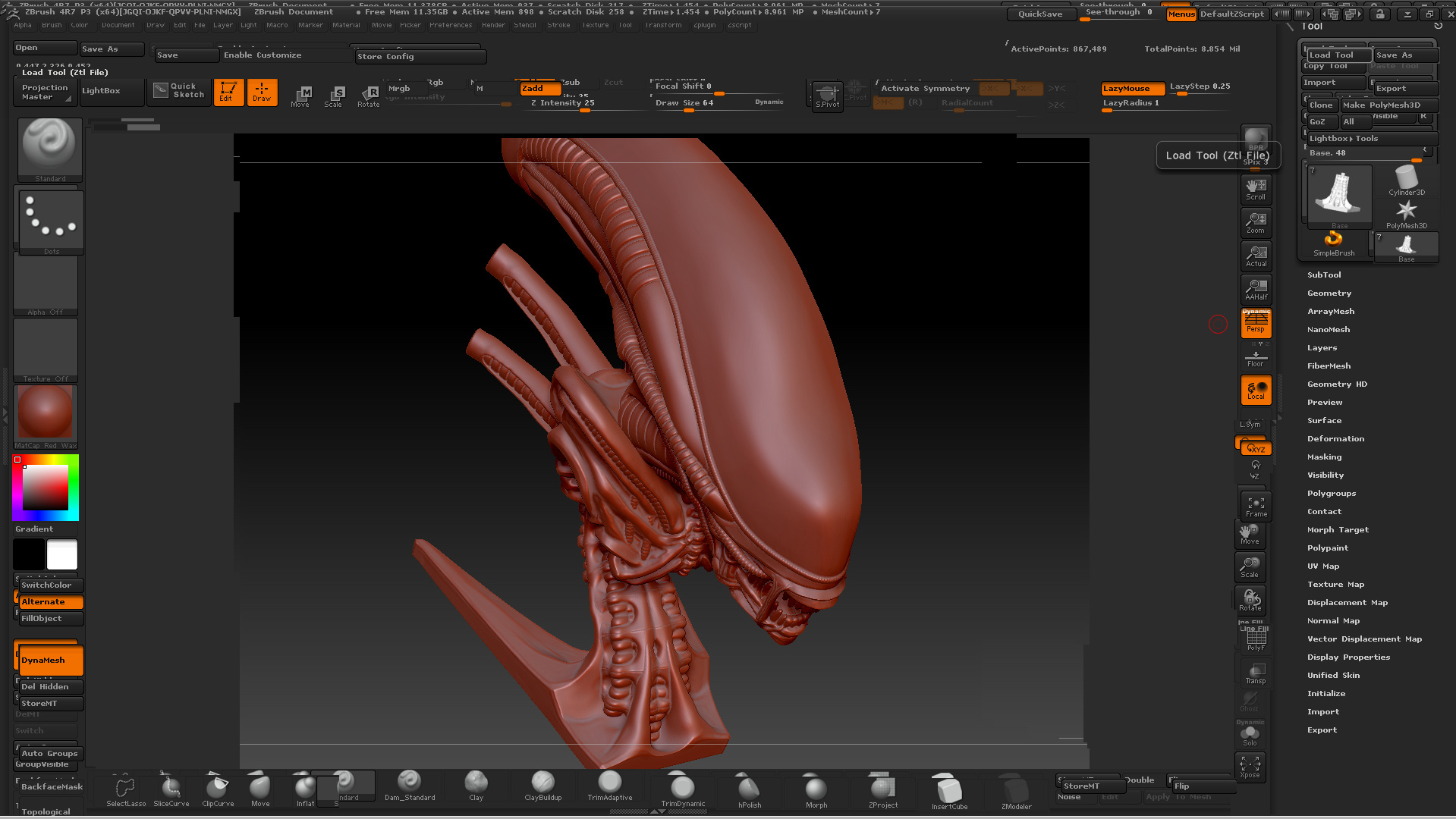
Hi just recently the Zbrush UI is playing up and I wondered if anyone else had been experiencing the same thing.Basically if I load a new tool or tab between programs my UI go s crazy I have print screened my 2 monitors in the pic if you look in the right hand main monitor you will see how the tool menu has been effected I can fix the problem by minimizing zbrush and maximizing but then if I tab again I get the same problem :frowning: does anyone know of any solutions ??? Nvidia has been updating drivers and i’m not sure if its that but this is a real pain.

Thanks JM

Attachments

UIZbrush.jpg

That looks like a display issue. Have you tried setting the display to it’s native max resolution, ie don’t set it to any highe?

Ok I have reinstalled Zbrush and my Drivers and i’m still having a problems with my UI as illustrated in the pick below.


This has become a real problem now if someone has experienced a similar problem or knows a solution it would be appreciated. Its like the UI duplicates itself but slightly offset its become really frustrating. :stuck_out_tongue:

Hi it seems it was a Nvidia driver problem I was sent a specific driver by Nvidia and was to an custom install :
NOTE: Please select Custom (Advanced) while installing the graphics drivers and on the next screen please place a check mark on perform a clean install. This seems to so far resolve the problem if anyone has this issue I would submit a ticket to Nvidia to get a driver for your card or do a custom clean install as above with geforce experience etc.

Thanks for the help!