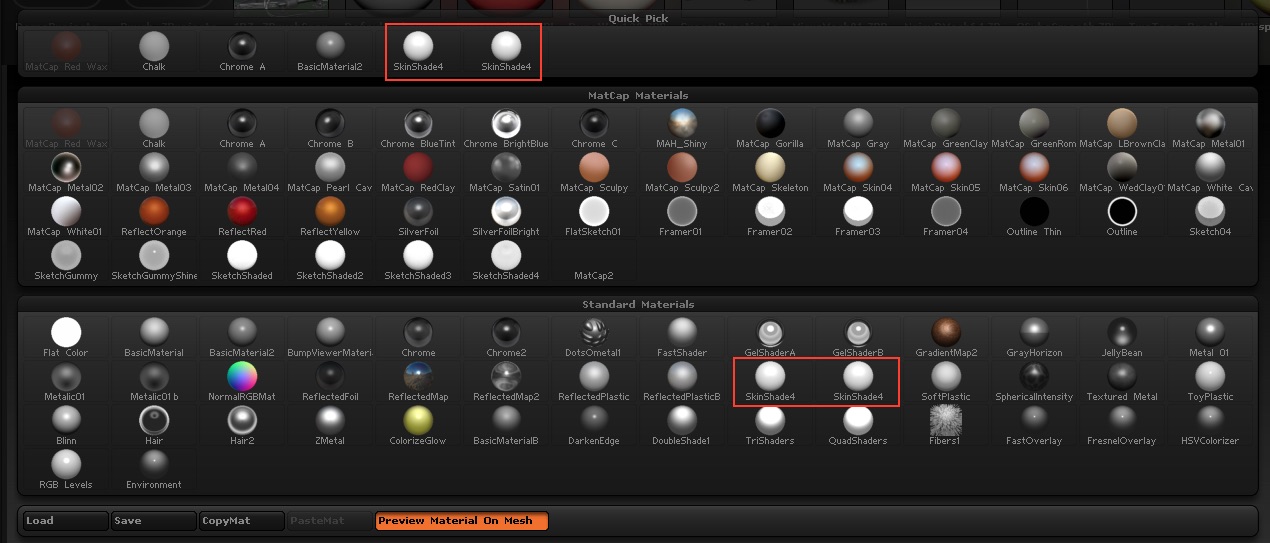
First, I am sorry if this has been covered, I haven’t been able to find anything on this odd issue I am seeing in the Materials Library. I am pretty new to ZBrush, so I’ll do my best to describe what I see happening.
Whenever I load a project file like the DefaultSphere, DynaSphere or any other, and then open the Material Library, I see two Skinshade4 materials. It happens with any project file. Strangely though, When I open ZBrush and immediately open the Material Library, there is only one instance of the Skinshade4 material present. If I only open a ZTool then, no extra Skinshade4 appears. If I initialize ZBrush and then open a project, it still duplicates Skinshade4. This extra instance of the material doesn’t seem to effect any applied materials as far as I can see.
I am enclosing a photo of my Material Library.
Many thanks for any insight.
Attachments