ZBrushCentral

4R6 - ZRemesher Problem

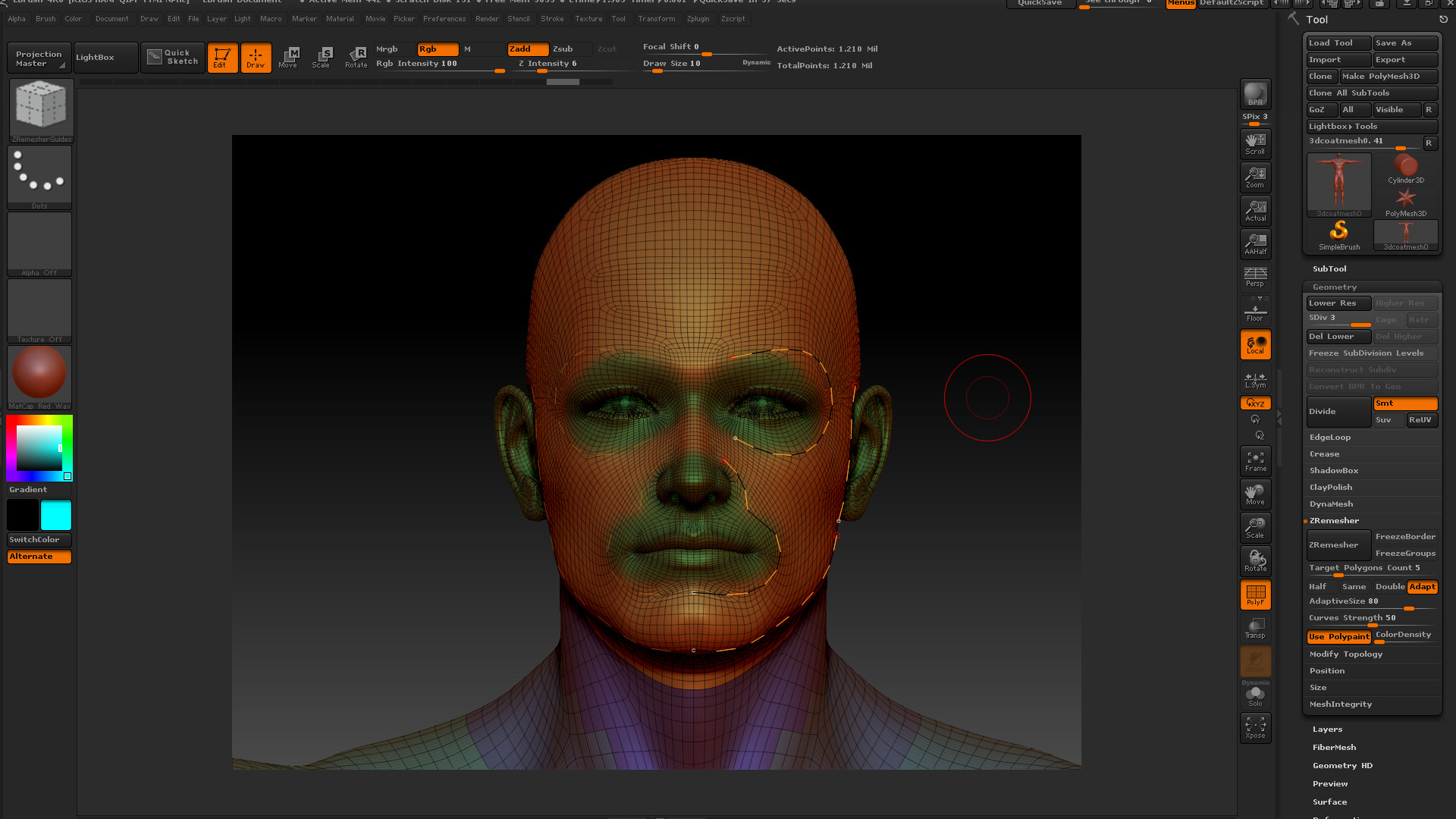
Please see the Before and After captures. I’m following the instructions I see here http://docs.pixologic.com/user-guide/3d-modeling/topology/zremesher/ and have seen the video by Ryan, but the fine details around eyes, nose and ears are decimating. Any ideas why or is there someone who has a workflow for a character from start to finish we can follow?

This character is from the Genesis M5 exported in OBJ from DAZ Studio 4.6.

Attachments
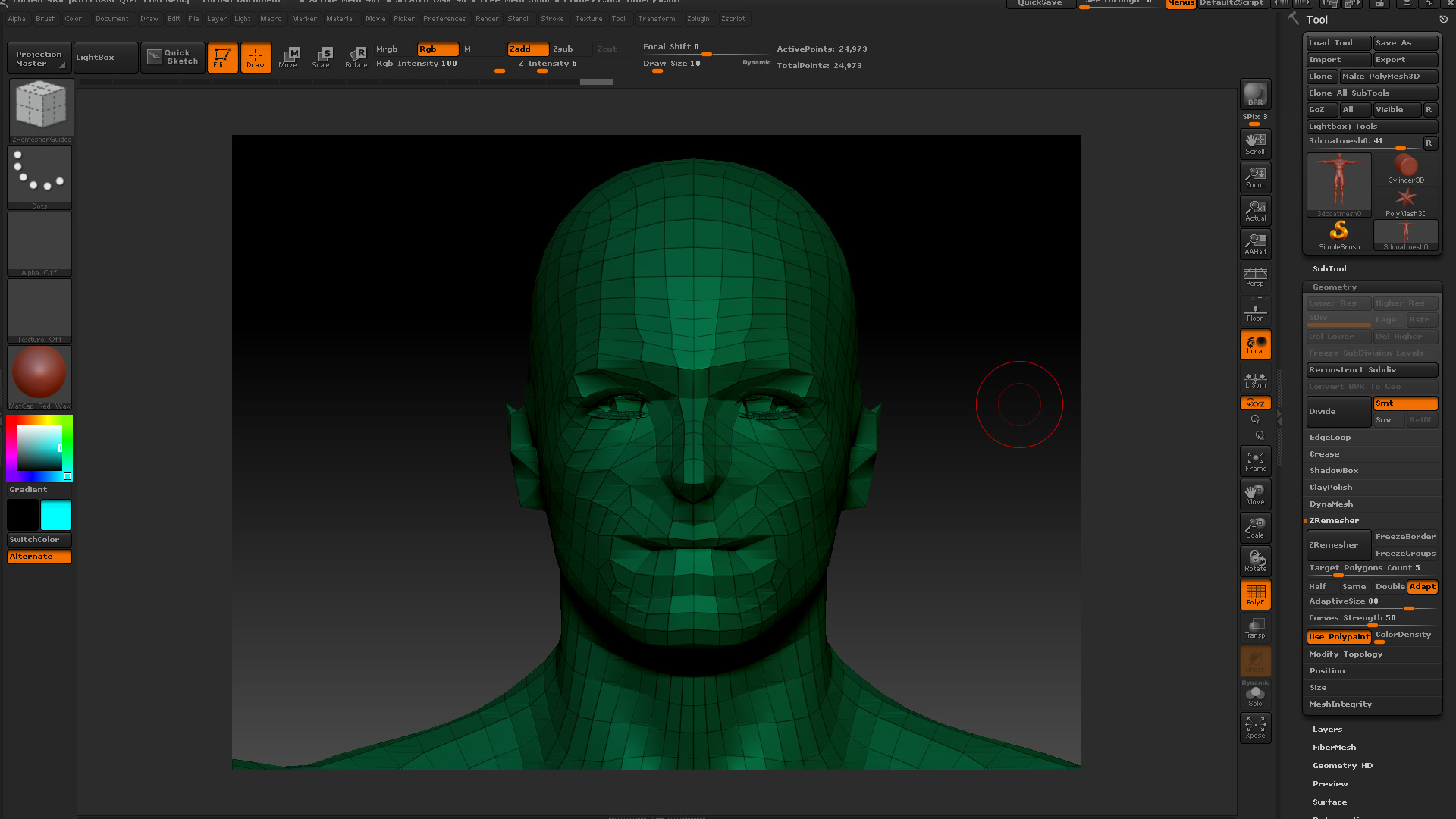
zRemesher_After.jpg

zRemesher_Before.jpg

Looks like your color density needs to be increased.
Also, what colors are you using for your polypaint?

Thanks. I tried the highest later and it worked okay. But, I couldn’t bring it down more than about 25%, which came to about 160K points.

Used black and red.

I believe like UV Master you use Blue and Red

You’re right.

“If the slider is set to 4 then ZBrush will paint pure blue and these areas will have four times as many polygons as the unpainted portions of your mesh. If the slider is set to 0.25 then ZBrush will paint pure red and these areas of the mesh would have a density that is only ¼ that of the unpainted portions.”

What I’m beginning to wonder - is this something innate within the DAZ Genesis M5 mesh? I tried a couple of meshes from the Tools in zBrush without the problems of degeneration I’m seeing with this mesh (pictures above). Then again, maybe someone will have success and share their wisdom…?