ZBrushCentral

4r6 problem: TRANSPARENCY WONT RENDER [Answered]

Hey all. . . transparent objects wont render out in 4r6 after upgrading from 4r5. I’ve initialized and still no go. . . tried all render settings i can think of. Anyone else having this problem?

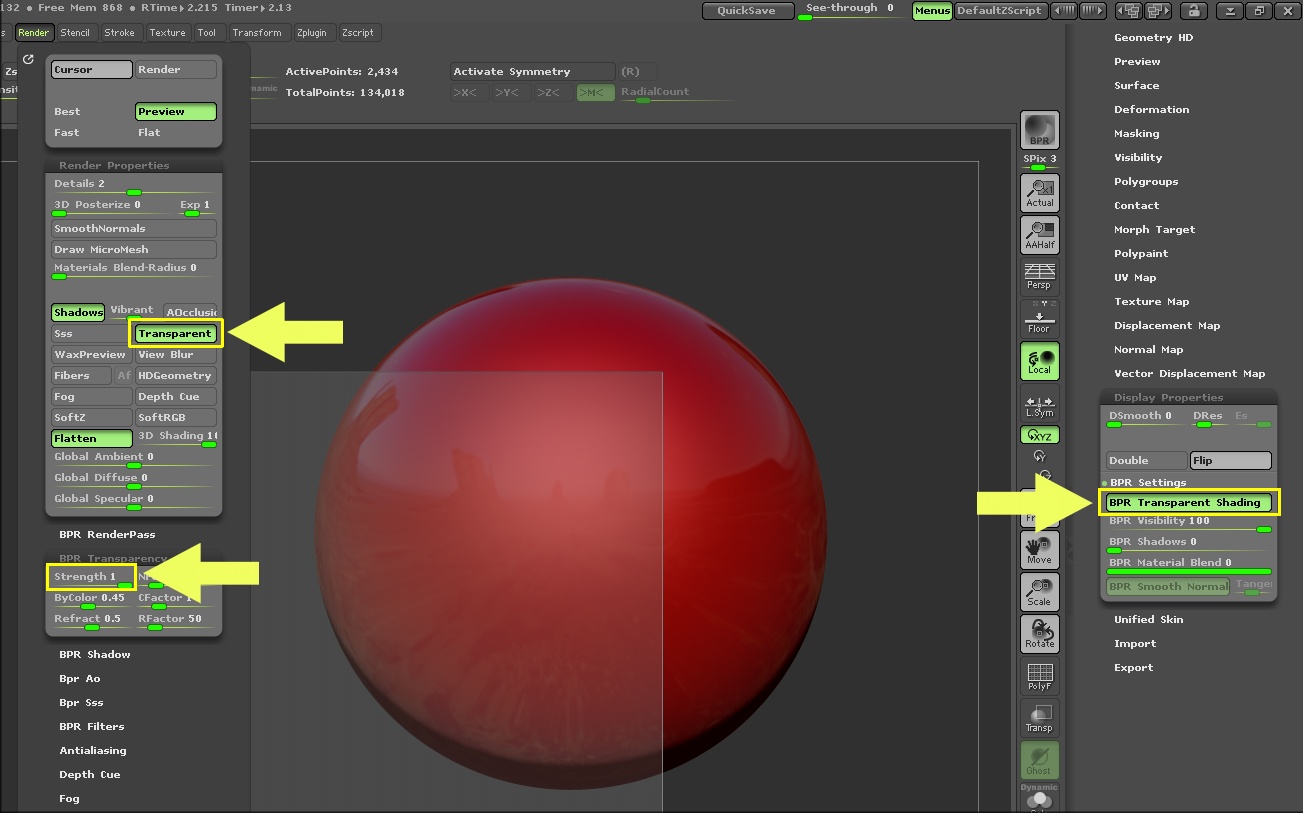
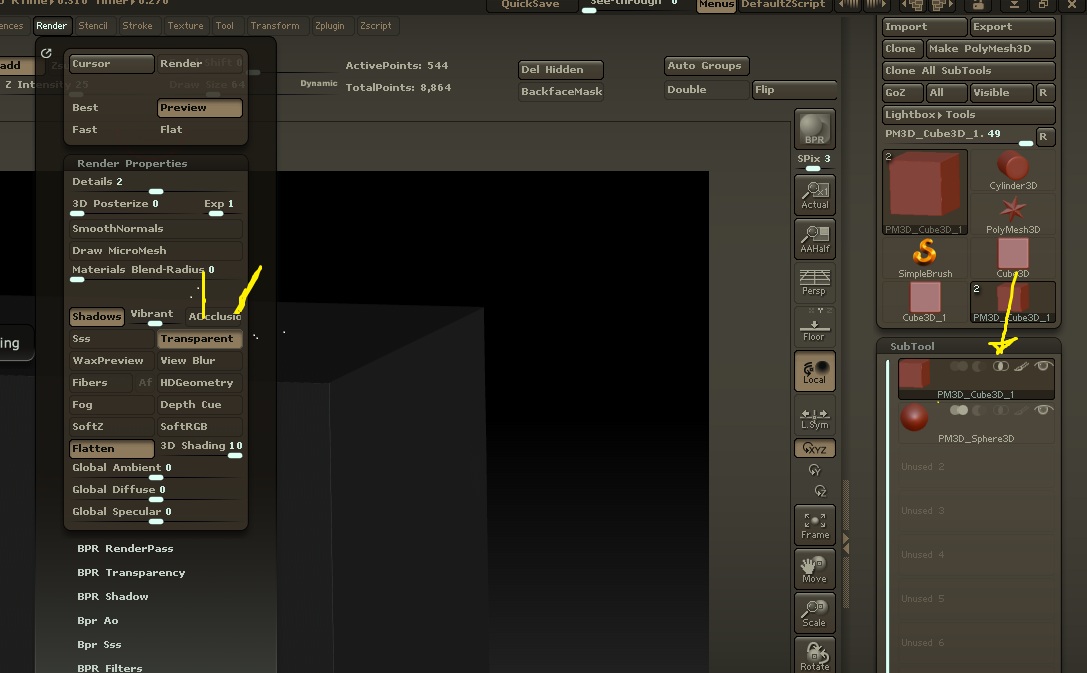
4r5 was so simple. . . simply put any object in SUBTRACT mode and it would automatically be set to render transparrent if you have the option enabled in the RENDER>BPR SETTINGS tab (screenshots provided). All help appreciated!!!

Attachments
Capture.JPG

Deselect “Flatten”. Can’t see inside BPR Transparency settings.

is > display properties > bpr transparent shading selected ?

@ Gary: Yes I’ve tried both transparent shading as well turned off… no difference. Does material matter? To my knowledge (and past experience/testing with 4r5 it didn’t).

Yes doug I’ve tried both flatten turned on and off. . . I know that the tooltip says exactly that you need to turn it off when using transparency, but neither make a difference :frowning:

Is anyone able to test render just a simple sphere inside a cube? and make the cube transparent?

tool.display properties.bpr settings.bpr transparent shading

or turn on subtraction and lower the BPR Visibility slider below bpr transparent shading

Also, flatten on or off doesn’t matter.

You don’t have to click Subtractive icon in Subtool list. That was for older versions of ZBrush.

Finally. Here’s a project file…Material setting DOES matter. Having problems here too. Wish it didn’t affect everything all the time, I’m sure some people like the feature to swap materials in entire scene, I’m not a fan.

YOU MY FRIEND ARE A MIRACLE WORKER!!!

You nailed it right on the head. . . . .

I also see that DISPLAY PROPERTIES is for EACH SUBTOOL. Thanks much Zber2!