ZBrushCentral

3dsMax8ModifiedE.zmp doesnt work with Current Zmapper!

Hi there i am creating some normal maps in Zmapper however when using the ‘3dsmax7tangentspace.zmp’ configuration I was getting nasty seams where the UV boundaries on my model in MAX

So i heard that the ‘3dsMax8ModifiedE.zmp’ would get rid of this problem but when i put the .zmp file in the ZmpMaterials directory and accessed it through Zmapper i got an error message saying that this file wasnt recognised with this version of Zmapper

I am using zbrush 3.11

any ideas?
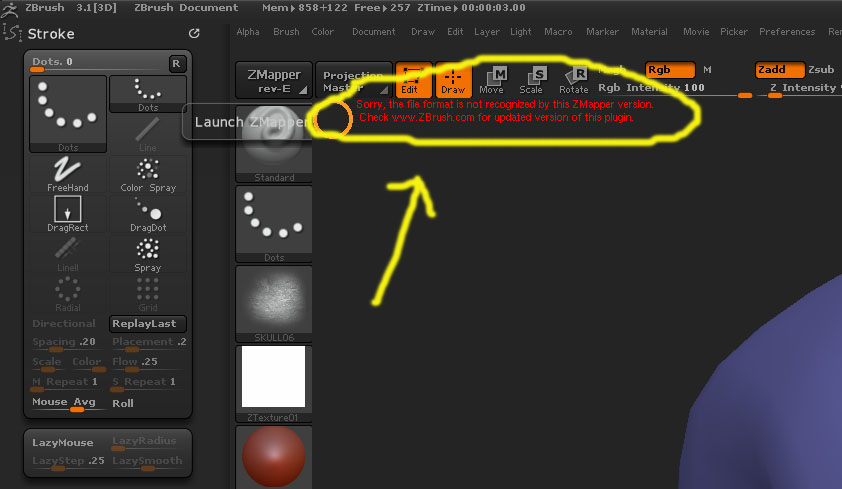
here is a screenie

Attachments

Error.jpg

Odds are, that ZMP was created for ZBrush 2, which had some different settings than the one in ZBrush 3. Some ZMP files will still work, but some won’t.

Where did you get the file from?

I got it from an old thread in these forums, I tried searching for new ones but cannot find any

Do you know where there are any recent .zmp files for download?

I think there is a ‘3dsmax8_Tangent_space.zmp’ also but i cant find it

or even ones for 3dsmax9 or 2008?

thanks

I fixed it, the one i downloaded must have been an old one

as I downloaded another one from a website and it works!

No seams at all back in 3dsMax with Mental Ray

Hello, I have the same problem as you realizing rendering in mental ray:angry:small_orange_diamond:angry:small_orange_diamond:angry:. Will you send me the link or file that I could solve problem would be really cool?:slight_smile:

http://www.ericblondin.com/misc.html

there you go, put it in the correct directory and away you go

Thank you very much for this very rapid response and for your help, I’ll try it right away!!!:D:D:D

I just try and it works perfectly, really thank you for this link and for your help. :wink:

no problem

Glad I could help :smiley: