In the ZbrushNextStep Demo is a part with the 3D Projection. Where can I find a tutorial to do this? This looks pretty interisting.
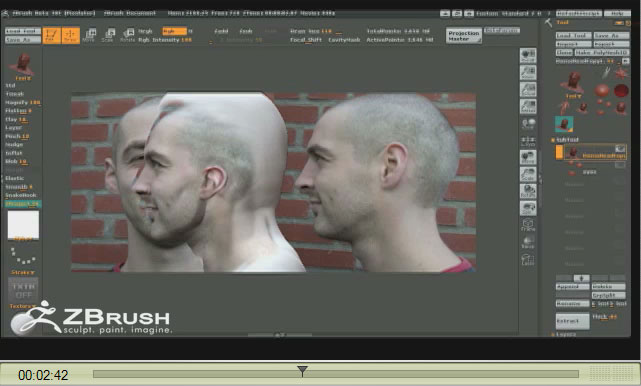
Here is a screenshot of what I mean.
[ ]
]
In the ZbrushNextStep Demo is a part with the 3D Projection. Where can I find a tutorial to do this? This looks pretty interisting.
Here is a screenshot of what I mean.
[]
I seen some videos about projection on Theysuck…I mean Youtube…
Someone has a link to it here somewhere. I have found it before. The feature in the video looks really amazing and easy to use but it takes a lot of setup time and you can practically move 10 times fast if you just use Zapplink. This feature relays soley polypainting (if I remember correctly), so your polycount has to be really high for nice quality final textures (unless you ONLY use zbrush and not another 3d app for rendering). Zapplink moves just as fast and you can use a high res texture as you work which in my opinion is the best way.
Hey Firebert – click the link in my previous post. That IS the tutorial.
ouch aurick. just so happens i finished my post right after you posted yours. sorry. :o
hey there
ive been looking all over for that tutorial! when i clicked on the link, it just went to the homepage, since pixologic changed a few things on their site.
where would we be able to find it now?
thanks
