ZBrushCentral

3D Layer not working

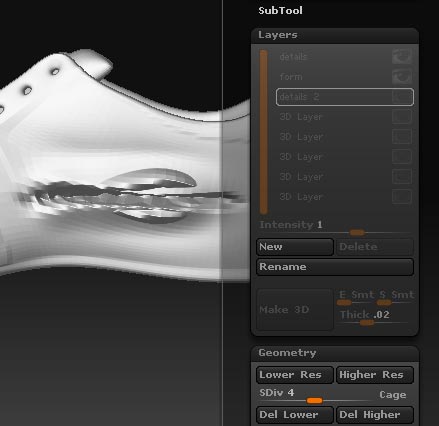
I have problems with my 3D-layers. I created them all at subdivision level 1. Then sculpted on higher subdivision levels. But when i go back to level one and set the eye icon OFF, the details from the layer are still there.

creating new layer:
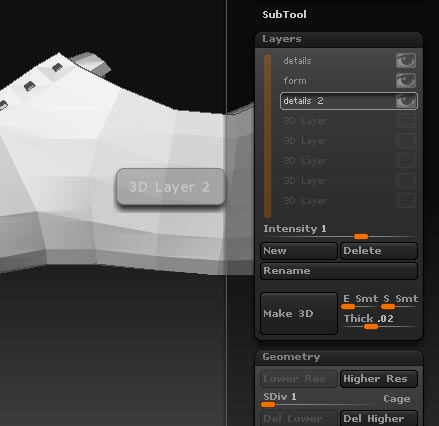
new.jpg

What am i doing wrong?

I’m using ZBrush 3.1
My System:
AMD ATHLON XP 2800+
2.09Ghz 1,00 GB RAM

Windows XP Professional
Version 2002
Service Pack 2

Hope someone can help me, it’s really appreciated. Thanks!

Attachments
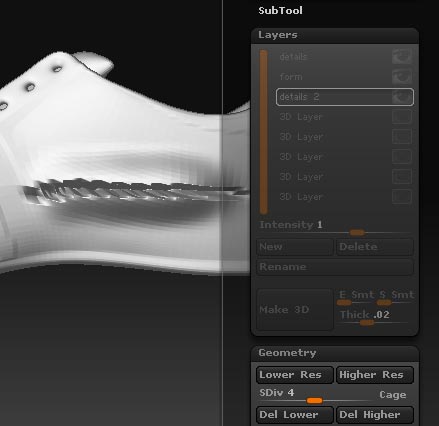
details.jpg

problem.jpg

The problem is that layers only work for the subD level they are made at. So basically, when you set the layer at 1, then sculpt at 4, Anything you do at lvl 4 will still propagate throughout the lvls. Anything you do at level 1 will be on that layer and can be turned on and off. Not the changes at level 4 because there was no layer for those changes. That is also why the layers gray out when you change to a different subD level, it’s to let you know that the layers have no effect on that SubD.

For what you want to do make the new layer on the level you will be sculpting on, then turn off the layer when you want to make changes that are for lower SubD levels.

Thanks for your reply goast666!

but i can’t create a new layer on higher SubD-levels if there are still some layers on the lower levels…
looks like, i have to delete them first if i want new layers on higher SubD levels :confused:

you can have layers on all the diff sub levels, you just have to make sure you deselect the layer on the lower level before you try and make on higher level.

@Codeman: thanks! haven’t known that yet. But honestly, it’s not really usefull… because i can’t have all layers set to ON at the same time.
For example i create on level 1 a layer for a different pose and on my highest level i create a layer for the details. when i set the layer with the new pose on, i can’t have the details on the highest SubD with that pose.

I am sorry if I am unclear in my response. You can have all the various layers in each subdivision either on or off, that is different than deselecting. To deselect, go to the active layer (slightly lighter shade of grey) and deselect by clicking on it. This will allow you to work on a different subD. I hope that helps as it is confusing.

@Codeman: Ok now i got it! Sorry, i always had the eye icon in my mind while talking about the way to select and deselect a layer. I didn’t know, that your way is working also. Thanks a lot :smiley:

Happy to help. :smiley: