ZBrushCentral

2.5d squares - why? - newbie question

sorry to post this question, but I found nothing about…

Following the ZClassroom, Video Tutorial 2.5D vs 3D
I see that it’s possible paint smoothly.

but on my zbrush it’s appear only squares.

can anyone could explain to me why?

thanks in advanced

see ya

Attachments
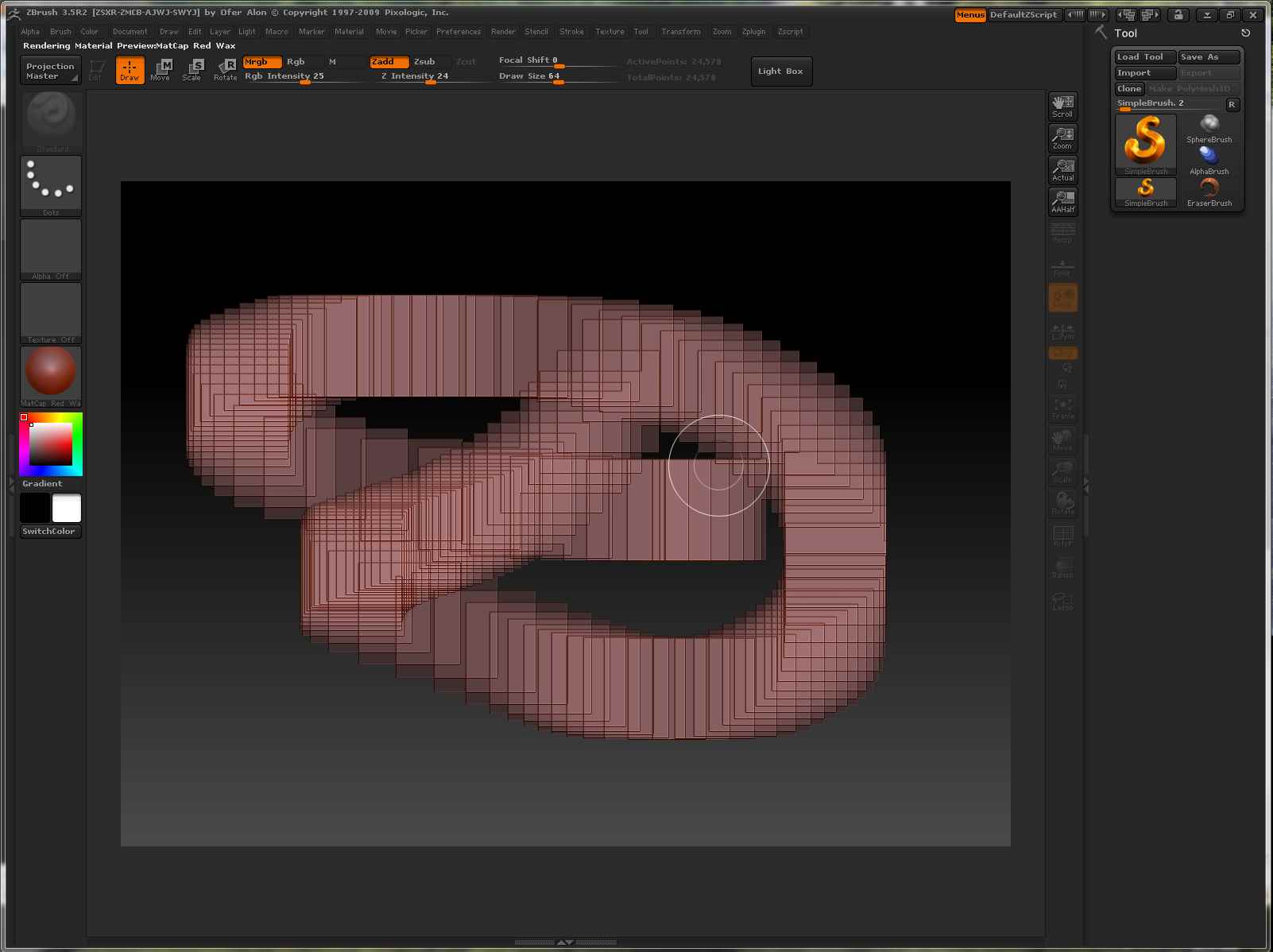
squares.jpg

thats 2.5 3d mode. you need to load a ztool to start sculpting.

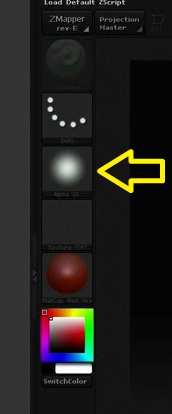
If you want to paint in 2.5D without the squares, select an alpha from the alpha palette.

Richard

actually I would like to do as did on ZClassroom 2.5D vs 3D video.

He uses SimpleBrush and when he paints it’s very smoothly.

I would like to know if it’s something about settings or it’s normal to paint squares…

thanks anyway

As I said, in the video he has an alpha selected. You can see the round alpha image on the left of the screen.

Richard

Attachments

alpha.jpg

hum… sorry. thanks!:+1: