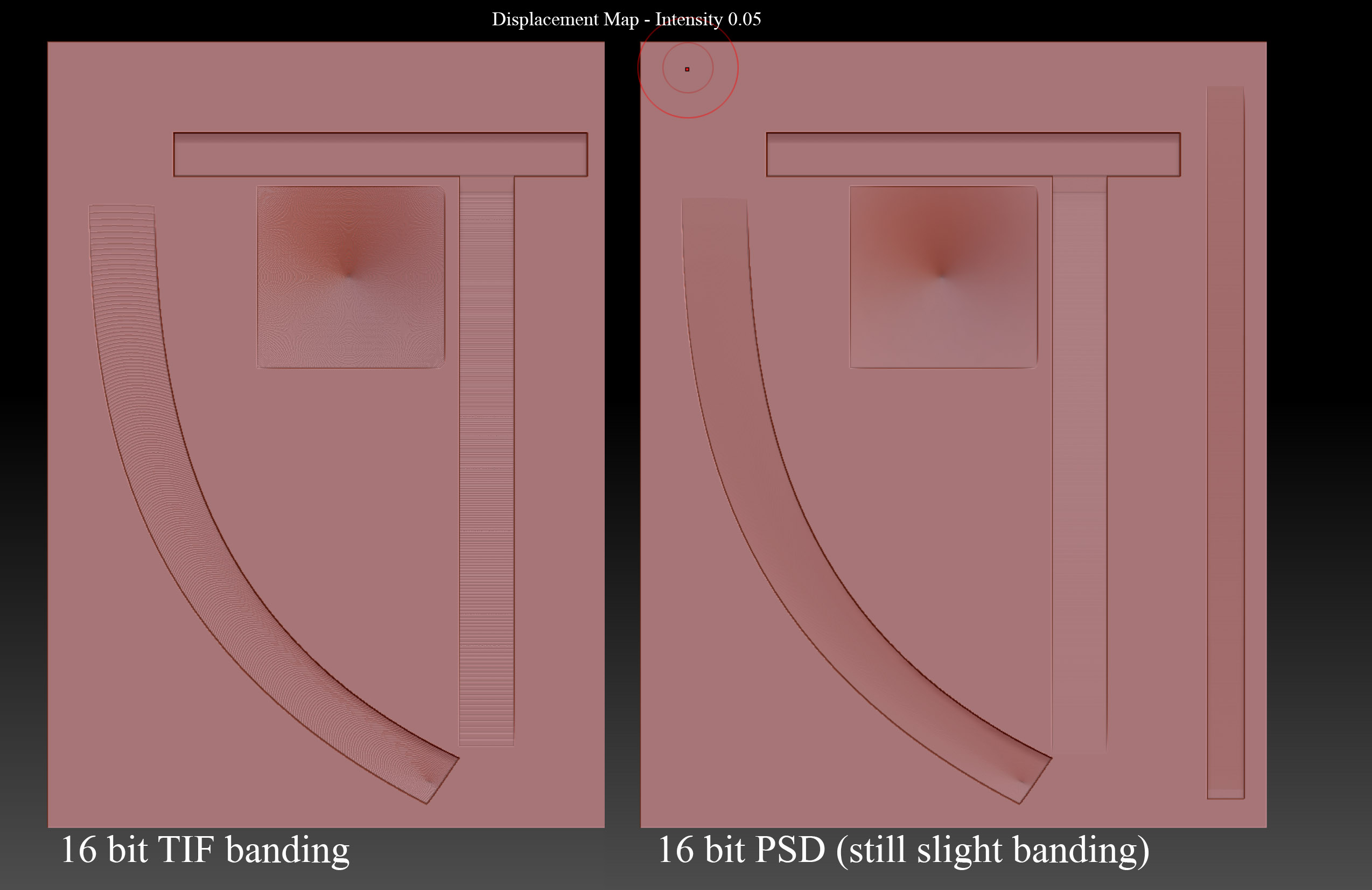
Ok, I’ve used ZB before but for the more usual, build base mesh, sculpt, export maps etc. Now I’m being asked to do the opposite, import a gray scale map from a 3d scan and use that to displace a surface in ZB. When I use a 16 bit gray scale or colour TIFF image (in Displace Map) they both apply to the zb surface badly banded ( appears to be 8 bit banding).
I thought perhaps I was saving the images with the wrong settings in Photoshop but it appears that each are in fact 16bit. I see that ZB can create 16bit images, even 32bit so surely it can read as well…Looking here and online I see others asking about this.
Well it seems, no, ZB cannot correctly load 16bit displacement TIF images. The “Supported File Formats”:
https://support.pixologic.com/Knowledgebase/Article/View/78/14/zbrush-supported-file-formats
states that Tiff is supported… for write only!? So ZB CAN’T load TIF’s but it CAN export them? This page was updated way back in 2013, is this still the case? It appears not as I just did that. I find it odd that the “Supported Formats” page implies that TIF’s are write only and yet I CAN load a TIF (with banding) inthe current ZB version even though the page above implies I shouldn’t be able too. What is the point of reading a TIF format image incorrectly? Did ZB ever load 8 bit TIF’s in the past and this is legacy support? 8 bit TIF certainly don’t work now. I also find it odd that I can export a 32bit TIF but can’t load a 32bit TIF as a displacement map.
The work around is to simply not use TIF’s and just use 16bit PSD’s as they DO read with full bit depth and almost no banding.
Searching for the answers on this forum hasn’t given me the answer so far. If its already answered, please post the link here.
Thanks
Attachments