ZBrushCentral

1:st model some problems :)

Hi!

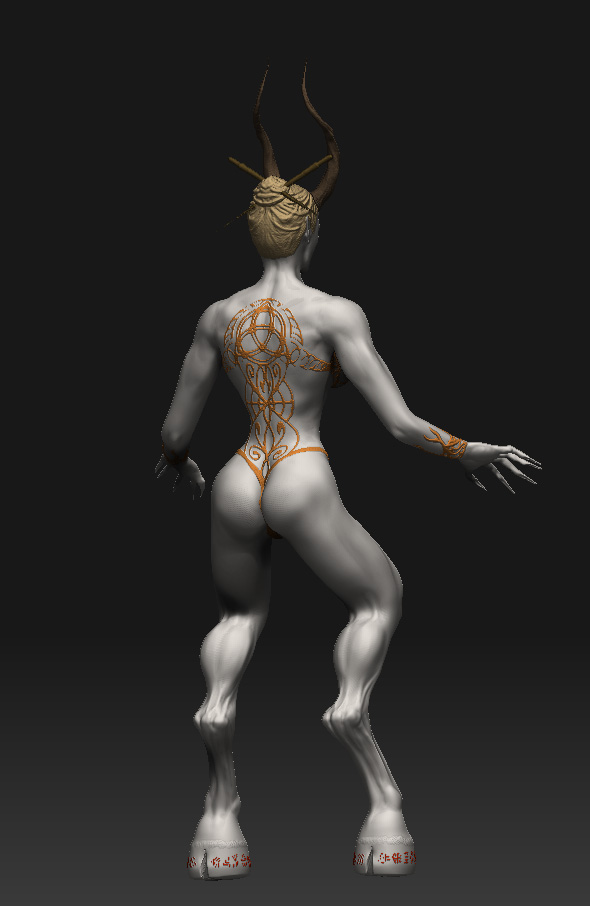
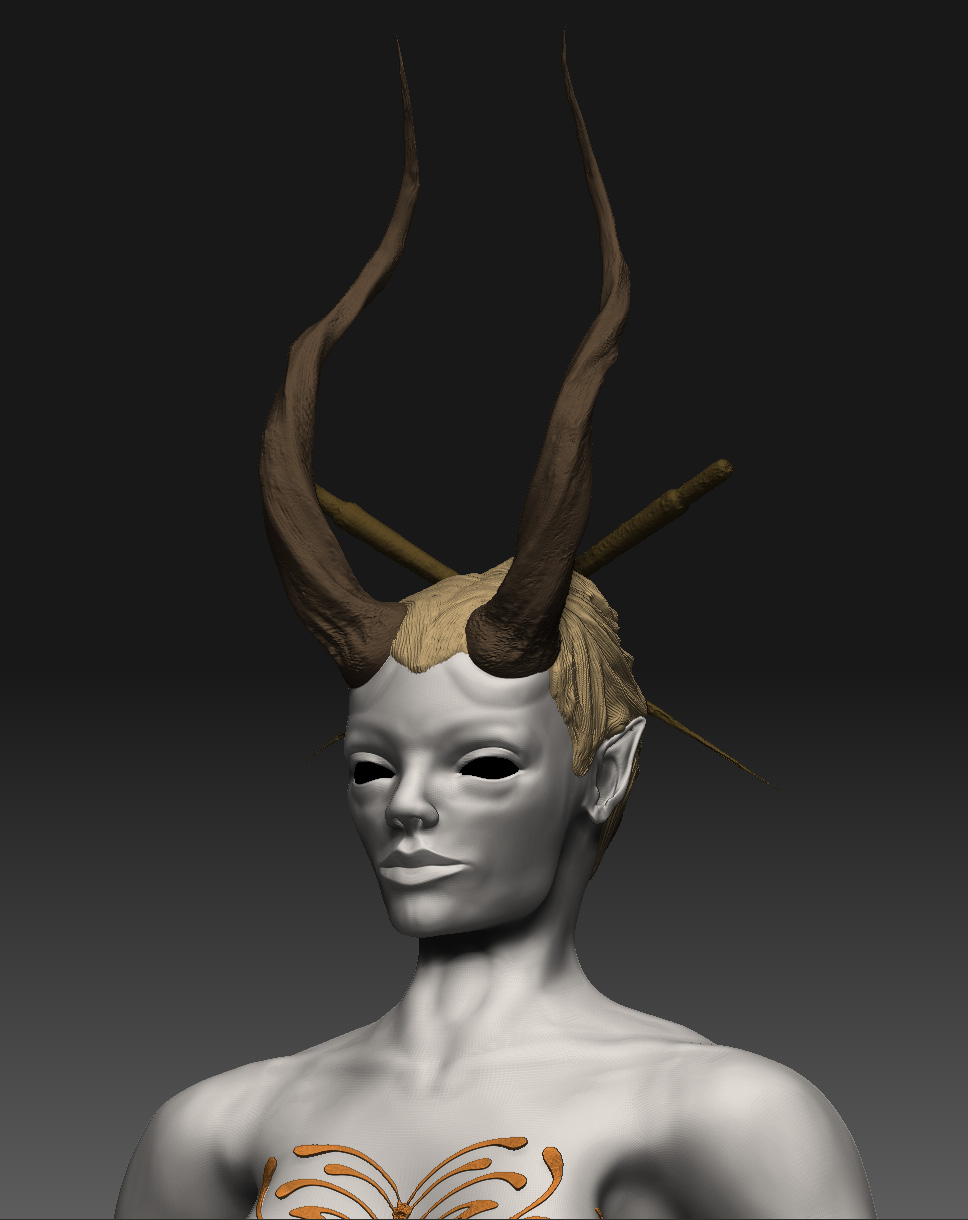
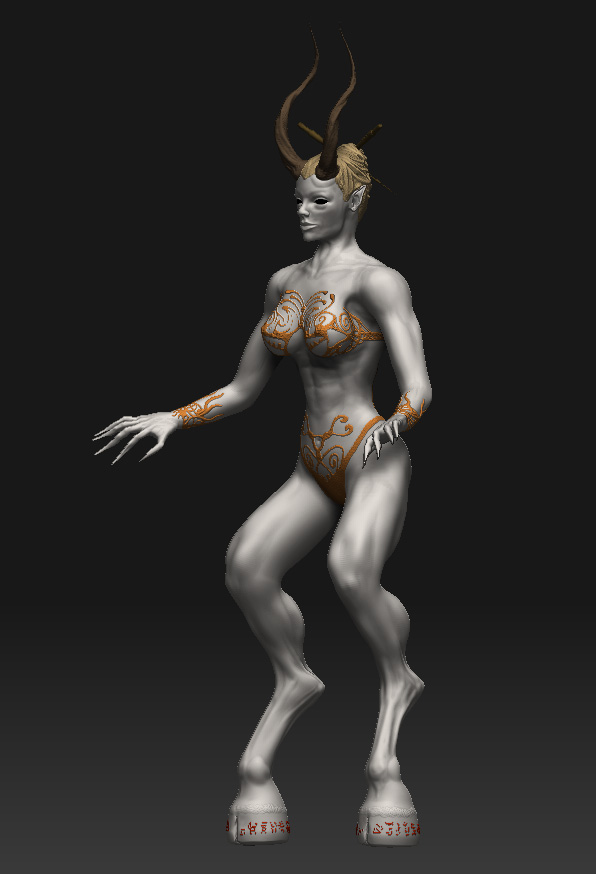
This is my first sculpt in ZBrush and I’m still going through tutorials to make the models better and better.
This sculpt was a training project to get started and I have a few q:s about the model, workflow and the program itself. I hope you have the patience to help me out here.

First of all my reaction was the polycount of 16,5 mil polygons to get the smoothness and detail right, is this really right? (This is total with subtools included.)

I just have to get something wrong in the workflow?

It seems awfully much; I’m used to work in Cinema 4D and other 3D applications and know that ZBrush works differently.

Although I have seen some others at the forum posting for example hands with the same smoothness but with 1.7 mil polys!
Maybe I’m just thinking the wrong way?
(Unfortunately I couldn’t use the Transpose Master due to it just crashes when I use the CTRL drag function. So the model you see; just is.)

As you can see it has the smoothness and I’m quite fond of the result, it’s the first in ZBrush :).
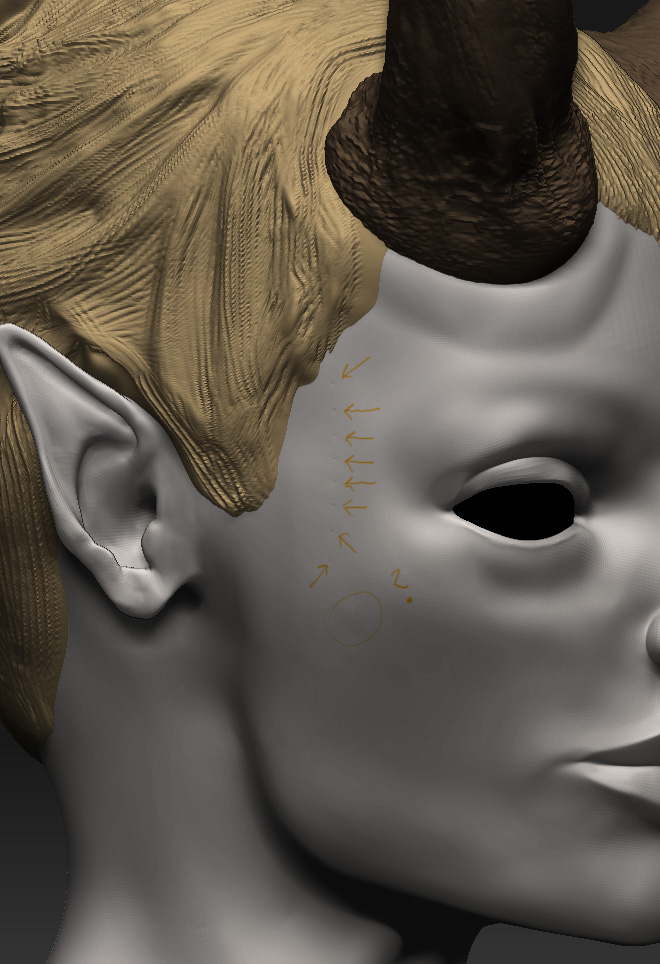
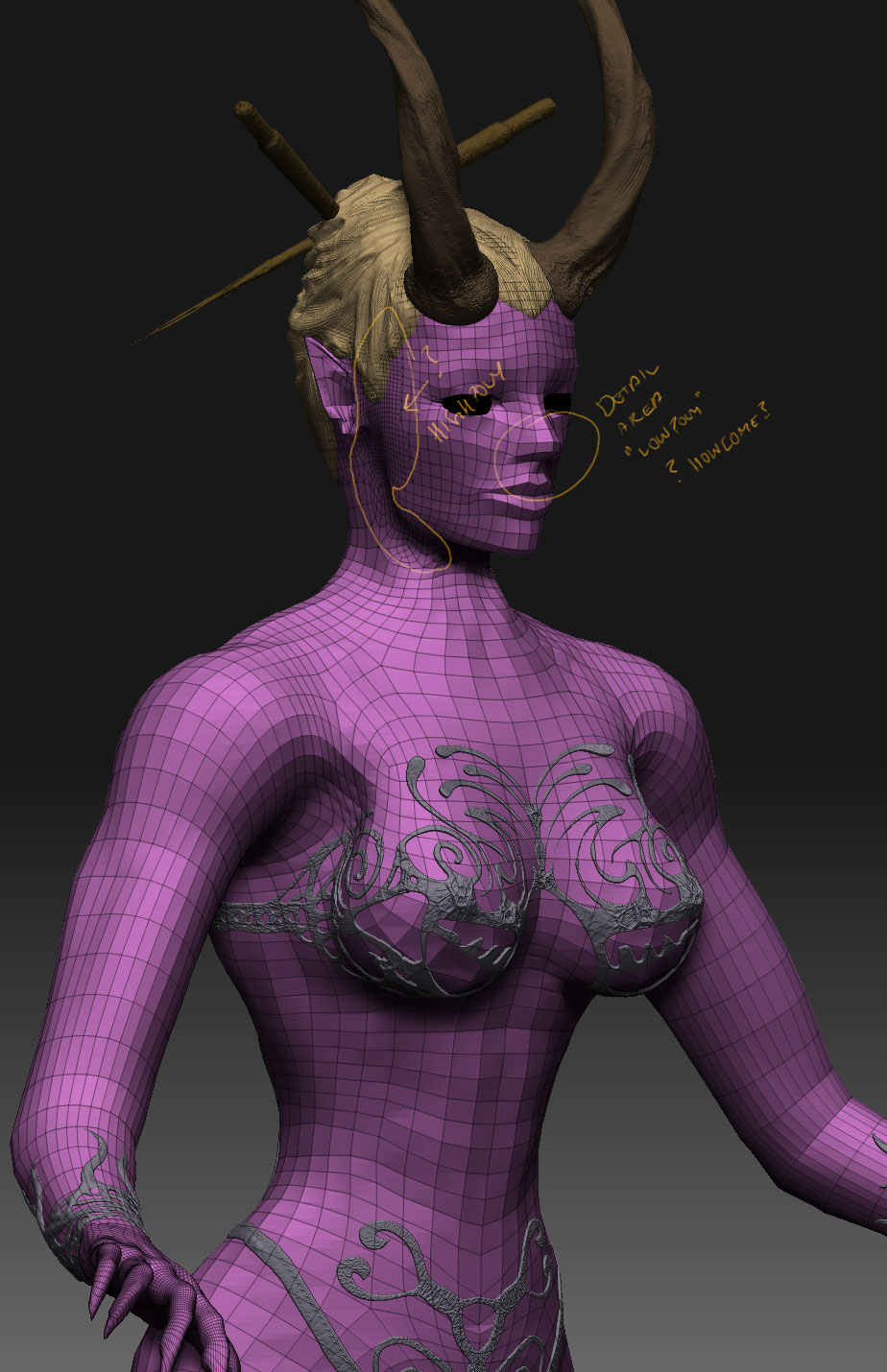
I’m got into some strange artefacts thou, as you can see on the detail; the skin has some artefacts, dots or small holes?!?!
I had double checked that no mask was on. It came through when I Subdivided into Level 5 and used the smooth-tool.

Last q:s J

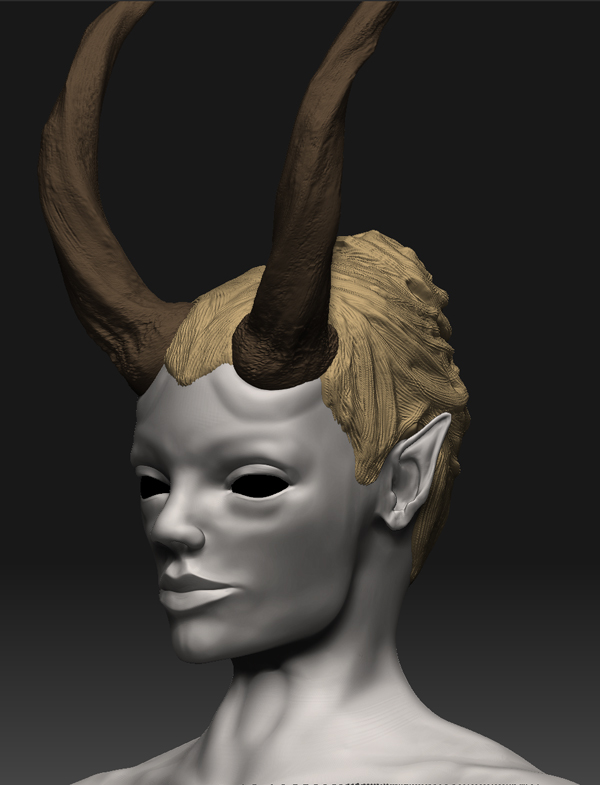
In the progress of sculpting I reacted to the differences of how the polygons seemed to get “tighter” at some places and very wide at others.

Ex. I used the Edge Loop in the face and moved the polys at the SubDiv 1. But still at SubDiv 5 it seemed to be too little polys around the details in the face compared to the rest of the body. Maybe it’s the workflow or something else.

Cause of these q:s are simply that I haven’t found all the tutorials I need yet I think. (J)

Well anyhow I have a few miles left to learn.;)

Any hint or tip, crit are welcome of course.

Thanks in advance.

Best.

Attachments
ZPic001.jpg

ZPic002.jpg

ZPic003.jpg

ZPic004.jpg

ZPic005.jpg

Unfortunately your post kind of rambles and doesn’t really get to specific questions with examples. For example, you said that your model is 16.5 million polys in total, but you don’t say how many polys you’ve got for the parts of the model that you’re unsure about. We don’t know how your model is broken down, either. Nor can we see the low poly structure where you’re having trouble, to know if it’s the poly flow that’s creating problems.

Please try to ask very concise questions and include examples that show the exact issue that you’re asking about. It’ll really help us help you.

Also, check out the various resources in my signature. :slight_smile:

Hi!
Oki I understand what you mean. I’ll try to “shorten it” and try to be more concise.

Polycount for the body is, aprox 6,6 mil
(Can’t get any higher than subdiv 5)

Polycount for the horns is, approx 589.000 (subtool) (modelled in C4D, obj)
Polycount for the hair is, approx 390.000 (subtool)
Polycount for the “bodysuit” is, approx 4,3 mil (subtool) (extracted mask)
Polycount for the sticks is, approx 1,1 mil (subtool) (modelled in ZB)
Polycount for the “wrists” is, approx 6,9 mil (subtool) (extracted mask)

Is this “normal” for ZBrush? (if yes well then oki :slight_smile: then I know)

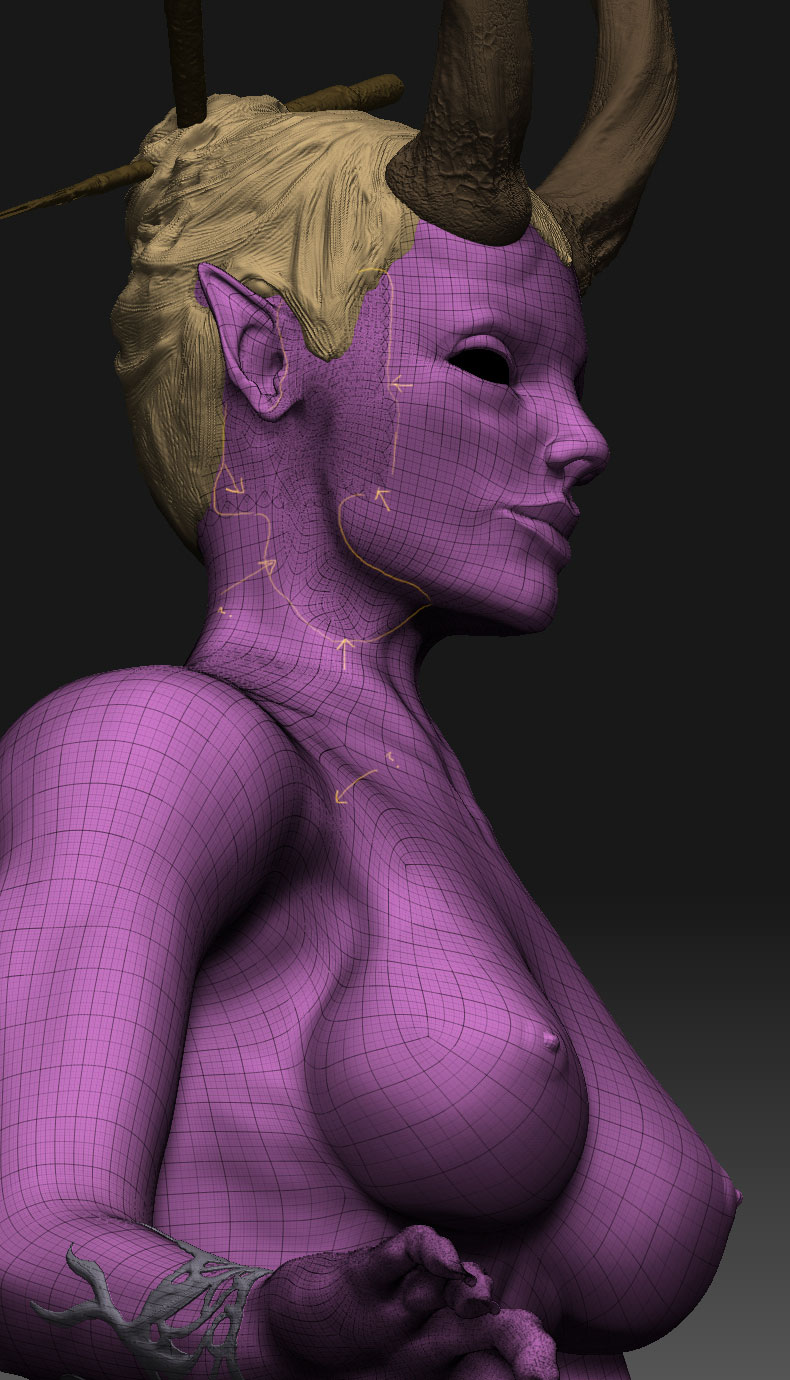
:qu:The “artefacts” is as the image shows (the closeup), small dots as I described, where does these come from?

:qu:I added an image that I hope will show the “strange” areas I tried to describe. These areas near the cheek and ear should probably doing better around the mouth and nose(?!)
This is what I meant with the error in my workflow perhaps.

:qu:By the “smoothness” in others work I meant it looks as smooth as my model with a lot miner polys, unfortunately I couldn’t find it again.
Maybe it just “looks” like it?
Well I can’t describe it in more detail thou. Sorry.

Hmm yes I know a lot of “noob” q:s but to get any better you have to ask…:cool:

(The thing is that I’m trying to understand the depth of how ZBrush works to get the right workflow to “click”. It seem easy on the tutorials but doesn’t exactly explains the errors which can appear if the workflow is wrong from the beginning.)

Thanks for all your help, m8:s

thanks again Aurick, I’ll check the links too :cool:

Attachments

ZPic006.jpg

ZPic007.jpg

having the two different mesh resolutions is because you did a local subdivide at some point.

you had an area masked, and then divided again. it’s a common problem for starters…sometimes for long time users as well.

The only way I know to fix it is to reproject your original mesh onto your new high poly version.

Oki, so by this you actually mean that if I had masked off all but ex. mouth and nose I could have subdivided only these areas?
Then its just great. Thanks for the tip.
Solution:
“Don’t have anything masked before you subdivide.”

Thanks for the answer m8.:cool: