Here is an image I created with ZBrush & Lightwave. I’m going to play with the lighing alittle bit but this is basiclly my finished peice. I want to fix the bright light alittle on the top of the fish.
What do you guys think? 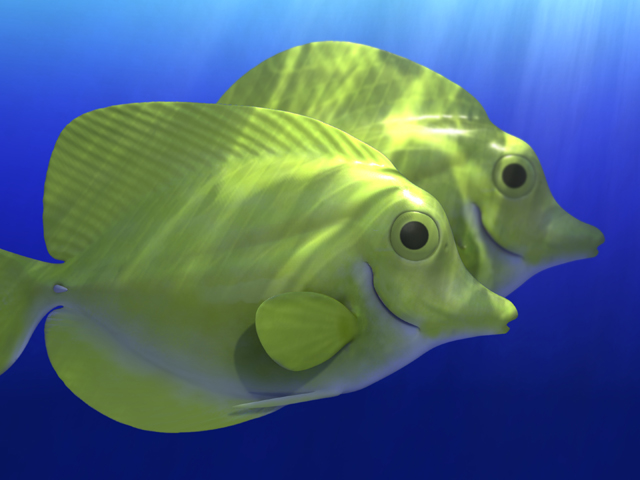
Here is an image I created with ZBrush & Lightwave. I’m going to play with the lighing alittle bit but this is basiclly my finished peice. I want to fix the bright light alittle on the top of the fish.
What do you guys think?
beatyfull  refresh stuff
Looks really good. I’d just like to see a little more to the texturing.
the models are really cool, so is the composition and the light effect. Im not sure about the shading of the eyes. I think some specular effect would suit them well. To me, Eyes generally look more natural with some glossy specular effect. Great
Hey fellow LW-er! The models are indeed very nice, I also would say a bit of specular on the eyes would bring them to life. The light on top is very nice. How did you create that striped volumetric light?
Perhaps you could pay some attention to the lighting in the lower left corner. To my eyes a bit more shadow there on the fish would bring out the contrast of the picture.
btw, whats that pointy thing at the beginning of the tail-fin?
Hey, Thanks for the comments. I’m going to ad more specular to the eyes and I’m changing the lighting alittle bit. I used a a combination of Volumetric lighting and a gradient/procedural background to create that lighting effect. I created a light array to cheat radiosity but it took alittle longer than radiosity so I’m going to use that know. I’m also going to tweak my textures alittle more.
Thanks again and I’ll post a improved pic soon.
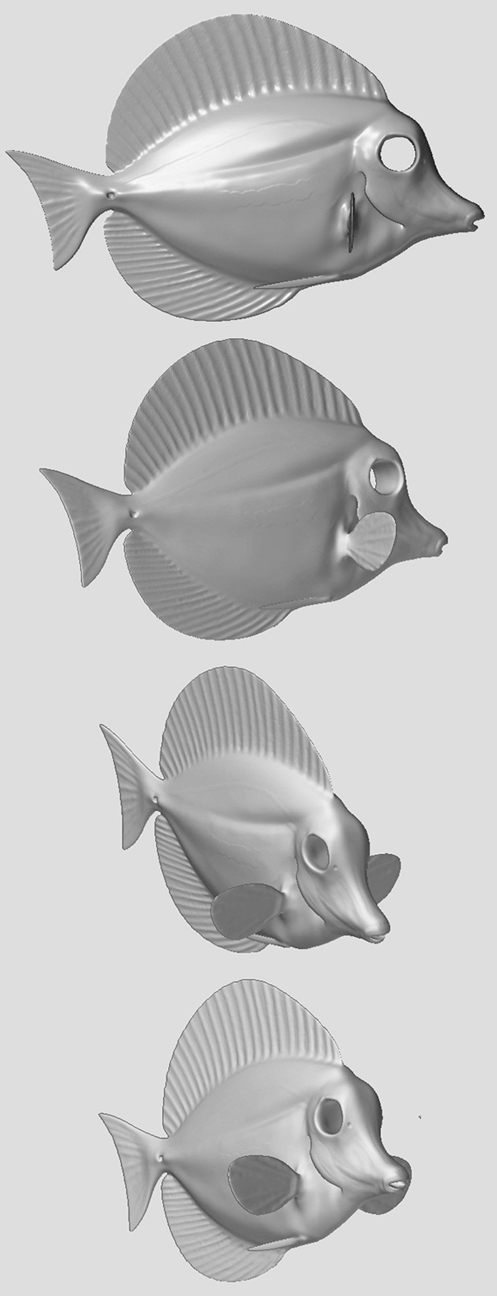
Here is the ZBrush Model of my Tang. I loved the way it came out in ZBrush but It lost alittle something when brought into another package. I modeled it after my Yellow Tang that is in my reef tank. I took a few pics of her to use as a reference and spent alittle time in Lightwave making the base mesh and then finished her in ZBrush. [attach=26357]ZFish.jpg[/attach]
I change the lighting alittle and tweaked somethings. I setup a natural lighting environment that you would find the Yellow Tang living in which came out real good. The only problem is that I lost some detail in the textures. I’m going to render out the fish with bumps in ZBrush and composite it over the foreground fish. But I’m pretty happy with it. I may later change the lighting alittle more but I thinks it looks good.
The spine at the base of the tail is foind on all types of Tangs. I read somewhere that it may be used to help anckor them when sleeping in a reef. 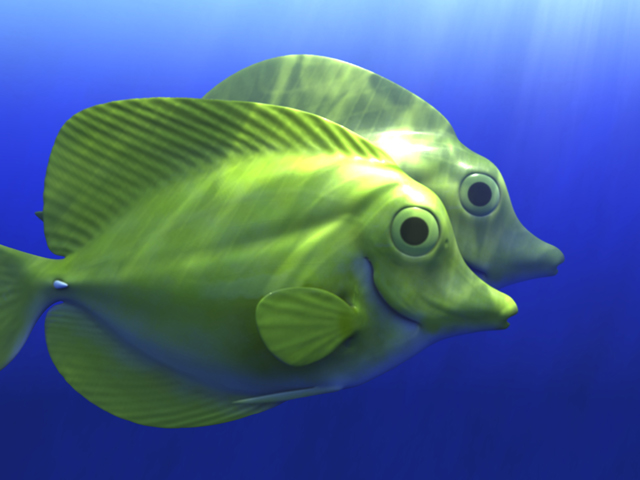
Can we see the ref picks of your fish?
Here is a reference pic I used. Its a pic my my reef tank. I used this to get a pretty close replica of her. For the lighting of the scene, I used reference pics of reefs and experiences snorkeling. The lighting in my image is what would natural occur in the ocean, as if they swam by you. 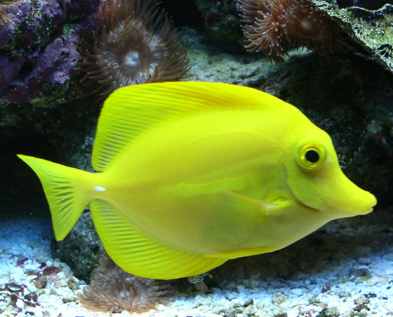
i think you’ve done an exellent work here. i love art when it tryies to imitate reality.
i think you could add more detail to the eyes and fins, i mean maybe with a transparent material it becomes even more real.
bye.
Yep, those fish look more integrated in the environment now, nice job! A thing for anckoring to a reef?! That’s cool, through art we learn. 
I too would go for Alanzb’s idea of transparent fins… With a bit of alpha mapping or perhaps a gradient texture you could make it look just that little bit more convincing. Not that it doesn’t look great already, keep going! Don’t forget to pay attention to you’re real Tang though, he might get jealous! :lol:
Thanks guys! I did have a transparency map and a translucancy map applied to them but it created some weird artifacts in the lighting. But you guys are right, the fins need some transparency on 'em.
Here is my final pic. I pretty happy with it. I took the advise on making the fins transparent and it make the fish look that much more real. I tweak the textures anddid some post production work on the final image.
Thanks for all your comments. 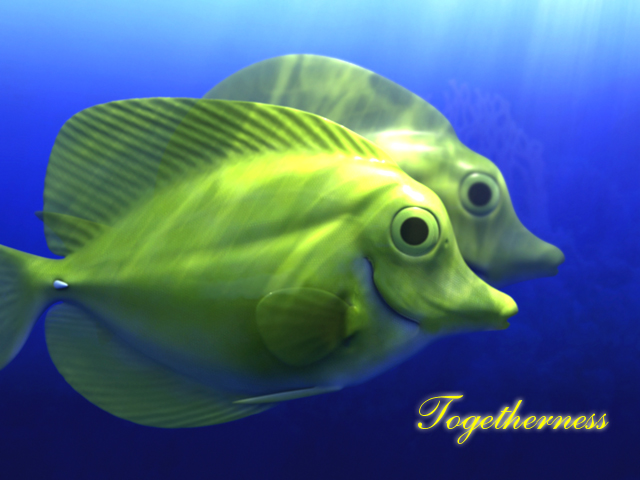
Love the final pic. Glad ya bumped up the Tangs’ saturation to more closely match your tank one. Looks really nice, great job. 
Really nice image, and quite convincing! Its fun to see such little tweaks produce so much difference. I always say this forum needs more fish! :lol:
Wanted to share a couple things I learned while doing this project.
I found that using your Displacement map as a base for Diff, Spec, Transparency and Translucency map will really speed up production time on our texture maps. It took me an hour or so to create those maps once I was done with the model.
Its also good to multiple or overlay your different maps together in photoshop.
Another thing thats good to do is to do your texturing and shading on the base mesh before you displace the model. It takes too long to do it on a model with a sub-level of 12 or higher. You may see some artifacts and lines on your model when testing the textures but when you displace the model, it’ll look fine.
You guys may already know some of this, but I wanted to give something back for all the critques you guys gave.
Thanks