ZBrushCentral

How to create the "exact'displacement map

when i just use the standard brush in the zbrush and move the points along their normal direction,i can get the good displacement map and the same shape in maya ,compared the shape in zbrush.

BUT once i use the Pinch brush and Move brush to create the hard edges(the two brush can move the points NOT along the normal direcation),
i can’t get the " hard edges" effects back to maya very well, the shape in maya looks softer than in zbrush

anyone has the good idea about the " hard edges" in the displacement map? :slight_smile:

i have tried to use a very simple mesh,moved the points not along the normal direction ,and exported the highest subdivide level mesh to maya .In maya, i use the Tranfers maps Tool to create the displacement map to the low mesh from the high mesh,this time i can get the right,“exact” displacement map,BUT the
the speed of Tranfers maps Tool is toooooo low,and the quality is not very good… just 8 bit ,no 32bit

If you’ve used Pinch and other brushes that move points across the mesh rather than along their normals, you’ll need to use ZBrush’s Adaptive calculation method. Simply turn on Tool>Displacement Map>Adaptive before you create your map.

This will not guarantee perfect results, but the Adaptive method was created specifically to give the best possible results with meshes that have been sculpted using those tools.

Hi aurick,thanks very much for your advice.the Adaptive option can improve the quality of the map indeed :slight_smile: ,but now i meet another problem, i always modified the Alpha Gain and Alpha offset in maya based on the Alpha Depth Factor in zbrush before,when the Adaptive is turned on,the final displacement effect is decreased,i need increase the value of Alpha Gain,
do you meet this problem? :smiley:

Can your rendering engine use 32-bit displacement maps? If so, then create your displacement map via Multi Displacement 3, using settings for 32-bit export. These maps don’t require ADF calculations.

(You still want to turn on Adaptive before creating the map, though.)

yes,i use the renderman for maya plugin,so the 32bit map is OK,though maya still have a warning report in the script editor ,i don’t care it

in the Alpha menu ,there are two buttons called DEoptions and Dexporter,so maybe the DEoptions is same as the Export options in the Multi Displacement 3. i also export the 32bit map via the Dexporter with the Adptive turned on,so met the problem referred in the last post

i import a simple plane mesh, whose subdivisions Width and Height is only one, in the zbrush.i just add the bevels for the 4 edges .

in zbrush,i divide the plane mesh once,in the Sdiv level2 and raise up the center point and move it in other direction a little.In the top view ,you can see the red point is not at the center obviously

Attachments

screenshot1.jpg

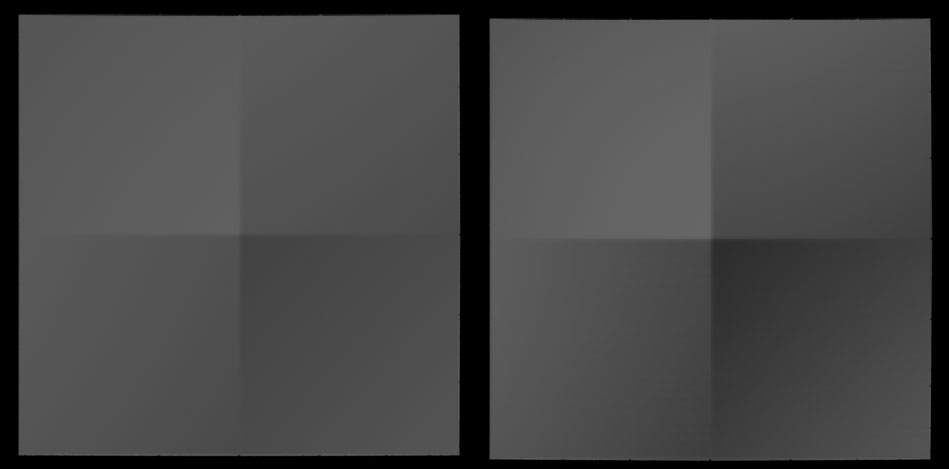
i export the displacement map via 2 ways.One is via Dexport in the alpha menu,with the adaptive turned on and the other is via the Multi Displacement 3.rendered in maya with the renderman for maya plugin,you can see highest point is back to the center of the plane mesh in the top view

In the left one ,the displacement is export via the first way,Dexport. and the right one is MD3

Attachments

screenshot2.jpg

:slight_smile: up