Hi! 
I made a uv map with the uv master plugin.
Everything is great but the mouth area is a little bit streched! Does anybody know what the problem is!
[ ](javascript:zb_insimg(‘190727’,‘uvmm.JPG’,1,0))
Thank you and have a nice day!
Hi!
I made a uv map with the uv master plugin.
Everything is great but the mouth area is a little bit streched! Does anybody know what the problem is!
[](javascript:zb_insimg(‘190727’,‘uvmm.JPG’,1,0))
Thank you and have a nice day!
What’s the topology like in that area? UV’s go point-to-point so if the topology is distorted there the UV’s will be as well. You might be able to use density control paint to try and force the issue, but depending on the topology it is also possible that won’t work.
Hi!
Thanks for your answer.
I add a screenshot from the inside of the head. The only thing is a small extruded Edge loop in the inside of the mouth. Maybe this is the problem, but the verts and faces are ok. Strange!
[ ](javascript:zb_insimg(‘190912’,‘mouthfl.JPG’,1,0))
I checked the mesh in maya and it calls me that these faces (Mouth Area) are in a zero map area…whats this! 
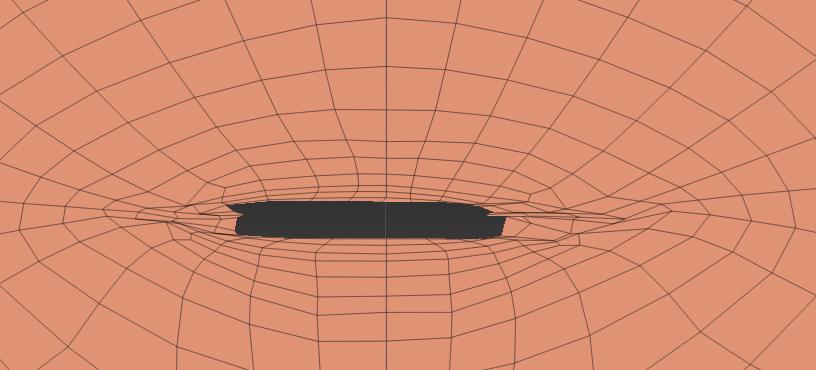
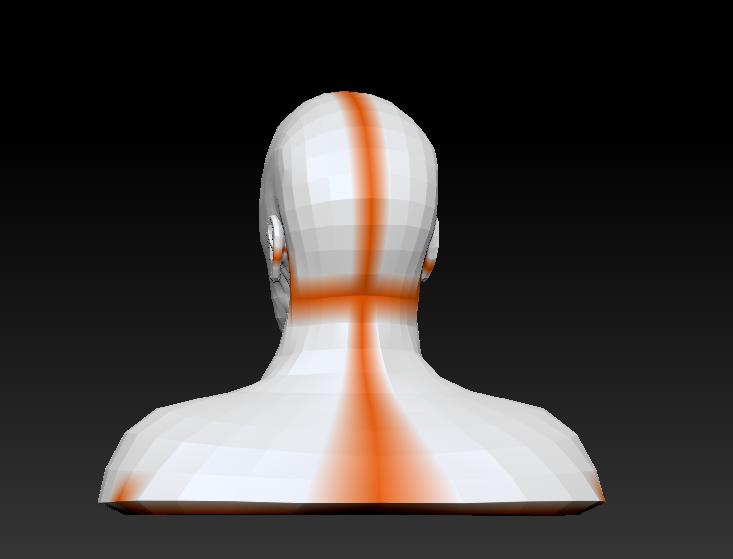
Is it possible to have a close up in flatten mode and another with the seams visible ?
Thanks!
Hi!
Thank you for your post.
Here are two images, the first is the mouth area where i have the problem with the uvs. The other UV Map is ok. The second image shows you the seams, which are also ok. The only problem i have is the bad uv map on the mouth area.
Hey Guys!
The problem with the uv master plugin is now fixed…i think so!
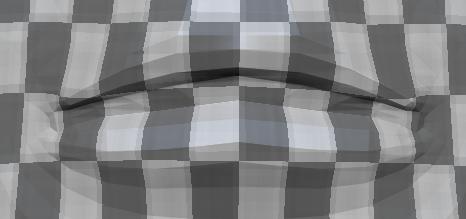
Maybe its a bug or something else. The Problem was, that des mouth was opened. In another 3D Application i closed the mouth area and make an unwrap again…so now my uv map looks like this:
[ ]
]
I think the UV Master Plugin or mayby ZBrush has a problem with opened areas in a mesh. Now my geometry has changed, can i now make a “Project All” between the mesh with the opened mouth and the mesh mit the closed mouth, is this possible!
Thank you and have a nice day!