ZBrushCentral

Transferring painted mask from one object to another?

Hi

I am wondering if there is a a way to transfer or project painted mask from one object to another. This can like detail transfer method, but instead painted mask or color map is transferred to another overlapping object.

Probably I can drop the object onto canvas and use 3d copy to transfer onto the object but this is rather not a precise method and would work on only visible sections of the models. Maybe a more streamlined script that can utilize this basic idea would be useful.

Suggestions?
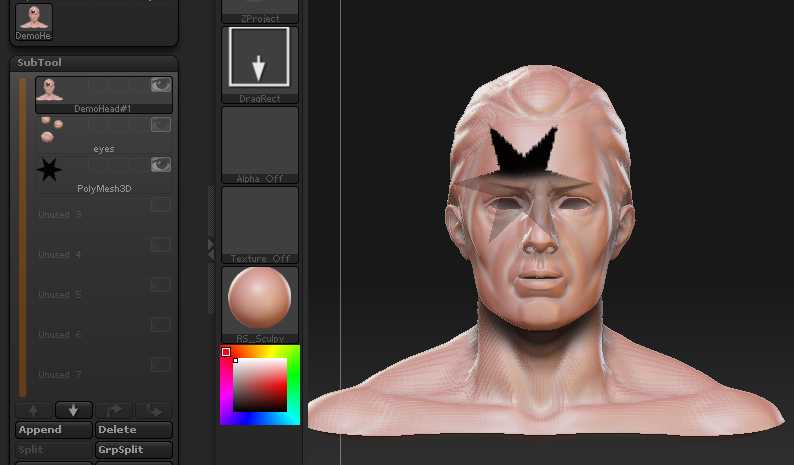
You can use the ZProject brush to transfer color between subtools. So if your mask was black polypaint it would give you a maximum intensity mask. There are two things to remember:

  1. The Transpose line will offset the projection. Switch on Edit Move and then click the model once to remove it.

  2. Switch off all the subtools except for the two you want to work with.

MaskZProject.jpg

HTH,

1 Like

Super helpful! I was curious if there was a way to transfer a mask from one subtool to another or is this the fastest method?

That’s a very old post, though the method still works. (I don’t think you need to worry about the Transpose line any more.) I think that method is probably as fast as any for copying a mask between subtools, though you do need to use polypaint.

1 Like