i like your male study some bigger pictures pls 
Here you go! Didn’t work blow the elbows or the knees much. This was for an anatomy discussion/ modeling I had with a friend about a week ago.

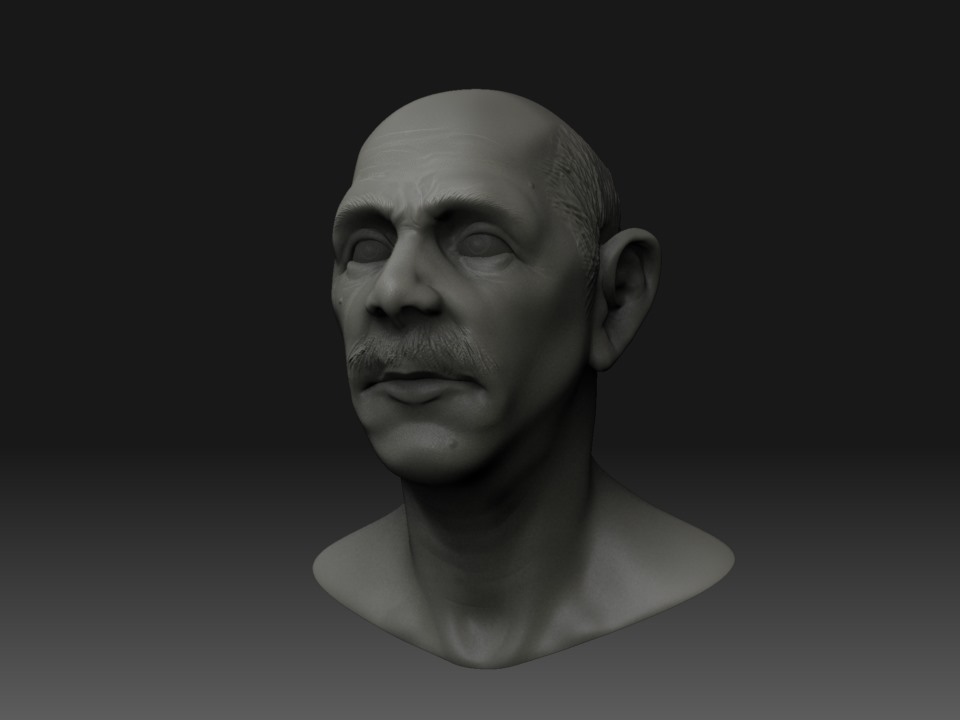
Character prototype[attach=57496]stacheBust.JPG[/attach]
Attachments
Really like the last character. Very realistic. Keep’em coming. 
…which is why the neck is so smooth. For this test I deleted the subdivs so I could add the eyes back into the mesh to transpose together. Without spending too much time on the test I masked off the polys and reposed the head, I smoothed out some anomalies on the neck area. I won’t export this posed so I didn’t spend any time on the sculpt in this pose. I like what a little posing does for getting a feel for the character.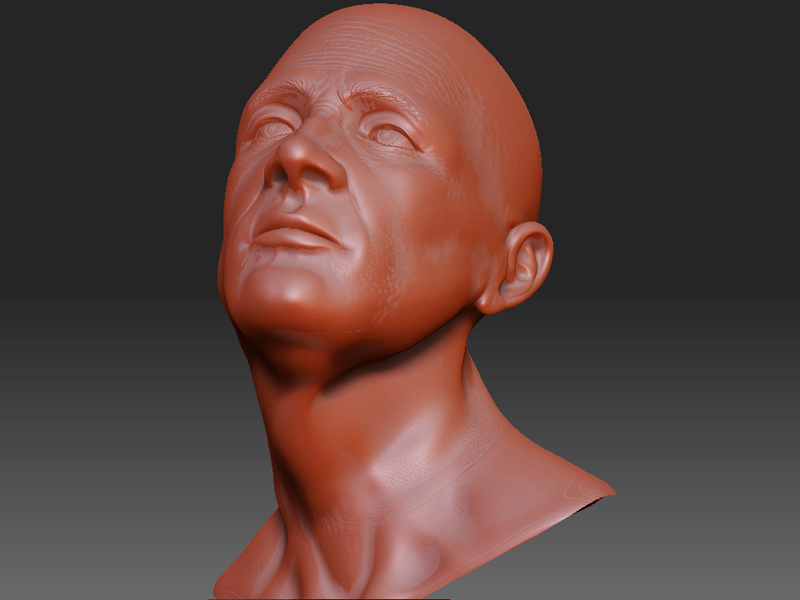
>>For this test I deleted the subdivs so I could add the eyes back into the mesh to transpose together.
You do not have to delete subdiv, simply make sure that the eyes have the same number of subdiv then insert the mesh. If you do this, you will have a combined mesh with all the original subdiv levels intact and you can transpose the combined mesh in a lower subdiv level.
So, it is the mis-match beween subdiv levels which makes them incompatible for mesh insertion. Now that you say it, it makes so much sense! Thank you for the reply!
I reconstructed subdivs on the eyes and made them match the number of subdivs on the head (6 in this case). Then I cloned the eyes, deleted them as subtools, and inserted them as meshes. Then the eyes and head are all capable of moving up and down through the subdivs, like Aurick said, and it’s sweet! I went ahead and reposed it using the much softer gradient mask I can easily get from lower poly mesh, and posed it up. The neck details are maintained, and the sterno-cleido mastoid even seems to deform like a muscle. Zbrush rocks, no doubt.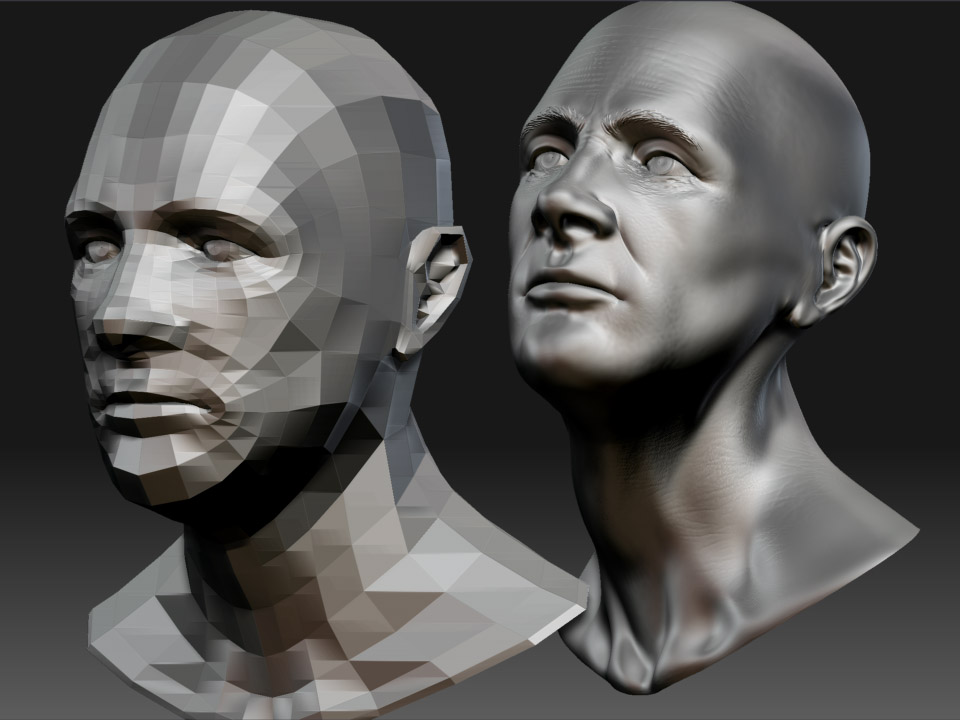
looks great!
Are you able to get the topology going over subtools? What I mean is I have a guy with jacket…when i go to do topology on him it only does body…not jacket. Does this happen to you?
There is also a recent post into the end of this thread, which discusses that…
http://www.zbrushcentral.com/zbc/showthread.php?t=45640
I’ll let you know what I find
Here’s a quick test. I didn’t set up the best retopolgy flow, but there are a few little spikes that I can’t explain. I think it’s worth trying out on other models. You could combine all your extractions and make one normal map, eh? I think it’ll be there soon. I belive they are still working on a couple things, based on that other thread…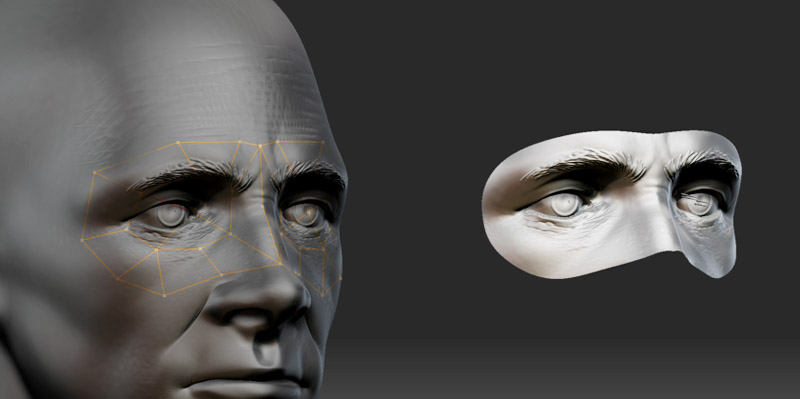
This software can create anything I like your work.
These are really incredible sculpts. Great head poses too. They seem to have a life to them.
Really nice stuff. I don’t understand all this topology stuff . I tried to do the tutorial but I couldn’t work out what I was doing with all the bone like wireframe stuff. Also what’s the difference between using the eyes as a subtool and using them as a normal mesh? I’m confused.
pete B
One of the main things you get with the subtools is about polycount and performance. Essentially , you only pay the cost of the polycounbt of your current subtool so dividing up the mesh makes it easier to work with much denser models overall. It also allows you to use multiple levels of resolution on just that subtool. You really don’t need to up res your eyes that much for them to be used to show the volume of the eyeball and you can model you eye socket and lids around that form.
The retopolgy stuff is amazing in that it allows you the freedom (especially with the much higher polycounts that ZB3 gives us) to model free from having to worry about the technical aspects of a cleanly deforming mesh, or a more optimum poycount to capture your details (edges for movement and for contour and silhouette to quote Bay Raitt). You explore to the nth degree and the work isn’t lost becuase you can refine you r sculpt without knowing in advance what the surface would look like and when you’re finished you can create a new mesh based on the sculpt which has all the technical details of an efficient, well deforming mesh but still has all your details in it to take to another app for game or film work.
The earlier question was about that process when you are trying to capture the details from multiple subtools, or multiple mesh components of one subtool into a single final mesh.
Hope this helps! There’s a great topology thread running around here and some stuff on the wiki as well if you want to know more.
Hope this helps!
-R
Here’s my latest test with using the retopology tools to make a unified mesh from multiple sub-meshes. I built the “trunk” from a cylinder, used retopology to make a “vine” of ZSpheres along the surface which I used “convert to main” to make a new tool that was just the vine. I added this as a subtool of the tree. I then did a little minor sculpting of the two together. Then I matched sub-div levels of the adaptive skin and the tree mesh and cloned out an adaptive skin of the vine. I deleted the vine sub-tool and inserted the new vine mesh using insert mesh and the result is a single sub-tool tree and vine. The quick masking works on this, which is sweet. Now, I went back to the retopology tools to make a low poly base mesh around the two of them. By carefully making this mesh I can get a very nice new mesh with the detail of both tools. By carefully I mean that the base mesh completely encompasses both of the subtools, and all the face of the new mesh are facing at a good angle to be projected down and capture the details of the base sub-meshes. Anyone who has laid out cages for normal map projections will recognize the work flow. Voila! Perfect new mesh which goes down to the base topology and has sub-divisions (with projection on) which capture all the details of tree and vine. Nice!
-Royal

If you have few errors with the retopology, you can do a smart resym, or if your model isn’t symetrical, why not bluring the artefacts then use the z-project brush?
That’s true except when the model isn’t symmetrical - like the vine and tree. The Z-project brush is cool, but often take quite awhile since you have to keep rotating the model to reset you projection angle and pain tthe whole model, this does it all at once. Great idea about the smart resym, when that would solve things. There are so many great possibilities with ZB3!
-Royal
Great insights! Thanks a lot, that info will come in very handy. Keep posting! 
PS: Isn’t this the best CG Fromum of them all!? People readily share so much valuable info.
More retopology stuff.
This mask is generated from the mesh I posted above. I drew the new topo lines, turned on project AND multi - perfectly captured all the details of the head and the two eyes each of which is a separate inserted mesh. Truly amazing program.
