ZBrushCentral

ColorizeGlow material and MultiThreading

Thanks Aurick…

but it don’t work…still crash…

More, the MultiRender Option cannot be saved with Ctrl-Shift-I (Preferences->Config->Store Config)

This workaround do not solve the problem.

More info on this error:

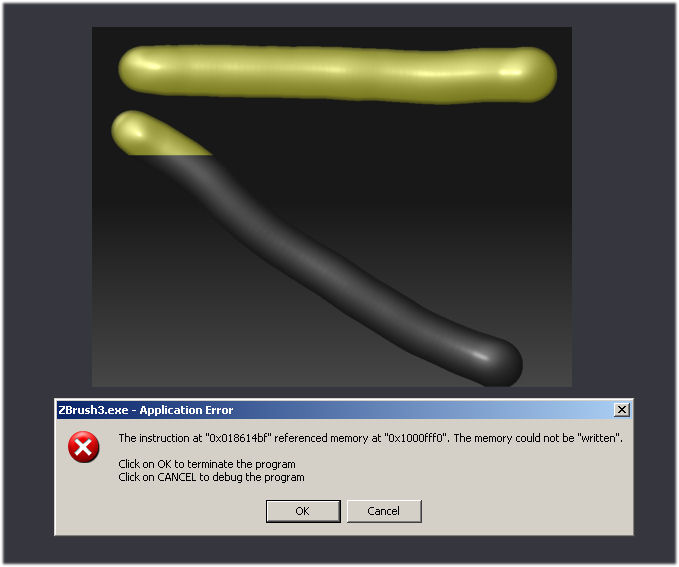
If i draw something with the ColorizedGlow Material in the upper side of canvas (see fig.1) the render is OK (no crash).
[BestRenderOK.jpg]BestRenderCRASH.jpg
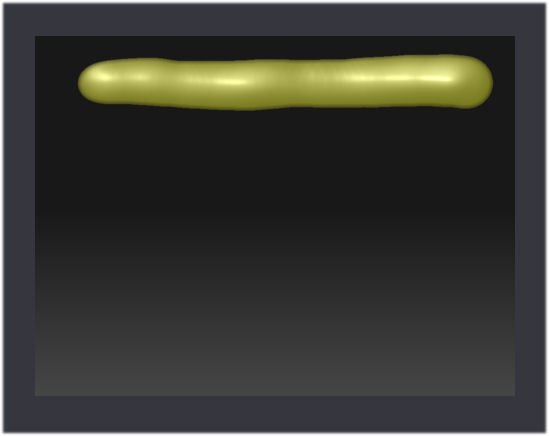
I hope this helps Pixologic programmers …

cameyo

went to nvidia.com to get the driver update but as aurick was saying its a program issue. Still you should always keep your video driver up to date;)

CannedMushrooms: my driver are update.

I hope the next update will be free…i.e. i wish Z3 working well, not Z4 with bugs.

Thanks.

cameyo

p.s. ZBrush is the best graphics program to unleash creativity

I hope the next update will be free toooooo, as so many programs catch there userbase out ( poor little ginipigs ). And that seems to be the norm, hope it`s not going to be the case after waiting for sooooo long ?

The next release is a bug fix / feature tweak. So yes, it is free to Z3 owners.

I just discovered that I can render without any crashes in a larger document size. I have tried many renders at 3840X2880 with both glow materials and there are no crashes…

Hope this helps…